

If you’re a reporting entity under the AML/CTF Act, submitting AUSTRAC reporting forms correctly isn’t optional, it’s a legal obligation. From threshold transaction reports (TTRs) and suspicious matter reports (SMRs) to annual compliance reports, each form serves a specific regulatory purpose, and getting them wrong (or missing them entirely) can result in serious civil penalties.
The good news is that AUSTRAC Online makes the submission process fairly straightforward once you know where everything sits. The not-so-good news is that the portal can feel unintuitive the first time around, especially if you’re newly registered or handling compliance reporting alongside dozens of other operational tasks.
This guide walks you through the key AUSTRAC reporting forms, how to submit them via AUSTRAC Online, and what to watch out for at each step. At StackGo, we build compliance-ready integrations, like IdentityCheck, that help regulated businesses run KYC and AML verification directly from their existing CRM, so we understand the compliance workflows these forms sit within. Whether you’re an accounting firm preparing for AUSTRAC’s expanded AML/CTF regime or a financial services business tightening up your reporting processes, this article will help you get each submission right.
What AUSTRAC reporting forms you may need to submit
The AUSTRAC reporting forms you need to submit depend on your business type, the designated services you provide, and the types of transactions you process. Before you log into AUSTRAC Online, you need to understand which obligations apply to you, because submitting the wrong form or missing a required report can trigger compliance failures with significant legal consequences.
Enrolment and registration forms
When you first become a reporting entity under the AML/CTF Act, you must complete enrolment through AUSTRAC Online before you can submit anything else. If your business provides one or more designated services listed in the Act, you’ll also need to register those services separately. Both steps happen inside the portal, and both must be completed before you can access transaction reporting. Think of these as your foundation. Nothing else works without them.
Ongoing transaction and compliance reports
Once enrolled, your ongoing reporting obligations depend on what transactions your business processes. Here is a summary of the core forms you’re likely to encounter:
| Form | When it applies | Deadline |
|---|---|---|
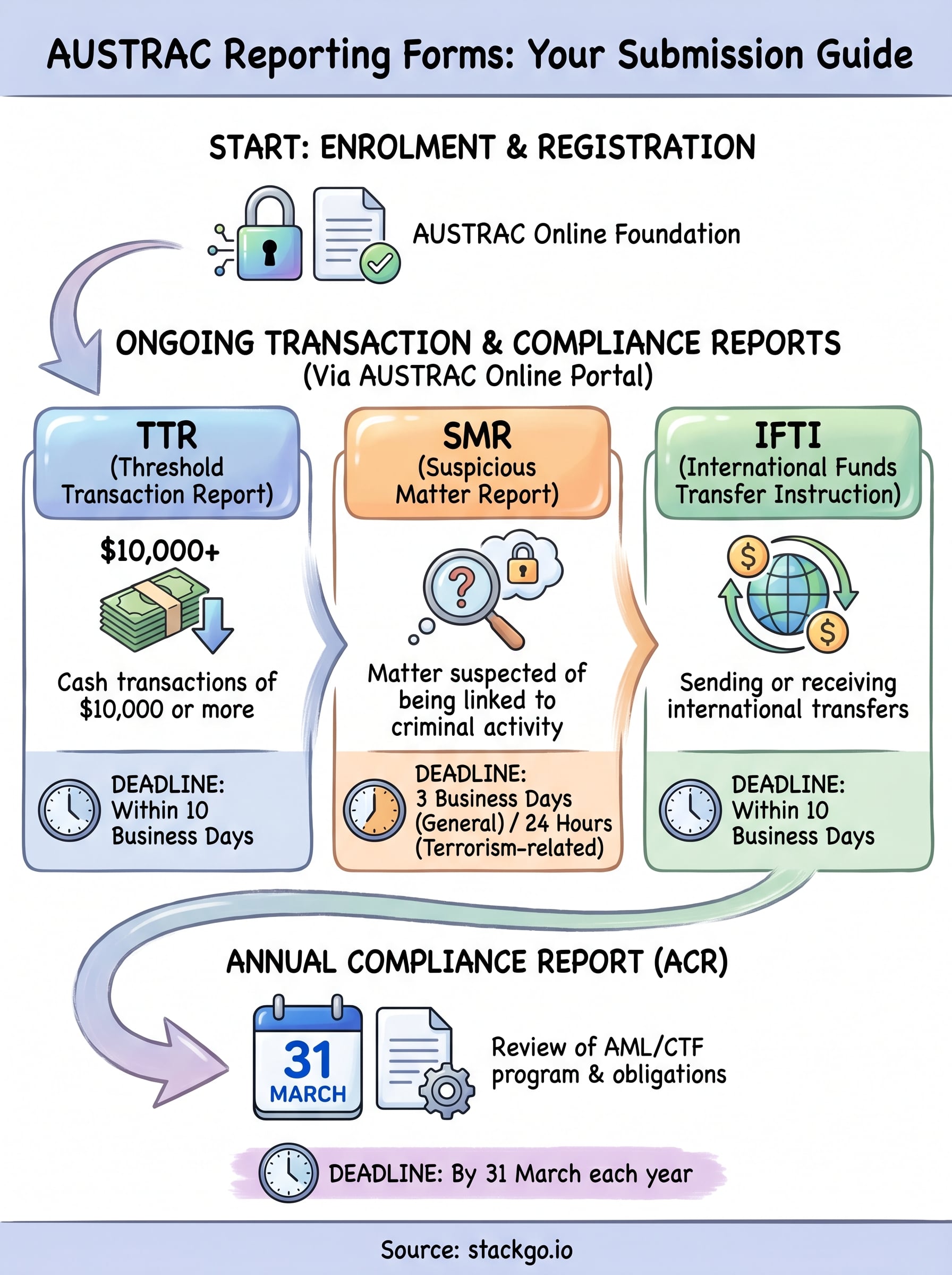
| Threshold Transaction Report (TTR) | Cash transactions of $10,000 or more | Within 10 business days |
| Suspicious Matter Report (SMR) | Any matter suspected of being linked to criminal activity | Within 3 business days (24 hours if terrorism-related) |
| International Funds Transfer Instruction (IFTI) | Sending or receiving international transfers | Within 10 business days |
| Annual Compliance Report (ACR) | Required yearly for all registered entities | By 31 March each year |
Missing a TTR or SMR deadline is one of the most common compliance breaches AUSTRAC identifies, so build these timeframes into your internal processes before you need them.
Your reporting responsibilities don’t stop at enrolment. Each form carries its own trigger and deadline, and AUSTRAC expects you to have internal controls in place to catch them reliably every time.
Get set up in AUSTRAC Online
Before you can submit any AUSTRAC reporting forms, you need an active account in AUSTRAC Online, which is the primary portal for all your regulatory submissions. Setting this up correctly from the start saves you from access issues when a reporting deadline is approaching.
Create your AUSTRAC Online account
To get started, navigate to the AUSTRAC Online portal and select "Register" to create a new account. You’ll need to provide your business details, including your Australian Business Number (ABN), contact information, and the name of your nominated compliance officer. Once submitted, AUSTRAC will send a verification email to the address you provided, and you’ll need to confirm it before you can log in and begin using the portal.

Keep your login credentials secure and restrict portal access to staff who are directly responsible for your AML/CTF compliance obligations.
What you need before you log in
Have these details ready before you start the registration process:
- Your ABN or ACN
- Details of your principal officer (usually a director or senior manager)
- Your business’s registered address and contact details
- A valid email address for account verification
With these details prepared, the registration process moves quickly and you’ll reach the actual submission steps without unnecessary delays.
Complete enrolment and registration forms in AUSTRAC Online
Once your account is active, enrolment is the first AUSTRAC reporting form you’ll complete inside the portal. Log in, select "Enrol" from the main dashboard, and work through each section using the business and officer details you prepared earlier. AUSTRAC will review your submission and confirm your enrolment status by email.
Register your designated services
After enrolment is confirmed, you must register each designated service your business provides. Inside AUSTRAC Online, navigate to "Registration" and select "Add a designated service." Work through the prompts, selecting the relevant service categories that match your business activities under the AML/CTF Act.
If you provide more than one designated service, register each one separately. Missing a service at this stage creates a compliance gap that can be difficult to correct later.
What happens after you submit
AUSTRAC processes your registration submission and may request additional information before confirming. Once confirmed, your business appears on the AUSTRAC Reporting Entities Register, which is publicly accessible. At this point, your ongoing reporting obligations are active, meaning your TTR, SMR, and IFTI submission windows are live. Do not delay registering designated services once enrolment is complete.
Submit transaction reports in AUSTRAC Online
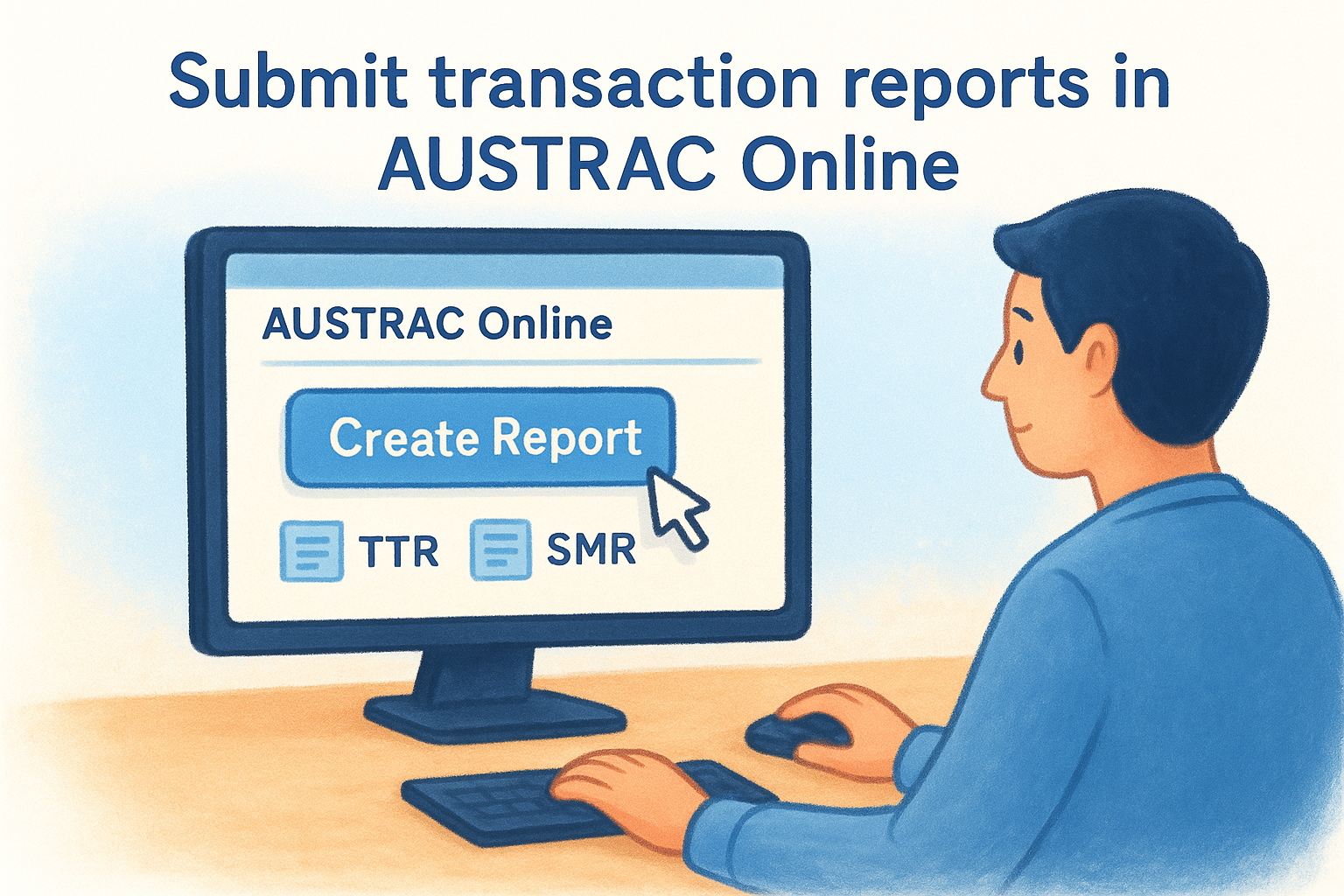
With enrolment and registration complete, you can submit transaction reports directly through the portal. From your AUSTRAC Online dashboard, select "Create Report" and choose the relevant report type: TTR, SMR, or IFTI.
How to submit a TTR or IFTI
For a Threshold Transaction Report, navigate to "Create Report," select "TTR," and enter the transaction date, amount, and customer identification information. Submit within 10 business days of the transaction occurring.
The process for an International Funds Transfer Instruction follows the same path but requires additional fields for the sending and receiving financial institutions. The 10 business day deadline applies here as well.
Double-check all customer details before submitting, as errors in these austrac reporting forms are difficult to correct once lodged.
How to submit an SMR
Suspicious Matter Reports carry the tightest deadlines of all report types. Select "SMR" from the report type menu, then complete these required fields:
- Grounds for suspicion: factual descriptions only, not conclusions
- Persons or entities involved: names, dates of birth, and identification details
- Transaction details: amounts, dates, and accounts
Submit within 3 business days, or 24 hours if terrorism financing is suspected.
Lodge your annual compliance report
Every registered reporting entity must submit an Annual Compliance Report (ACR) by 31 March each year, covering the previous calendar year. This is one of the most important AUSTRAC reporting forms you will complete, and AUSTRAC uses it to assess whether your AML/CTF program is functioning as required. Missing this deadline is treated as a compliance breach, regardless of how clean your transaction reporting has been throughout the year.
What the ACR covers
The ACR asks you to confirm that your AML/CTF program is in place and that you met your ongoing obligations throughout the year. You will need to address key areas including:
- Whether your AML/CTF program was reviewed during the year
- The number of TTRs, SMRs, and IFTIs you submitted
- Whether you conducted appropriate customer due diligence
- Any changes to your business structure or designated services
How to submit your ACR
Log into AUSTRAC Online, select "Create Report," and choose "Annual Compliance Report" from the report type menu. Work through each section carefully, as incomplete responses can flag your business for a follow-up review by AUSTRAC.
Submit your ACR well before the 31 March deadline to allow time to correct any errors your internal review identifies.
Quick recap
Submitting AUSTRAC reporting forms correctly comes down to knowing which forms apply to your business, hitting your deadlines, and using AUSTRAC Online as your single submission point for everything from enrolment through to your annual compliance report.
Your key obligations break down as: enrol and register first, submit TTRs and IFTIs within 10 business days, lodge SMRs within 3 business days (24 hours for terrorism-related matters), and file your ACR by 31 March each year. Missing any of these is treated as a compliance breach, not a minor oversight.
For businesses falling under AUSTRAC’s expanded AML/CTF regime, having solid compliance processes in place before you report matters just as much as the reporting itself. StackGo’s IdentityCheck integrates KYC and AML verification directly into your existing CRM, so your compliance workflows run where your team already works. See how IdentityCheck supports AUSTRAC Tranche 2 compliance.


