

Microsoft Dynamics 365 is a powerful CRM, but running it in isolation limits what it can actually do for your business. When client data sits in one system and your compliance, onboarding, or accounting tools live in another, you end up with manual workarounds, duplicated effort, and gaps that cost real time and money. That’s exactly why Microsoft Dynamics 365 CRM integration matters, it connects your CRM to the rest of your tech stack so information flows where it needs to, without the copy-paste routine.
For regulated businesses, accountants, financial services firms, legal practices, these integrations aren’t just nice to have. They’re essential for running compliant client onboarding, identity verification (KYC/AML), and background screening without juggling multiple disconnected platforms. The challenge is finding integrations that are reliable enough for critical workflows, not duct-taped together with fragile automations that break when you need them most.
At StackGo, we build productised integrations, like IdentityCheck, that plug directly into the CRMs businesses already use, so compliance and onboarding tasks happen inside your existing software rather than outside it. No new platforms to learn, no extra tabs to manage. It’s the kind of out-of-the-box integration this guide is all about.
This article walks through everything you need to know about integrating Microsoft Dynamics 365 CRM: the core benefits, common integration approaches, key tools and platforms available, and practical considerations for getting it right. Whether you’re evaluating your first integration or replacing a setup that isn’t working, this guide will help you make an informed decision.
What Dynamics 365 CRM integration means
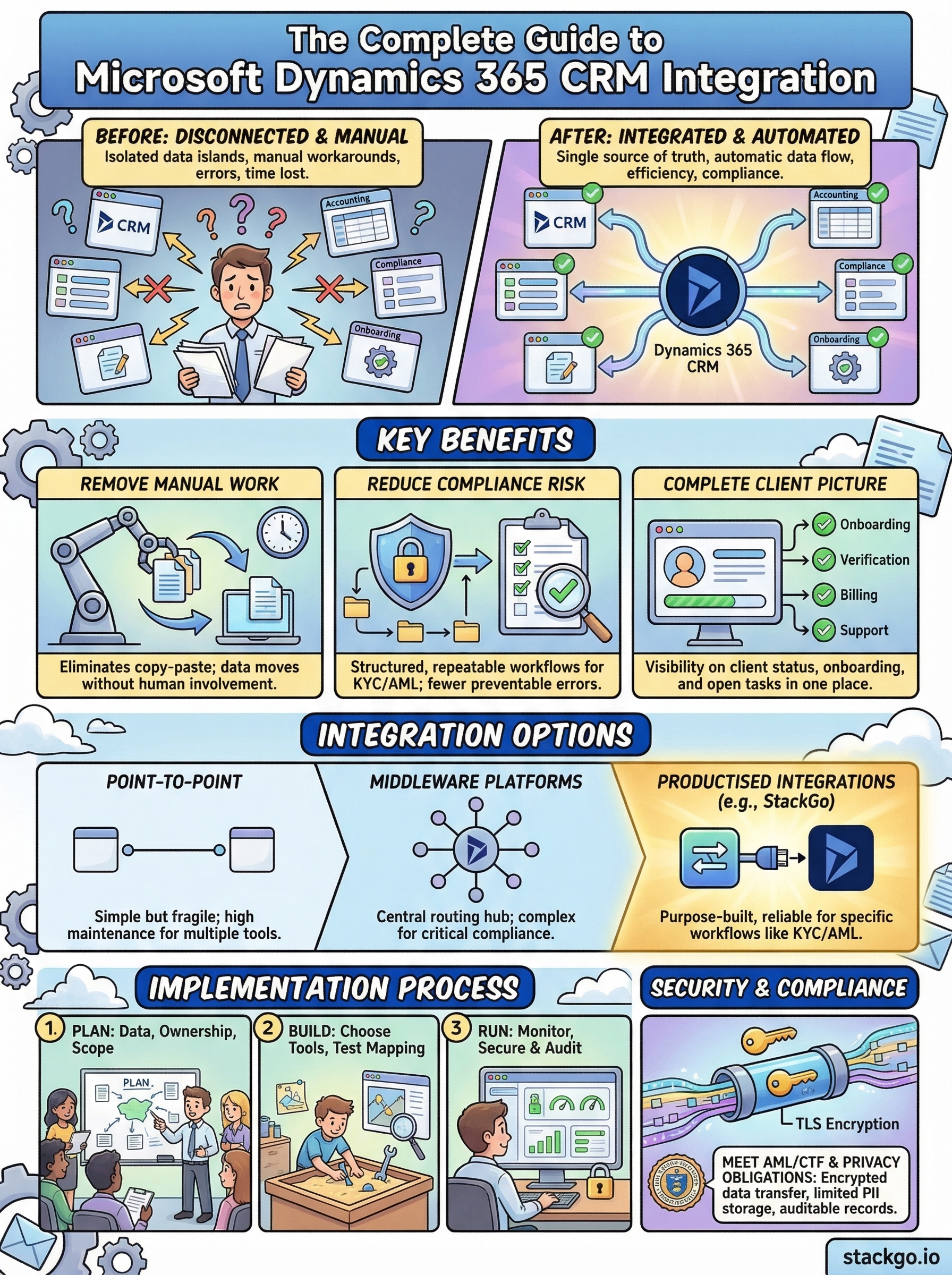
At its simplest, Microsoft Dynamics 365 CRM integration is the process of connecting Dynamics 365 to other software systems so that data moves automatically between them. Instead of manually exporting a client record from one platform and importing it into another, an integration handles that exchange in the background, in real time or on a schedule, without human involvement. The result is a single source of truth across your business tools, rather than isolated islands of data that staff have to reconcile by hand.
How the data exchange actually works
When two systems integrate, they communicate through application programming interfaces, commonly called APIs. An API is a set of rules that defines how one piece of software sends and receives information from another. Dynamics 365 exposes its own set of APIs that external tools can call to read, write, or update records. When a client’s contact details change in Dynamics, for example, a connected accounting or compliance platform can receive that update instantly and reflect it without anyone manually transferring the data.
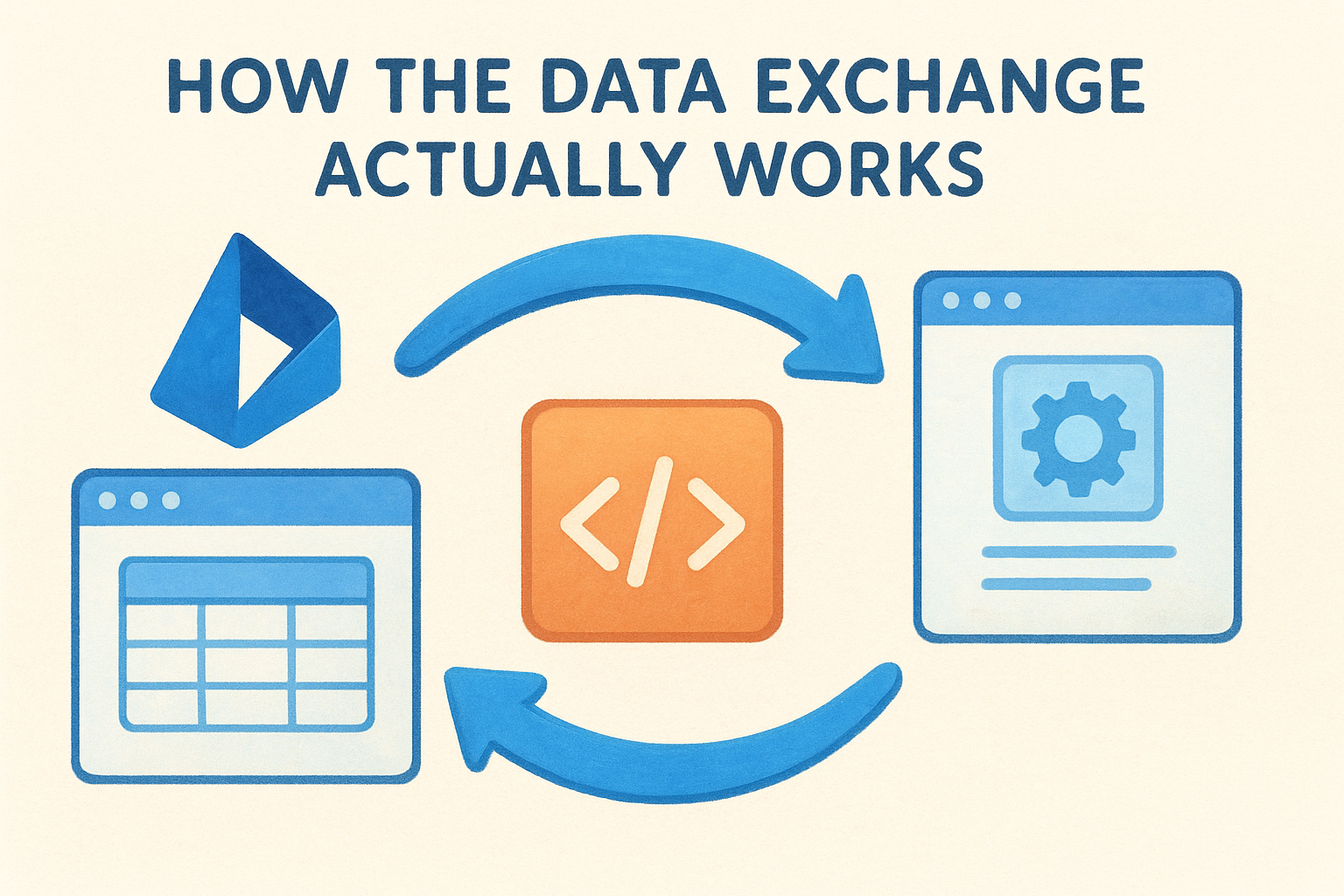
The reliability of an integration depends almost entirely on how well the underlying API connection is designed and maintained, not just whether the two systems can technically talk to each other.
Most integrations also involve data mapping, which means defining which field in Dynamics corresponds to which field in the connected system. A "Company Name" field in Dynamics might map to a "Business Name" field in your accounting tool. Getting this mapping right upfront is one of the most important steps in any integration project.
What gets connected in a typical setup
A Microsoft Dynamics 365 CRM integration can connect to a wide range of business tools depending on what your team needs. Common examples include accounting platforms like Xero or MYOB, marketing automation tools, document management systems, identity verification and KYC/AML compliance platforms, and customer support software. Each connection serves a different purpose, but they all share the same goal: keeping information consistent across your entire operation.
For regulated businesses, the connections that matter most are usually the ones tied to client onboarding and compliance workflows. Verifying a client’s identity, checking them against AML watchlists, and recording the outcome back in the CRM are steps that traditionally require staff to move between multiple platforms. An integration collapses that process into a single workflow that happens inside Dynamics itself.
The difference between native and third-party integrations
Not all integrations work the same way. Native integrations are built specifically for two platforms and maintained by one of the vendors involved. They tend to be more stable and require less configuration because the connection is designed to work out of the box. Third-party integrations, on the other hand, are built by independent developers or integration platforms and sit between the two systems, passing data back and forth.
Fragile, automation-based connectors built through general-purpose tools like Zapier can work for simple, low-stakes tasks, but they often break under pressure when the workflow is more complex or when compliance accuracy is non-negotiable. For critical business processes, purpose-built integrations that connect directly to Dynamics 365 and your other core tools are far more dependable than a chain of automated triggers that nobody fully owns.
Why Dynamics 365 CRM integration matters
Running Dynamics 365 as a standalone system means your team spends time bridging gaps that software should handle automatically. Every time a staff member copies a client record from your CRM into a compliance tool, or manually checks whether an address update has made it across to your accounting platform, you are paying a real operational cost. A properly configured microsoft dynamics 365 crm integration eliminates that friction and lets your people focus on work that actually requires their attention.
It removes the manual work that slows your team down
Manual data entry is not just tedious, it is a consistent source of errors. When staff transfer client information between systems by hand, small mistakes compound over time: a transposed digit in a tax file number, a misspelled name that breaks a verification check, or an outdated address that reaches a client communication. These errors are entirely preventable when the systems responsible for storing that information talk to each other directly.
Integrating Dynamics 365 with your other business tools means a single update in one place flows through to every connected system automatically. Your team stops managing data and starts using it.
It reduces compliance risk for regulated businesses
For accountants, financial services firms, and legal practices, compliance failures carry real consequences: fines, regulatory scrutiny, and damaged client relationships. When your identity verification or KYC/AML process relies on staff manually moving between platforms, the chance of a step being missed or recorded incorrectly is far higher than it needs to be.
Integration turns compliance into a structured, repeatable workflow rather than a series of manual steps that depend entirely on individual staff following the correct process every time.
It gives you a complete picture of every client relationship
When your CRM connects to the tools that handle onboarding, verification, billing, and communication, every client record becomes genuinely useful rather than partial. Your team can see at a glance whether a client has completed identity verification, what their onboarding status is, and whether there are open compliance tasks that need attention, without switching applications or asking colleagues for updates. That kind of visibility saves time on every client interaction and makes your operation significantly easier to manage as you scale.
Integration options and patterns to choose
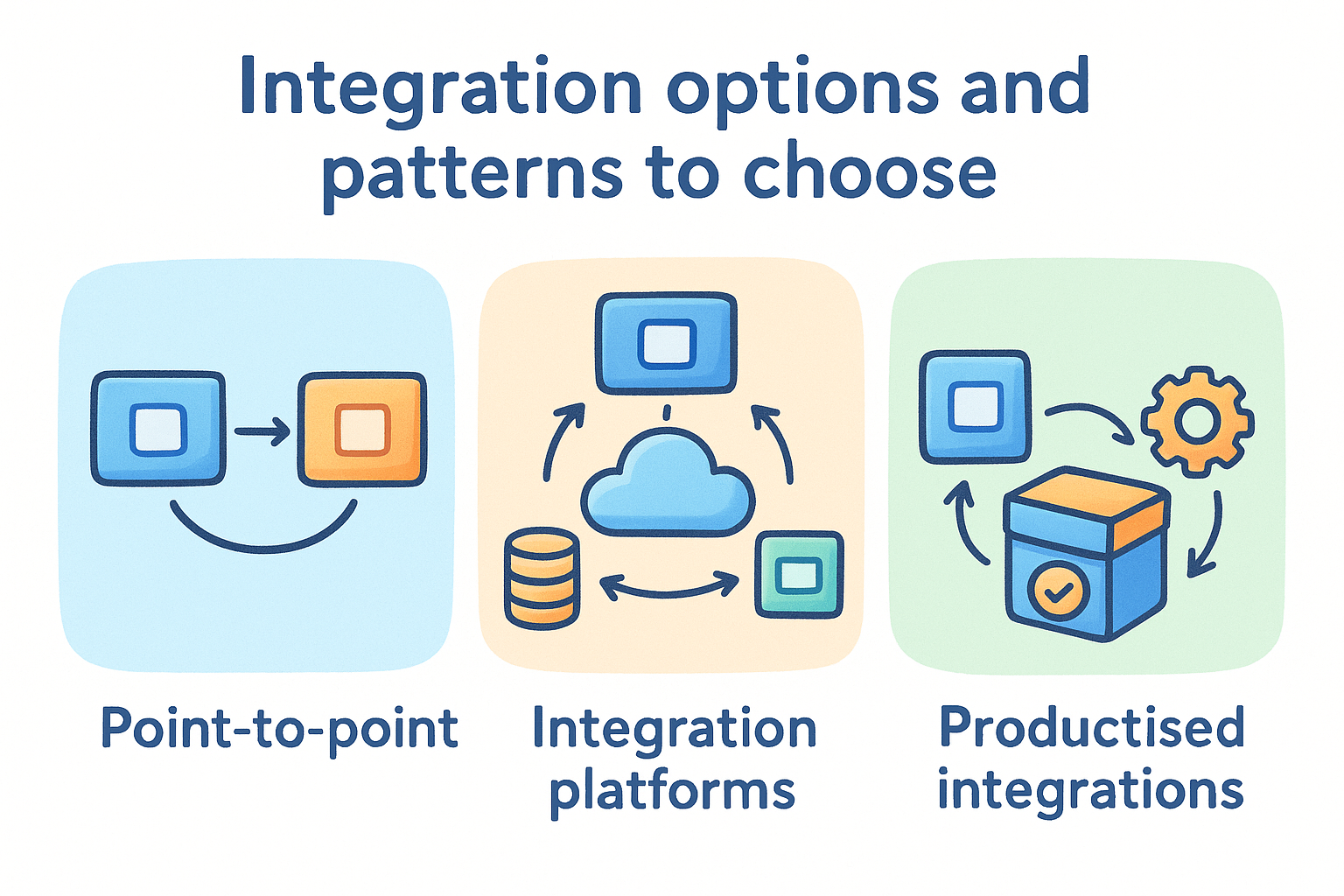
Before you configure anything, it is worth understanding the main approaches available for connecting Dynamics 365 to your other tools. Each pattern has different trade-offs around cost, complexity, and long-term reliability. Choosing the wrong approach for your use case is one of the most common reasons integrations fail or become a maintenance burden within months of going live.
Point-to-point connections
A point-to-point connection links two specific systems directly, typically through a custom API build or a vendor-provided connector. This approach is straightforward when you only need to connect Dynamics 365 to one other platform and the data flow is simple. It works well for stable, well-supported connections, such as syncing your CRM with a single accounting tool like Xero.
The limitation shows up when you add more systems to the mix. Each new connection requires its own build and maintenance, so a business connecting Dynamics to five different tools ends up managing five separate integrations. That overhead adds up quickly, especially if the underlying APIs change and multiple connections need updating at the same time.
Integration platforms and middleware
Middleware platforms sit between Dynamics 365 and your other tools, acting as a central hub that routes data in multiple directions from a single configuration layer. General-purpose tools in this category can handle a broad range of connections, which makes them attractive for businesses with many systems to link together.
The risk with general-purpose middleware is that critical workflows, particularly compliance and identity verification, often need more reliability and control than a drag-and-drop automation builder provides.
When a compliance step fails silently inside a multi-step automation, your team may not catch it until the error has already created a problem. For non-critical tasks, this trade-off may be acceptable. For regulated onboarding workflows, it usually is not.
Productised integrations
A productised integration is a purpose-built connection designed specifically for two platforms and maintained as a finished product rather than a custom build. Because the scope is defined and the connection is tested for that exact use case, it tends to be far more reliable than a bespoke setup. For a microsoft dynamics 365 crm integration that handles KYC/AML verification or client onboarding, a productised approach gives you a workflow that works consistently without requiring your team to manage or troubleshoot the underlying logic.
Plan your integration: data, ownership, scope
Before you touch a configuration panel or speak to a vendor, you need a clear plan for what your microsoft dynamics 365 crm integration will actually do. Skipping this step is how businesses end up with integrations that technically work but create new problems: duplicate records, mismatched fields, or workflows that nobody is responsible for maintaining. A short planning phase saves far more time than it costs.
Define what data actually needs to move
Not every field in Dynamics needs to flow to every connected system. Start by listing the specific data points that each integration genuinely requires. For a compliance or KYC/AML workflow, that list typically includes full legal name, date of birth, address, and document reference numbers. For an accounting integration, it might be contact details, invoice history, and payment status.
The more data you try to sync across systems, the more mapping work you create and the more opportunities there are for something to break or conflict.
Keeping your data scope narrow and deliberate makes the integration easier to test, easier to troubleshoot, and significantly easier to maintain as your tools evolve over time.
Assign ownership before you build
Every integration needs a named person responsible for it. When a sync fails or a field stops mapping correctly, someone has to own the problem and fix it quickly. Without a clear owner, integration issues tend to sit unresolved while staff work around them manually, which defeats the purpose of connecting the systems in the first place.
Assign responsibility at the start of the project, not after something goes wrong. That person should understand both the business process the integration supports and the tools involved well enough to identify when something is off and escalate it appropriately.
Set a clear scope before you start
Scope creep is one of the most common reasons integration projects run over time and over budget. Define exactly which systems you are connecting, which workflows the integration covers, and what falls outside the project. Write it down and get agreement from everyone involved before any configuration begins.
A well-scoped integration is also far easier to test and sign off before it goes live. If the scope is vague, testing becomes guesswork rather than a structured process with a clear pass or fail outcome.
Build and run it: tools, steps, monitoring
Once your plan is solid, the build phase is where decisions become real. The tools you choose and the steps you follow will determine whether your microsoft dynamics 365 crm integration runs reliably from day one or creates ongoing maintenance work that nobody anticipated. Getting this phase right means moving methodically rather than rushing to connect systems before the groundwork is properly done.
Choose the right tools for your use case
Your tool selection should follow your requirements, not the other way around. If you are connecting Dynamics 365 to a compliance or identity verification platform, look for purpose-built connectors that are maintained by the vendor and tested specifically for that use case. Microsoft’s own Power Platform provides native connectivity options that integrate directly with Dynamics 365 and reduce the need for third-party middleware.
Choosing a tool because it is popular or inexpensive, rather than because it fits your specific workflow, is one of the most reliable ways to create a fragile integration.
For regulated compliance workflows, reliability matters more than flexibility. A productised integration built for your exact use case will outperform a general-purpose automation tool almost every time.
Follow a structured build process
Start by testing your data mapping in a sandbox environment before connecting live records. This gives you a controlled space to verify that each field maps correctly, that data transforms as expected, and that edge cases like missing fields or unexpected formats do not cause silent failures. Document every mapping decision as you go, because that documentation becomes essential when you need to troubleshoot or update the integration later.
Once you move to production, run the integration with a small batch of real records before opening it up fully. Confirm that data is flowing correctly in both directions and that your CRM records reflect the outcomes you expect.
Monitor the integration after go-live
An integration that works on launch day can break quietly weeks later if an API update or configuration change goes unnoticed. Set up error alerts so your assigned owner receives a notification the moment a sync fails, rather than discovering the problem after it has already affected client records. Review integration logs on a regular basis and build a simple check into your team’s monthly process to confirm everything is still running as intended.
Security and compliance for regulated teams
Security cannot be an afterthought when your microsoft dynamics 365 CRM integration handles client identity data, verification outcomes, or AML/CTF records. Every point where data moves between systems is a potential exposure risk, and regulated businesses carry specific legal obligations around how that data is stored, accessed, and protected. Getting the security architecture right from the start is far less costly than responding to a breach or a regulatory finding after the fact.
Protect client data at every point in the flow
Personally identifiable information (PII) requires careful handling at every stage of an integration. When client records containing names, dates of birth, and identity document details pass between Dynamics 365 and a compliance platform, that transfer should happen over encrypted connections using TLS protocols as a minimum standard. Microsoft’s own security controls for Dynamics 365 cover data at rest and in transit, but your responsibility extends to every third-party system connected to it.
The weakest point in your data security is rarely the CRM itself. It is usually the connection between systems, or the permissions granted to staff who access the integration.
One practical step is to ensure that sensitive PII is never stored in a location that gives it broader exposure than necessary. StackGo’s IdentityCheck, for example, includes a privacy layer that prevents PII from sitting in the CRM at all, keeping it accessible only to MFA-authenticated administrators. That design directly reduces your attack surface and helps you meet obligations under the Australian Privacy Act.
Meet your AML/CTF and KYC obligations
Australian regulated businesses, including accounting firms, financial services providers, and legal practices, face specific compliance requirements under AUSTRAC’s AML/CTF rules and the TPB’s identity verification standards. Your integration needs to support those requirements by producing a clear, auditable record of every verification check: who was verified, when, what documents were used, and what the outcome was.
Build your integration so that verification outcomes are written back to the client record in Dynamics automatically. That gives your team a complete compliance trail in the system you already use for client management, without relying on staff to manually record results that could easily be missed, misdated, or lost.
Next steps
A well-planned microsoft dynamics 365 crm integration connects your CRM to the tools that actually run your business, removing manual steps, reducing compliance risk, and giving your team a complete view of every client relationship without switching between platforms. The key is choosing integrations built for your specific use case rather than general-purpose automations that break when reliability matters most.
For regulated businesses in Australia, that means prioritising integrations that support AML/CTF verification, KYC workflows, and clear audit trails inside the systems you already use. The more your compliance processes run inside your existing CRM, the less your team has to manage outside it.
If your business needs to run identity verification directly inside your current software stack, StackGo’s IdentityCheck is built exactly for that. See how IdentityCheck handles AUSTRAC Tranche 2 compliance inside your existing tools, or create a free account to test it for your business today.


