

Every regulated business has processes that eat up hours each week, identity verification, client onboarding, compliance checks, yet many still run these workflows through manual steps, disconnected tools, or fragile workarounds. A solid business process automation strategy changes that. It gives you a clear plan for identifying which processes to automate, how to implement the right tools, and where the biggest efficiency gains actually sit within your operations.
But strategy without execution is just a document. The businesses that get real results are the ones that match their automation approach to their existing tech stack, rather than bolting on yet another platform nobody wants to log into. That’s exactly the problem we built StackGo to solve, our integration platform lets you run critical workflows like KYC/AML verification and client onboarding directly from the software you already use, whether that’s HubSpot, Salesforce, or Xero.
This guide walks you through building a business process automation strategy from scratch. You’ll learn how to audit your current processes, prioritise what to automate first, choose the right tools, and measure outcomes. Whether you’re an accounting practice preparing for upcoming AUSTRAC AML/CTF requirements or a financial services firm looking to cut manual compliance work, the framework here applies. Let’s get into it.
What a Business Process Automation Strategy Is
A business process automation strategy is a structured plan that tells your organisation which workflows to automate, in what order, with which tools, and how to measure success. It is not a list of software purchases or a single project you complete and forget. Think of it as a living document that governs how your business systematically removes manual effort from repeatable tasks, so your team spends time on work that actually requires human judgement rather than clicking through the same steps each week.
A strategy without prioritisation is just a wishlist. The order in which you automate processes determines how quickly you see real returns.
Automation vs. a one-off fix
Most businesses have already automated something, whether that is scheduled email reminders or an auto-generated invoice. But one-off fixes do not add up to a strategy. Without a coherent plan, you end up with disconnected automations spread across different tools, no shared standard for how workflows should be built, and no reliable way to measure whether any of it is actually saving time or reducing risk.
A proper strategy ties individual automations together under a common set of goals, governance rules, and metrics. It answers questions like: who owns each automated process, what happens when an automation breaks, and how do you decide what to tackle next? That clarity is what separates businesses that see compounding efficiency gains from those that keep patching problems one at a time.
The three layers of any automation strategy
A well-structured approach sits across three layers: process identification, tool selection, and measurement. Each layer depends on the one before it. You cannot choose the right tools if you have not mapped your processes first, and you cannot measure success without deciding upfront what success actually looks like.
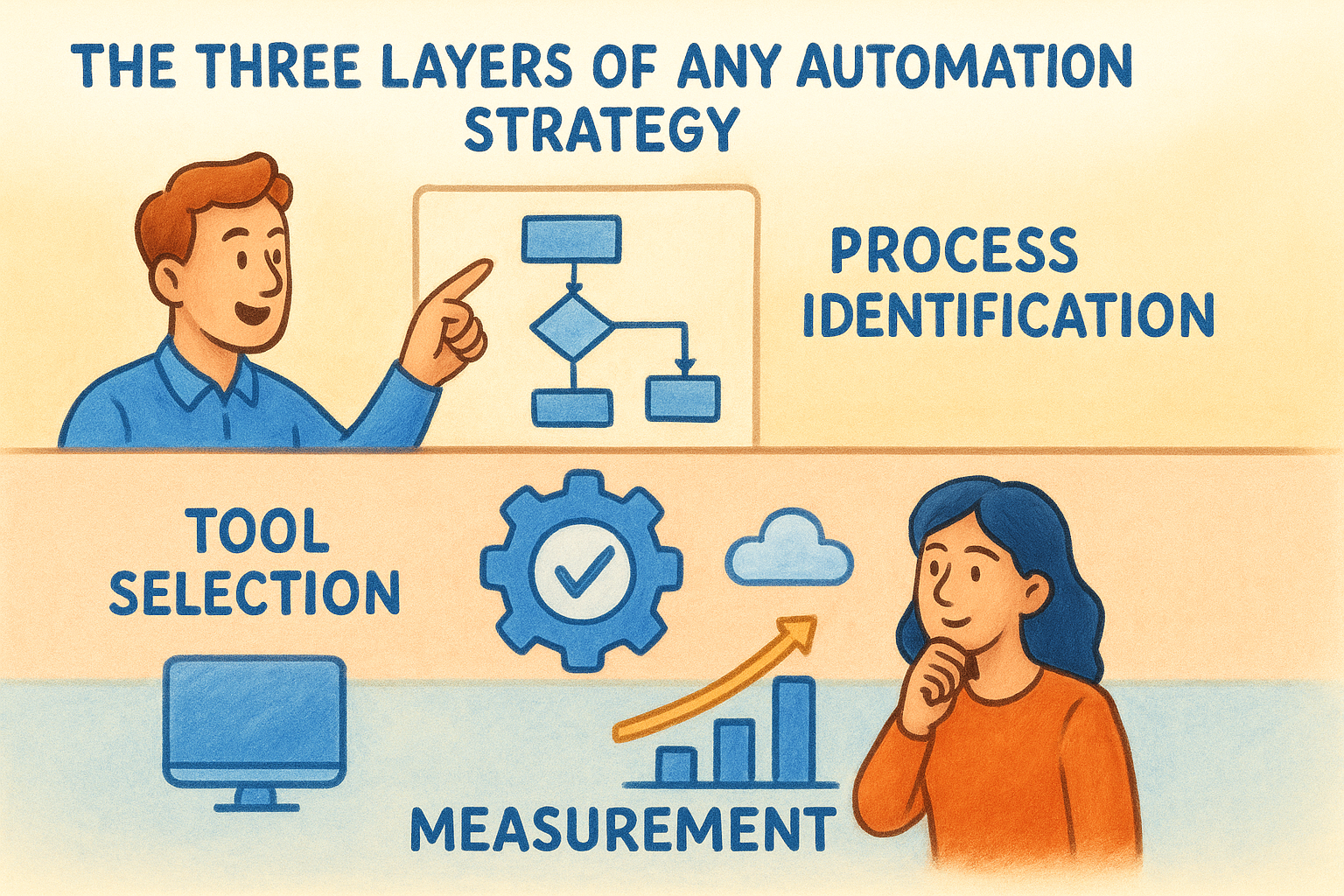
| Layer | What it covers | Example |
|---|---|---|
| Process identification | Which workflows to automate and why | Client identity verification done manually in a spreadsheet |
| Tool selection | Which platforms will run each automated workflow | KYC verification running natively inside your CRM |
| Measurement | KPIs that confirm the automation is delivering value | Verification time cut from 20 minutes to under 2 minutes |
Where compliance-heavy businesses fit in
For regulated businesses, including accounting firms, financial services providers, and legal practices, an automation strategy carries extra weight. Processes like KYC checks, AML screening, and client onboarding are not just operational tasks. They are legal obligations, and manual execution creates both compliance risk and audit exposure that can be difficult to defend.
Your strategy needs to treat compliance workflows as a first-class priority, not something you revisit after you have tackled internal admin. When you automate a KYC check inside your existing CRM rather than running it through a separate portal, you reduce the chance of a missed step, keep your data centralised and auditable, and give compliance officers a clear record of every action taken. The goal is not just efficiency. It is reducing the operational and regulatory risk that comes with doing these tasks by hand.
Step 1. Set Goals and Governance
Before you automate anything, you need to know what success looks like and who is responsible for keeping things on track. Skipping this step is the most common reason automation projects stall or deliver underwhelming results. A clear set of goals and a basic governance structure gives every stakeholder a shared reference point, so decisions about what to build, change, or retire are grounded in agreed criteria rather than individual opinions. This is the foundation your entire business process automation strategy sits on.
Define your automation goals
Your goals should be specific, measurable, and tied directly to business outcomes, not vague ambitions like "reduce manual work." Start by asking what problem each automation is solving and what a measurable improvement looks like. For an accounting firm running manual KYC checks, a concrete goal might be: reduce average client identity verification time from 20 minutes to under 3 minutes, with zero missed compliance steps.
Use this template to document each goal before you move forward:
| Goal | Current state | Target state | Owner | Timeline |
|---|---|---|---|---|
| Reduce KYC verification time | 20 min per check | Under 3 min per check | Operations Manager | 90 days |
| Eliminate manual data re-entry | 4 hours/week | 0 hours/week | Practice Manager | 60 days |
| Automate AML screening triggers | Done ad-hoc | 100% triggered on onboarding | Compliance Officer | 45 days |
If you cannot state a goal in measurable terms, you are not ready to automate that process yet.
Set up governance from the start
Governance defines who owns each automated workflow and what happens when something breaks or needs updating. Without it, automations become orphaned, nobody monitors them, and small failures quietly compound into larger problems that are harder to diagnose.
Your governance structure does not need to be complicated for most businesses. A simple decision record works well. Document the process owner, the tool being used, the trigger and expected outcome, and a scheduled review date. Assign one person accountability for each workflow so there is never any ambiguity about who acts when something surfaces.
Step 2. Find and Prioritise Processes
With your goals and governance in place, the next task in your business process automation strategy is to find the right processes to automate and decide which ones to tackle first. Not every repetitive task is worth automating, and choosing poorly can burn time and budget on workflows that deliver little measurable value. The key is a structured discovery and scoring exercise that surfaces the highest-value opportunities before you commit resources to building anything.
Map your current workflows
Start by listing every repeatable, rule-based task your team handles on a weekly or monthly basis. Focus on processes that involve data entry, document collection, identity checks, approvals, or status notifications, as these are the most automatable. Ask each team member to log the tasks they repeat most often and roughly how long each one takes. A simple spreadsheet is enough at this stage.
Once you have your list, map each process end-to-end. Note the inputs, outputs, tools involved, and any handoff points between people or systems. A one-page process map for each candidate workflow will surface bottlenecks and manual steps that are not immediately obvious from a task description alone.
Score and prioritise by impact and effort
Not all automatable processes deserve equal attention. Use a simple scoring matrix to rank each workflow by two dimensions: potential impact (time saved, error reduction, compliance risk removed) and implementation effort (complexity, tool availability, data quality).
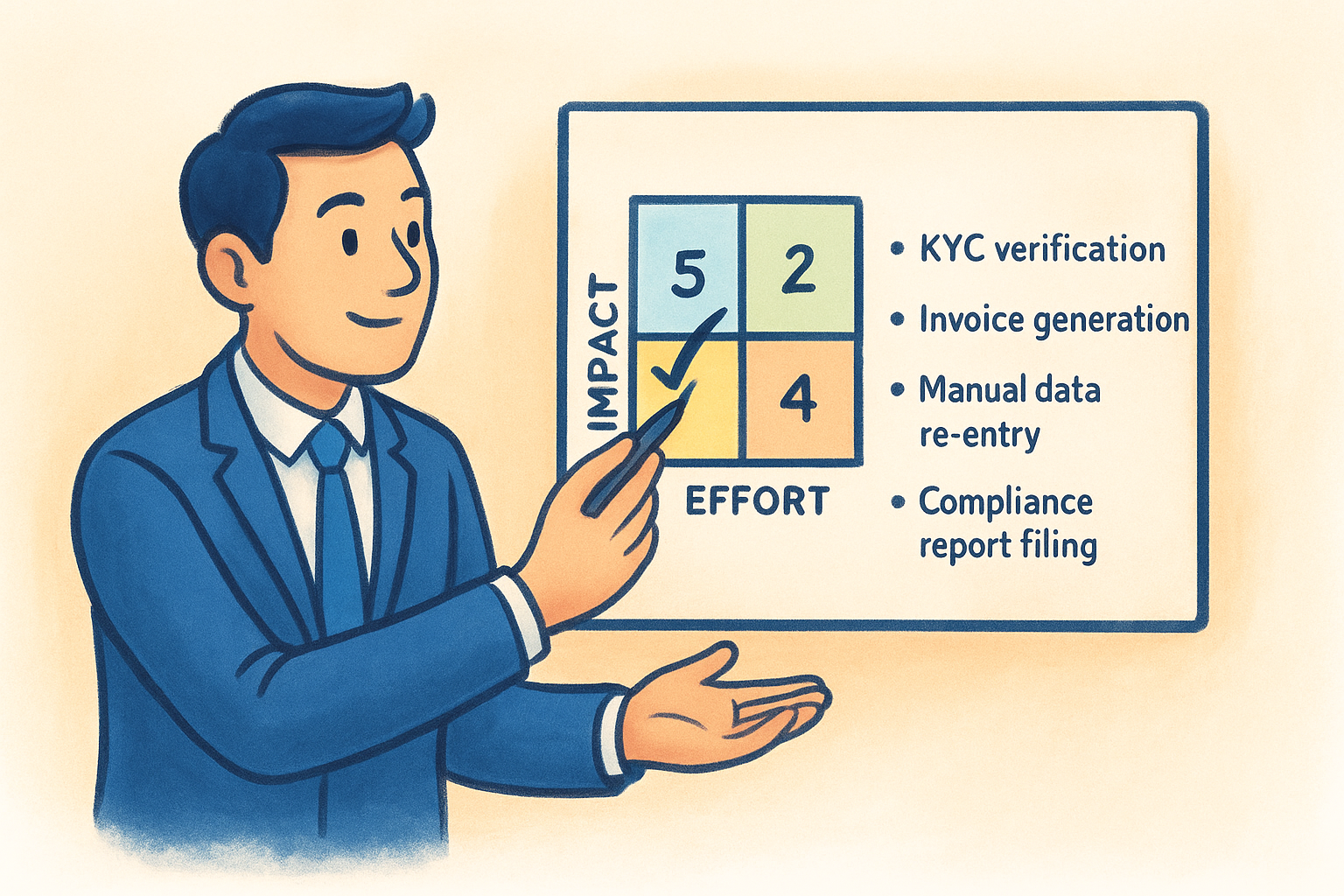
Prioritise automations that sit in the top-left quadrant: high impact, low effort. These deliver the fastest returns and build internal confidence in your strategy.
Score each process from 1 to 5 on both dimensions, then use the results to build your starting list:
| Process | Impact (1-5) | Effort (1-5) | Priority |
|---|---|---|---|
| KYC verification | 5 | 2 | High |
| Invoice generation | 4 | 2 | High |
| Manual data re-entry | 3 | 3 | Medium |
| Compliance report filing | 4 | 4 | Medium |
Work through your high-priority processes first. Completing these early builds momentum and gives you a concrete evidence base for expanding automation across the rest of the business.
Step 3. Design and Build the Automation
Once you know which processes to tackle first, you move into the design and build phase. This is where your business process automation strategy becomes tangible, shifting from a prioritised list into working workflows. Rushing this step is where most implementation failures originate, so take time to document the logic before you write a single rule or configure a single tool.
Map the logic before you build anything
Every automation needs a clear logical structure before you touch any platform. Start by writing out the workflow as a simple if-then decision tree: what triggers the process, what actions follow, what conditions change the path, and what the final output should be. This step catches edge cases early and keeps the build phase clean.
Documenting the logic first reduces rework by a significant margin. Most automation errors come from building before thinking through every possible input.
Use this template to structure each workflow:
| Field | Detail |
|---|---|
| Trigger | New contact added to CRM |
| Condition | Contact type = "Client" |
| Action 1 | Send identity verification request |
| Action 2 | Write verification outcome back to CRM record |
| Error path | Flag record for manual review if verification fails |
| Owner | Operations Manager |
Choose tools that fit your existing stack
Tool selection should follow your process map, not precede it. The biggest mistake businesses make is selecting software first, then bending their workflows to fit it. Instead, identify what your existing platforms can already do natively before adding anything new. If your CRM supports built-in integrations for KYC or AML screening, that is almost always the cleaner path than a middleware connector.
Native integrations outperform workarounds on reliability, auditability, and maintainability. A KYC check that runs inside your CRM and writes results back automatically carries far less operational risk than the same check handled through a separate portal with manual data transfer.
Test with real data before you go live
Before any automation touches live client records, run it through a controlled test using real-format data. Check that triggers fire correctly, that outputs land in the right fields, and that error paths behave as expected. Document your test results so you have a baseline to compare against once the automation is running in production.
Step 4. Roll Out, Measure, and Improve
The final step in your business process automation strategy is getting your automations into production and keeping them accountable over time. A phased rollout reduces risk, and a structured measurement approach tells you whether each automation is actually delivering what you expected. Without both, you are running blind.
Roll Out in Stages
Start with a pilot group before you switch on any automation across your full team. Pick a small cohort of users or a single office location, run the workflow with them for two to four weeks, and collect feedback on what breaks or creates confusion. This limits the impact if something does not behave as designed and gives you a chance to refine the process before wider deployment.
Once the pilot confirms the automation works as expected, expand in controlled increments rather than flipping a switch for everyone at once. Notify affected team members in advance, document the new workflow clearly, and assign a named point of contact for questions during the transition period.
Track the Right Metrics
Your metrics should map directly back to the goals you set in Step 1. If you targeted a reduction in KYC verification time, measure that time before and after, not just once but on a rolling basis. Use a simple tracking log updated weekly or at minimum monthly.
Measuring only at launch tells you almost nothing. Ongoing tracking is what reveals whether an automation holds its value over time.
Here are the core metrics worth tracking for most compliance and onboarding automations:
| Metric | Why it matters |
|---|---|
| Task completion time | Confirms time savings against your baseline |
| Error or exception rate | Flags whether the automation is producing reliable outputs |
| Manual intervention rate | Measures how often a human still needs to step in |
| Compliance completion rate | Confirms every required step is being triggered |
Build a Continuous Improvement Cycle
Schedule a quarterly review for each live automation. Check your metrics against the original targets, review any error logs, and ask the team members who use the workflow what friction points remain. Where you find gaps, update the logic, retrain users, or swap the tool. Treat each review as a short improvement sprint rather than a full rebuild.
Make It Stick
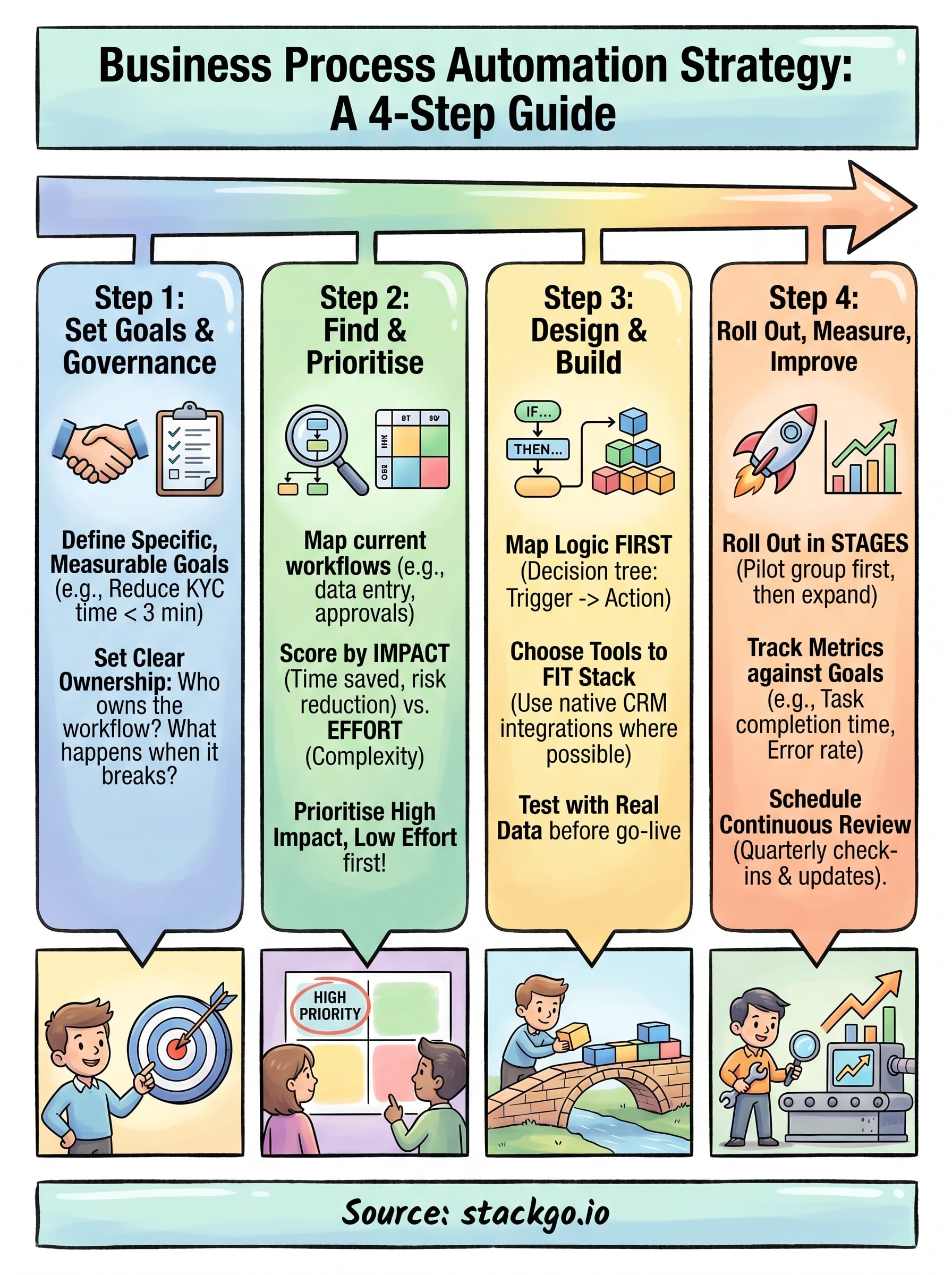
A business process automation strategy only delivers lasting value if you treat it as an ongoing practice rather than a one-time project. The four steps in this guide give you a repeatable framework: set goals with clear ownership, prioritise by impact, build with logic before tools, and measure what actually matters. Each step compounds on the last, so the further you progress, the faster your next automation cycle becomes.
The businesses that see the biggest efficiency gains are the ones that embed automation into how they operate, not just how they think. Review your live automations quarterly, keep your goal metrics visible, and continue expanding your automation scope as confidence grows.
If compliance workflows like KYC and AML screening are on your list, StackGo can remove the manual steps without adding new software to your team’s day. See how IdentityCheck handles AUSTRAC Tranche 2 requirements inside your existing system and test whether it fits your business.


