

Most businesses run on more than one piece of software. You’ve got a CRM for managing contacts, an accounting platform for invoicing, maybe a compliance tool for identity verification. The problem starts when these systems don’t talk to each other. That’s where understanding the CRM integration definition matters, it’s the foundation for deciding how your tools should work together, and whether your team spends their day copying data between tabs or actually getting work done.
A CRM integration connects your customer relationship management software with other business tools so data flows between them automatically. This can mean syncing contacts with your email platform, pushing invoice data to your accounting software, or, in the case of regulated industries, triggering identity verification checks directly from a contact record. The scope varies, but the principle is the same: reduce manual handling and keep your data consistent across systems.
At StackGo, we build exactly this kind of integration. Our platform lets businesses run compliance workflows like KYC and AML checks natively inside their existing CRM, without jumping between disconnected tools. So we’ve seen firsthand what good CRM integration looks like, and what happens when it’s done poorly. This article breaks down the types of CRM integrations available, the concrete benefits they deliver, and real examples of how they work in practice.
What CRM integration means and how it works
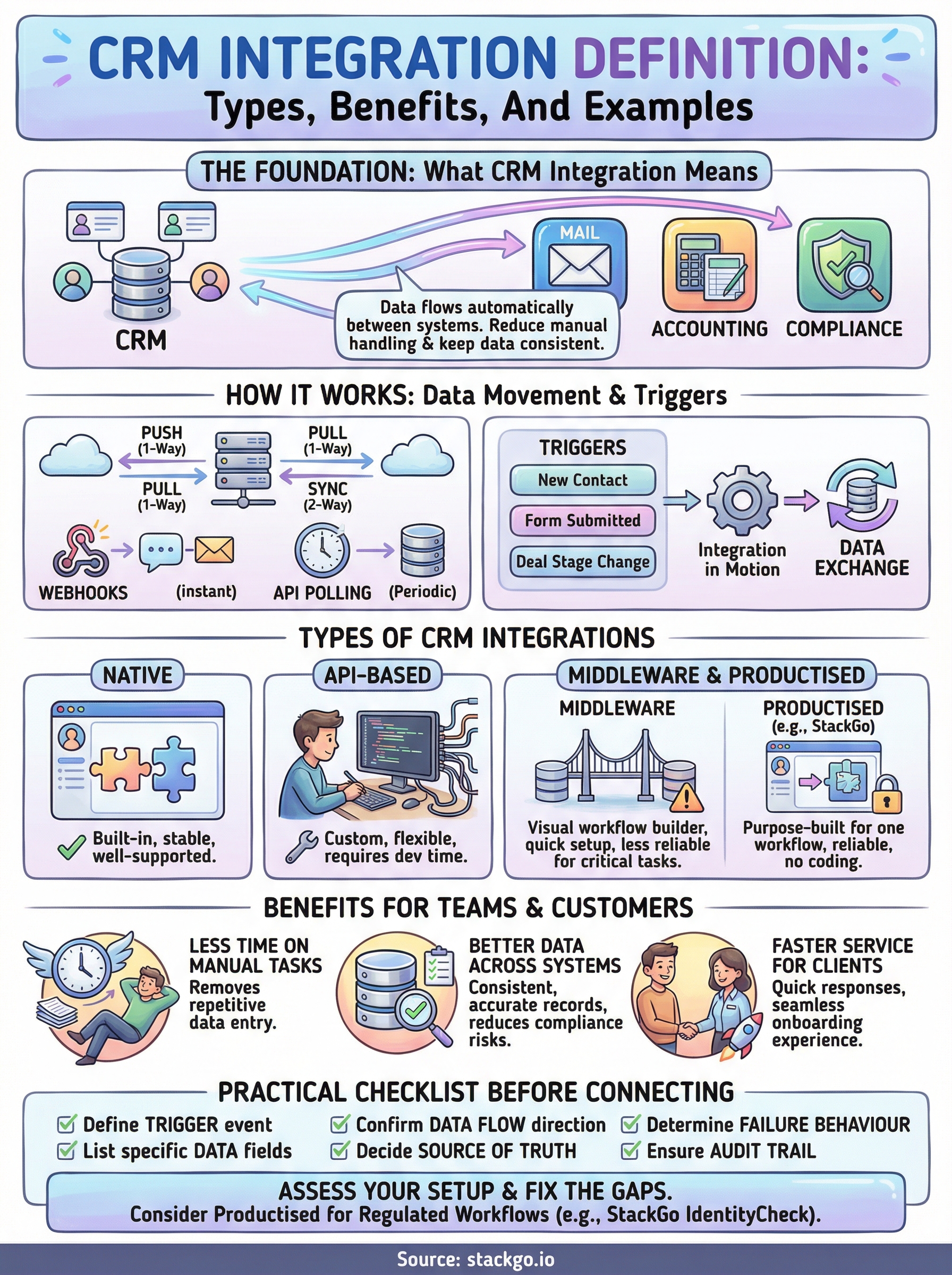
A CRM integration connects your customer relationship management platform to other software your business uses, so that data moves automatically between those systems rather than requiring someone to copy it manually. At its core, the crm integration definition is straightforward: it is a technical link between your CRM and another tool, whether that is your email platform, accounting software, or a compliance and identity verification service. When a contact record updates in one system, the relevant information updates everywhere else that needs it, without anyone having to intervene.
When your systems share data automatically, your team stops being the manual connector between them.
The role of data in a CRM integration
Your CRM holds the central record of every contact, lead, and customer your business manages. Invoice amounts, verification statuses, email engagement history, and support ticket outcomes all live in separate systems, and without integration, none of that context feeds back into the contact record where your team actually needs it. A well-built integration makes your CRM the single source of truth rather than just one more tab to check alongside several others.
Consider a regulated business that needs to verify a client’s identity before onboarding them. Without integration, a staff member pulls contact details from the CRM, switches to a separate KYC tool, runs the check, and then goes back to manually record the outcome. With integration, the verification runs directly from the contact record and the result writes back automatically. The same principle applies to any workflow where two systems need to exchange information reliably and without delay.
How data moves between systems
Data in a CRM integration typically moves in one of three directions: from your CRM to another system, from another system into your CRM, or in both directions at once. The direction you choose depends entirely on the outcome you need. Pushing a new contact into your email marketing platform is one-way. Syncing invoice payment status from your accounting software back to a deal record is one-way in the opposite direction. A two-way sync keeps both systems updated regardless of where a change originates, which suits workflows where either platform could receive new information first.
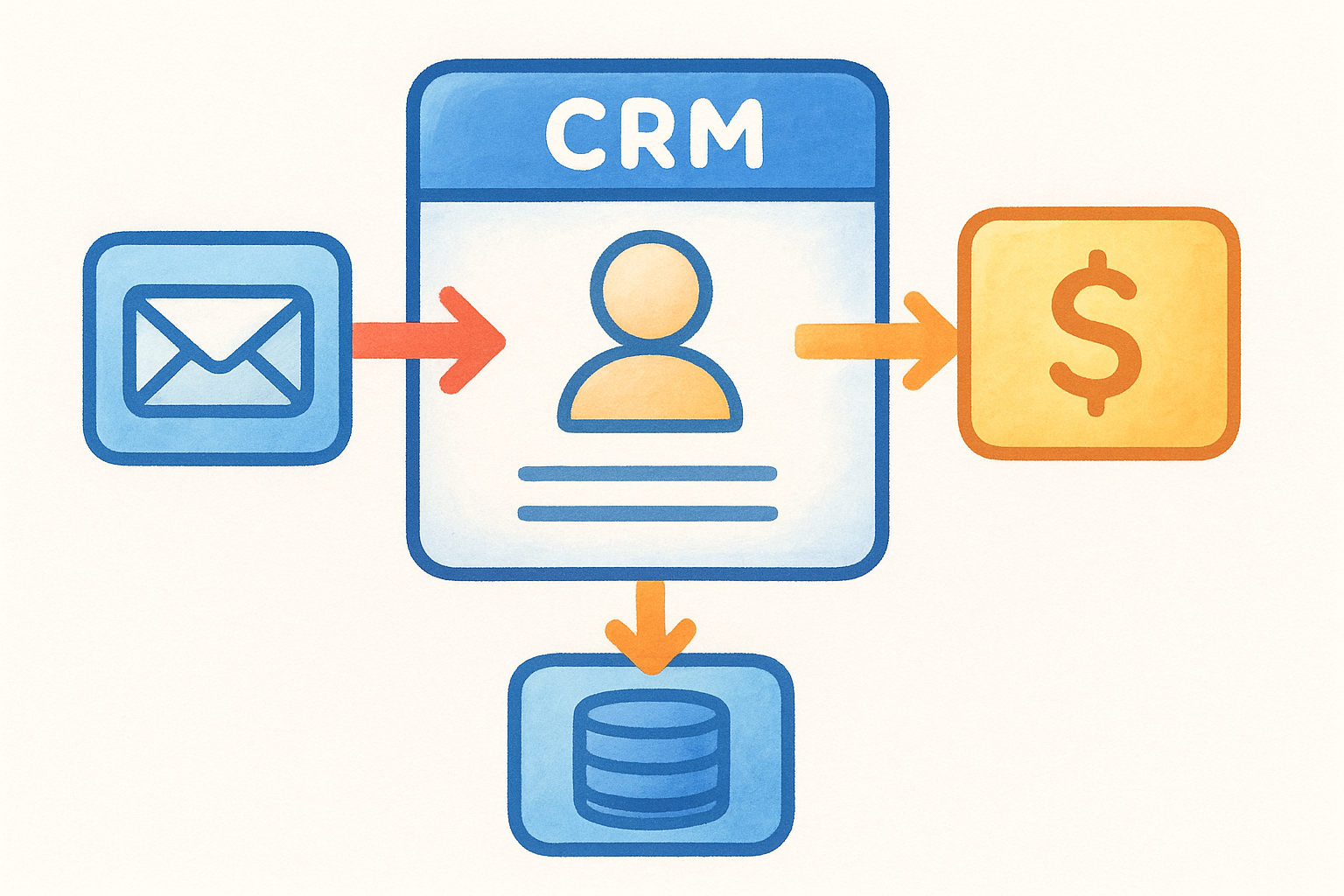
Most integrations rely on one of two mechanisms to move that data:
- Webhooks: One system sends a notification to the other the instant something changes, which triggers an immediate action without any delay.
- API polling: One system checks the other at set intervals and pulls any new or updated records it finds since the last check.
What triggers an integration to run
An integration needs a signal to know when to act. That signal is called a trigger, and it is typically a specific event inside one of your connected systems. A new contact being created, a form being submitted, a deal stage changing, or a document being signed can all act as triggers that set the integration in motion and define which data gets sent where.
Getting trigger logic right matters more than most people expect. A poorly designed trigger leads to duplicate records or missed updates, and sometimes causes actions to fire at the wrong moment entirely. Understanding what event should kick off a data exchange, and under precisely what conditions, is one of the most practical decisions you face when setting up any integration between your CRM and another platform.
Types of CRM integrations you will see in practice
Once you understand the crm integration definition, the next step is recognising which type of integration fits your situation. Not every connection between systems works the same way, and the method you use affects how reliable, how flexible, and how much effort the integration requires to maintain. There are three broad categories you will encounter when building out your connected tech stack.
Native integrations
Native integrations are built directly into a CRM by the platform itself or by a third-party vendor who has developed an official, supported connection. Your team can activate them from within the CRM’s settings, usually without writing any code. HubSpot’s built-in connection to Gmail is a straightforward example of this in action.
The upside is that native integrations are stable and well-supported, since the vendor maintains them as part of their core product. The limitation is that they only exist for the tools the CRM vendor has chosen to prioritise, so if your workflow sits outside that list, you need a different approach.
API-based integrations
An API integration uses a published programming interface to let two systems exchange data on your terms. Your developers write code that calls the CRM’s API and define the logic for how data moves between platforms. This gives you flexibility because you control exactly what transfers and when, but it requires ongoing developer time to build and maintain as both platforms push updates.
Common reasons teams choose API-based integrations include:
- Building a connection that no native option covers
- Handling complex conditional logic before data moves
- Connecting internal or custom-built systems to an off-the-shelf CRM
Middleware and productised integrations
Middleware platforms sit between two systems and act as a visual workflow builder, letting you link your CRM to other apps without writing code. They are quick to set up but can become unreliable for critical processes like compliance checks, because any disruption to the middleware layer breaks the entire workflow.
Middleware works well for simple automations, but it is a poor choice when accuracy and reliability are non-negotiable.
Productised integrations sit at the opposite end of that reliability spectrum. They are purpose-built for one specific workflow, packaged to work out of the box without custom configuration or middleware dependencies. StackGo’s IdentityCheck is built this way, connecting your CRM directly to identity verification so the entire check and result runs and records itself within the contact record.
Benefits of CRM integration for teams and customers
Once you have a clear crm integration definition in mind, it becomes easier to see what your business actually gains from connecting your CRM to other platforms. The benefits are not theoretical. They show up in the time your team saves, the errors they stop making, and the experience your clients receive when the systems behind the scenes are working together correctly.
Less time on manual tasks
The most immediate benefit is removing repetitive data entry from your team’s daily workload. When your CRM connects to your email, accounting, or compliance tools, information that staff would previously copy and paste between systems moves automatically, without anyone needing to intervene.
Your team’s time is the most finite resource in your business, and manual data entry is one of the least valuable ways to spend it.
For a regulated business running identity checks, this impact is direct. Instead of switching between a CRM and a KYC tool, verifying a client, and then recording the result by hand, the entire process runs from a single contact record. Staff finish checks faster and with fewer opportunities for error at every step.
Better data across your systems
Disconnected systems produce inconsistent records. When someone updates a contact’s details in your accounting platform but not in your CRM, your team is working from two different versions of the same client. Integration removes that problem by keeping both systems aligned whenever a change occurs, regardless of where it originates.
Accurate data also reduces the risk of compliance failures. In industries where you are required to verify client identity or flag certain account statuses, having unreliable records increases the chance of a critical step being missed. An integrated workflow keeps your compliance trail complete and auditable without relying on staff to remember every manual update.
Faster service for your clients
When your internal systems share data reliably, your team can respond to clients without hunting through three separate tools first. Onboarding moves faster because verification and record creation happen in parallel rather than sequentially. That speed is something clients notice even when they never see the systems running behind their experience.
A faster, more consistent onboarding process also reduces the chance a client drops off before completing your intake steps, which is a common problem when compliance workflows feel slow or fragmented from the client’s side.
Common CRM integration methods and tools
Understanding the crm integration definition is one thing; knowing which method or tool actually delivers that connection is another. The method you choose shapes how much technical effort the setup requires, how reliable it is day-to-day, and how much control you have when something needs to change. Each approach comes with distinct trade-offs, and the right choice depends on your team’s technical capacity and the criticality of the workflow you are connecting.
REST APIs
Most modern CRM platforms publish a REST API, which is a structured set of rules that lets external systems request or send data using standard web protocols. Your developers use this to write code that connects your CRM to another platform, pulling contact records, pushing updates, or triggering actions based on events in either system.
The main advantage of building directly against a REST API is precision and control. You define exactly what data moves, when it moves, and what conditions must be met first. The trade-off is that someone on your team needs to write and maintain that code as both platforms release updates over time.
No-code automation platforms
No-code tools let you map a trigger in one system to an action in another through a visual interface, without writing any code. They suit teams without dedicated developers who need to connect common SaaS tools quickly. For straightforward tasks like syncing a new contact from a form submission into your CRM, they work reliably.
No-code tools lower the barrier to integration, but they are a poor fit for workflows where data accuracy and audit trails are non-negotiable.
Dedicated productised connectors
Productised connectors are purpose-built integrations designed to handle one specific workflow between two defined systems. Unlike middleware automations, they do not rely on a general-purpose layer sitting between platforms. The logic is built in, tested for that exact use case, and maintained by the vendor who owns the connection.
For compliance-heavy workflows, this distinction matters. A productised connector for identity verification handles reading contact data, running the check, and writing the outcome back to your CRM without requiring you to configure any of that logic yourself, which removes both the setup burden and the failure points that come with it.
Examples and a practical integration checklist
Seeing the crm integration definition in action makes the concept far more concrete. The examples below cover different industries and use cases, but they all follow the same logic: data moves automatically between systems, and the people using those systems spend less time managing it manually.
Real-world examples of CRM integration
An accounting firm using HubSpot connects their CRM to StackGo’s IdentityCheck. When a new client contact is created, a staff member triggers a KYC verification directly from the contact record, and the result writes back automatically, with no copy-pasting and no switching between tabs. The compliance outcome is stored against the correct record and is accessible to authorised staff through a privacy layer that keeps PII out of the CRM itself.
This is precisely the kind of workflow where a productised integration beats middleware every time, because the verification step has zero tolerance for dropped data or failed automations.
A financial services business connects their CRM to their accounting platform so that invoice status and payment outcomes sync back to each deal record in real time. Their sales team can see whether a client has a current outstanding invoice without leaving the CRM. A recruitment agency runs background screening checks from within candidate profiles, so their consultants never leave the platform to manage compliance on a separate tool.
A practical checklist before you connect
Before you set up any integration, a short scoping exercise saves you significant rework later. What you define upfront determines how reliable and useful the connection becomes once it is live. Work through these questions before you commit to a method or a tool.
- What is the trigger? Define exactly which event in which system kicks the integration off.
- What data needs to move? List the specific fields that must transfer, not just the general record type.
- Which direction does data flow? Confirm whether you need a one-way push, a one-way pull, or a two-way sync.
- Who owns the data if there is a conflict? Decide which system is the source of truth when both hold different values.
- What is the failure behaviour? Determine what should happen if the integration cannot complete, particularly for compliance-critical workflows.
- Do you need an audit trail? For regulated industries, confirm that outcomes write back to the CRM in a searchable and reportable format.
Where to go from here
The crm integration definition comes down to one practical question: does your data move automatically between the systems your team relies on, or does someone on your staff handle that manually? Every hour spent copying records between disconnected tools is an hour your business pays for twice. The checklist, examples, and method breakdowns in this article give you what you need to assess your current setup and identify the gaps worth fixing first.
If your business operates in a regulated industry and you run identity or compliance checks as part of client onboarding, the most direct next step is seeing whether a productised integration fits your workflow. StackGo’s IdentityCheck connects your existing CRM to KYC and AML verification so the entire process runs from a single contact record. You can create a free account and test IdentityCheck for your business without any commitment.


