HR & payroll

Employment Hero + StackGo

Start compliance from Employment Hero. A new record starts the check, and StackGo holds the result.

HR & payroll System of record Via ZapierEmployment Hero integration currently powered by Zapier

Also listed under Client onboarding

How the StackGo and Employment Hero integration works
What Employment Hero is

Employment Hero is an all-in-one HR platform that simplifies payroll, employee management, and benefits, helping businesses streamline.

Description supplied by Employment Hero.

The trigger

What starts a check from Employment Hero

You do not open StackGo. A change in the system starts the work, and the system stays your source of truth.

  • Employee Created

A change to the employee record can also be used to start a check, much like adding a tag to a contact in other systems. Talk to us if that suits your process better.

The result

Where the result goes

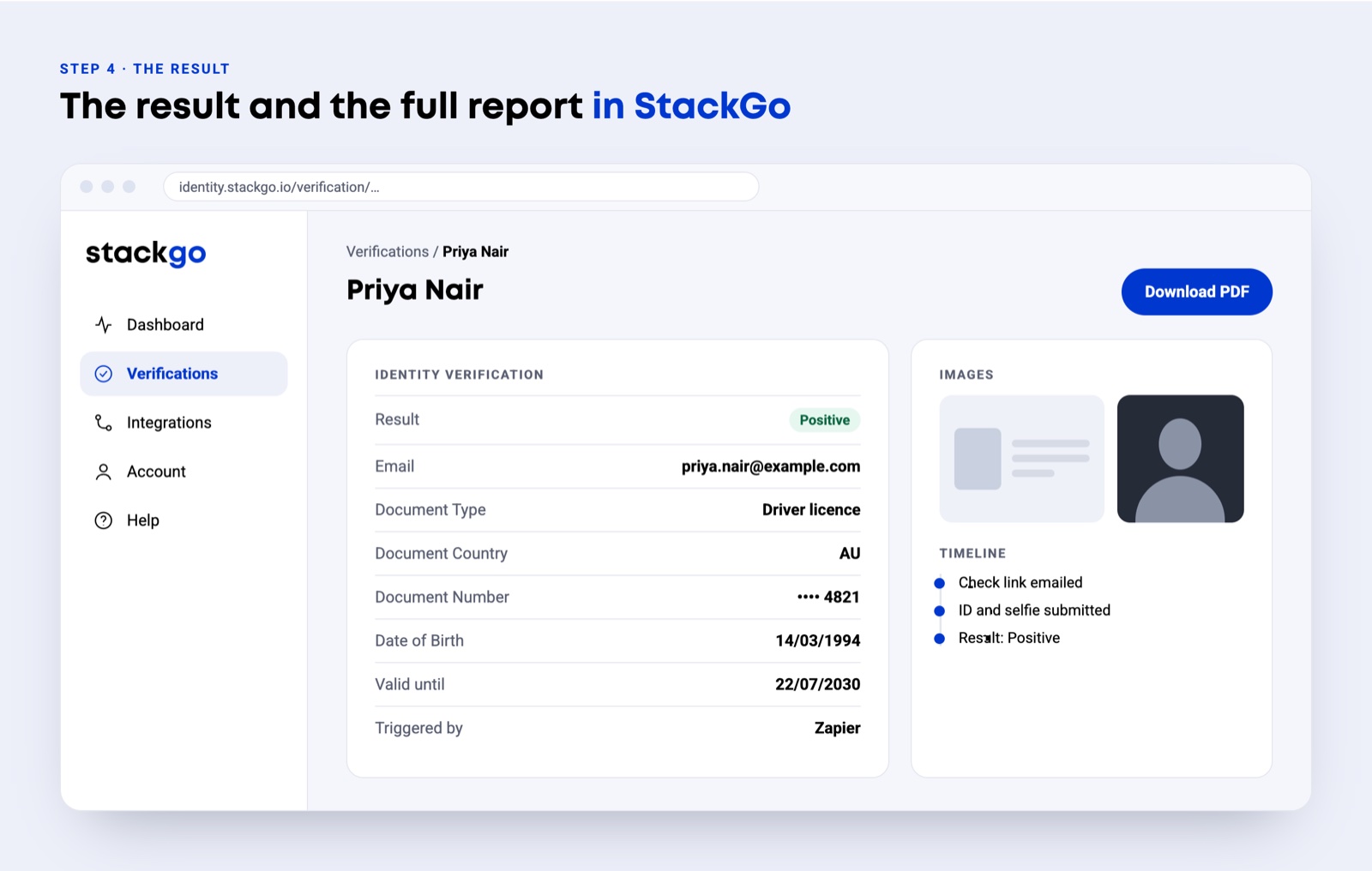
StackGo emails your team when the check is complete, and the result and full report are in StackGo. Nothing is written onto the Employment Hero record itself, because its Zapier app publishes triggers only. The Zap also gets the check link back, so a later step can post it wherever your team works.

Setting it up

Connected through Zapier

Verify a new hire as part of employee onboarding.
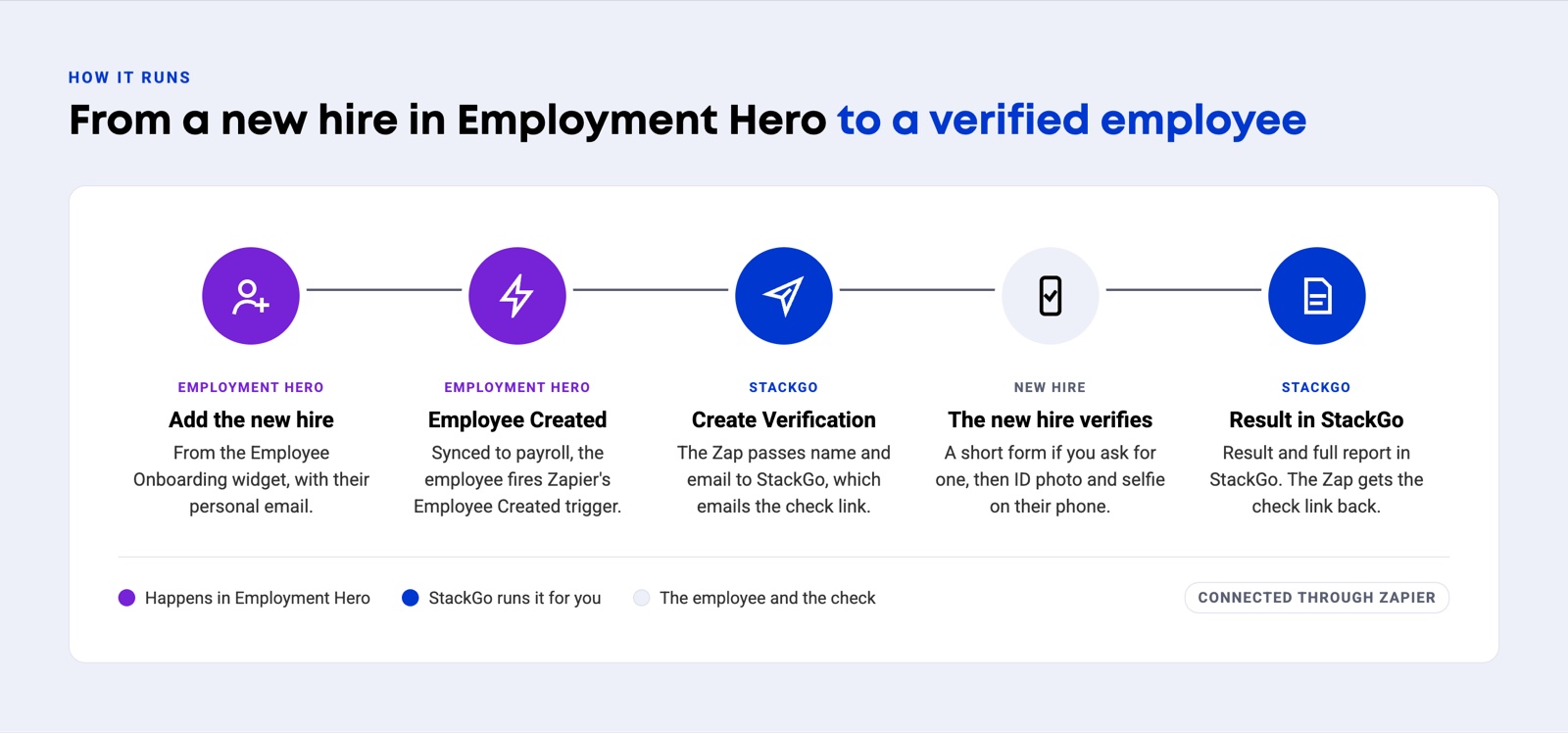
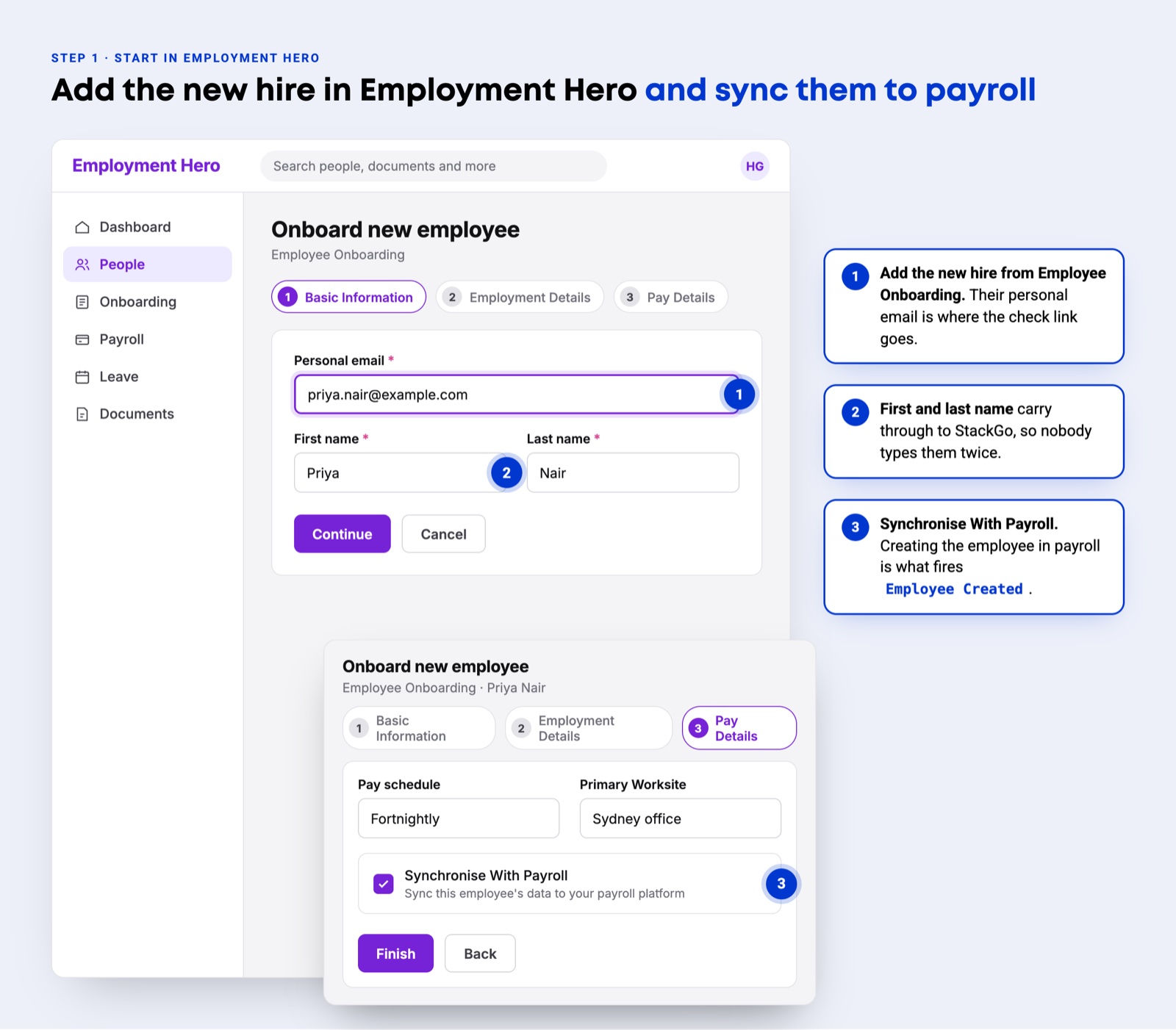
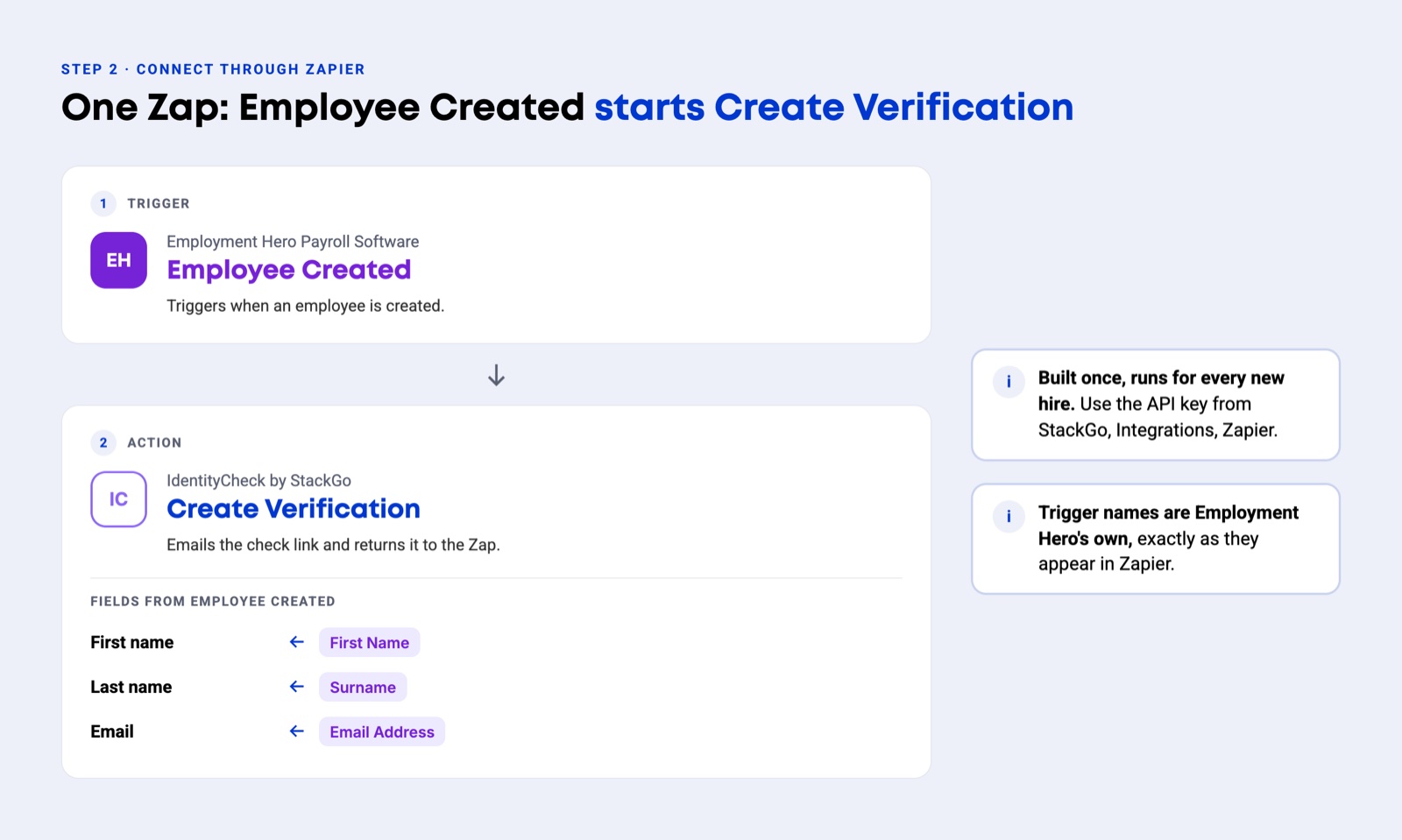
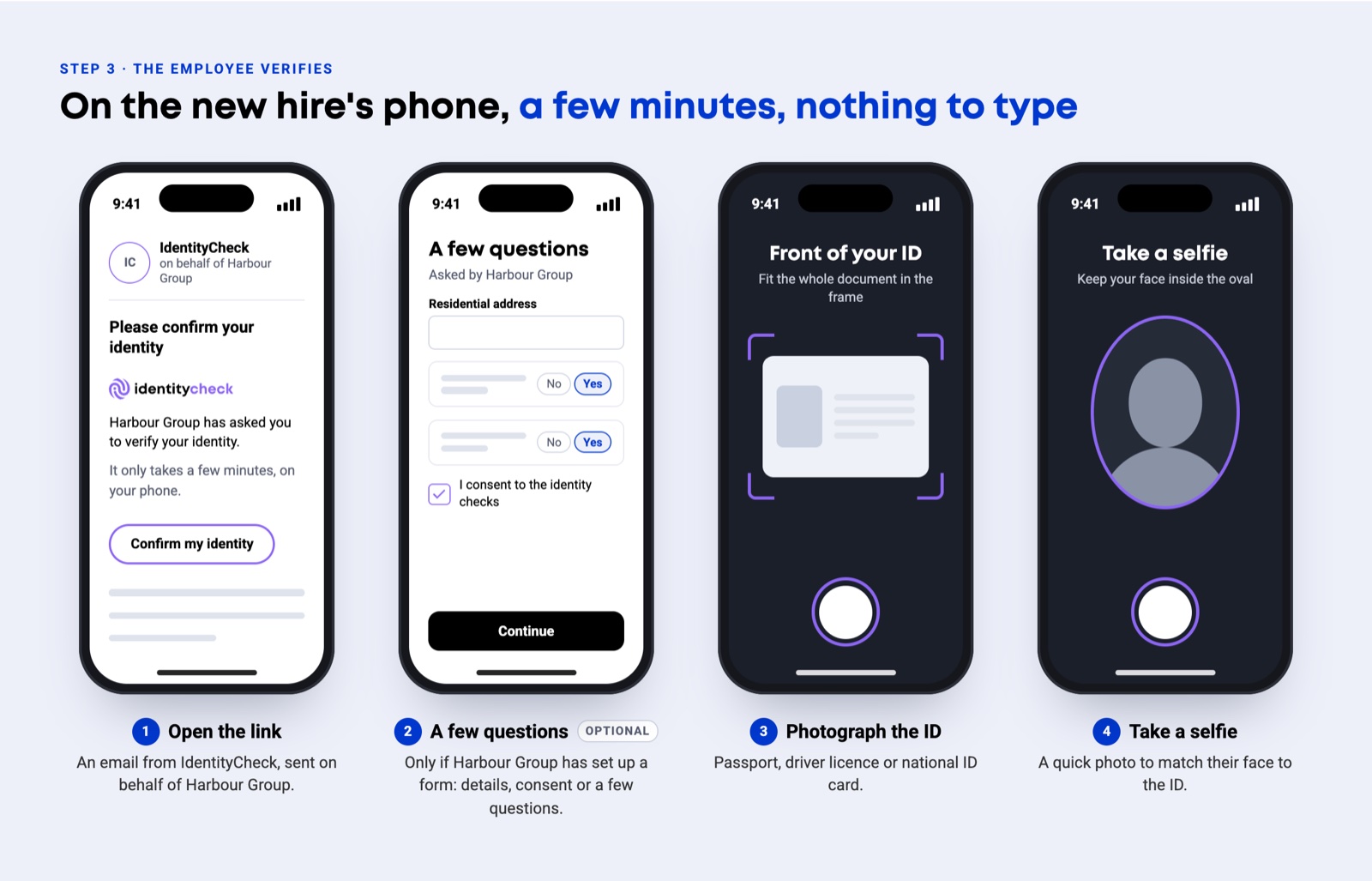
How it runs, in five steps. In Employment Hero, add the new hire from the Employee Onboarding widget. Synced to payroll, the employee fires the Zapier trigger Employee Created. The Zap passes name and email to StackGo Create Verification, which emails the check link. The new hire verifies on their phone. The result and full report are in StackGo.Employment Hero Onboard new employee screen. Basic Information takes the personal email, first name and last name. On Pay Details, Synchronise With Payroll is ticked, which creates the employee in payroll and fires Employee Created.The Zap. Trigger: Employment Hero Payroll Software, Employee Created. Action: IdentityCheck by StackGo, Create Verification, with First name from First Name, Last name from Surname and Email from Email Address.On the new hire's phone: open the email from IdentityCheck, answer a short form if the employer has set one up, photograph the ID, then take a selfie.The verification report in StackGo: result Positive, document type, country, number, date of birth, expiry, the ID and selfie images, and a Download PDF button.

Illustrations with fictional data.

Where this sits

Employment Hero is the record. StackGo runs the steps around it.

Employment Hero is where a check starts. StackGo runs the steps and keeps the record of each one.

If you use Employment Hero, you probably also use

Ready to make onboarding minutes, not hours?

Start free and run your first check today, or book a demo and we will walk you through it.