

Every business runs on processes, onboarding clients, verifying identities, chasing approvals, moving data between systems. Some of these processes get repeated hundreds of times a week with little variation. That repetition is exactly where business process automation definition matters most: it’s the practice of using technology to execute recurring tasks or workflows without manual intervention, freeing your team to focus on work that actually requires human judgement.
For regulated industries like accounting, financial services, and legal, the stakes are higher. Compliance workflows such as KYC and AML checks demand accuracy every single time. Manual handling introduces errors, eats hours, and creates risk, none of which your practice can afford. Yet many firms still rely on copy-paste routines between disconnected tools, or patchwork integrations that break when you need them most.
At StackGo, we build integration products like IdentityCheck that automate compliance workflows directly inside your existing CRM, no new software to learn, no fragile workarounds. This article breaks down what business process automation actually means, walks through its core benefits, and provides real-world examples so you can identify where automation fits into your own operations.
Why business process automation matters now
The way businesses operate has shifted considerably over the past decade. More workflows now run across multiple SaaS platforms, teams are smaller relative to workload, and compliance obligations have grown more demanding, particularly in regulated industries. In this environment, the business process automation definition has moved from a theoretical IT concept to a practical operational necessity. Businesses that still rely on manual, repetitive steps for core workflows are not just slower than their competitors, they are exposing themselves to avoidable risk.
The cost of manual processes adds up fast
Every time a staff member manually copies data between systems, re-enters information from a form, or chases a colleague for an approval, that is time your business is paying for without getting real value in return. Research from McKinsey suggests that up to 45% of work activities can be automated using technology already available, yet most businesses have barely started. The compounding effect is significant: a task that takes five minutes per client does not feel like much until you are processing 200 clients a month and that one task alone consumes over 16 hours of staff time.
Beyond time, manual processes introduce errors. A transposed digit in a client record, a missed field in a compliance form, or a document routed to the wrong stage can trigger rework, delays, or in regulated industries, a compliance breach. The risk is not theoretical. It is the kind of thing that happens on a busy afternoon when your team is stretched thin and working across too many tabs at once.
Automating a workflow does not just save time on each individual task; it removes the conditions under which errors occur in the first place.
Compliance obligations are intensifying for Australian businesses
Australian businesses, particularly those in accounting, financial services, and legal, are facing a tightening regulatory environment. AUSTRAC’s AML/CTF reforms are expanding obligations to a broader range of professional services firms, and the Tax Practitioners Board already requires registered agents to have identity verification processes in place. Meeting these obligations manually is not a sustainable approach at any meaningful scale.
Your team needs a process that runs consistently every single time, regardless of workload, staff availability, or how complex a particular client onboarding turns out to be. That consistency is exactly what automation delivers. When your compliance checks happen automatically inside your existing CRM rather than through a mix of spreadsheets and disconnected manual steps, you reduce the administrative overhead and make it far easier to demonstrate compliance during an audit.
Regulated businesses that act now and automate their core compliance and onboarding workflows will be far better placed to handle increased volume without adding headcount, and without adding risk to their operations.
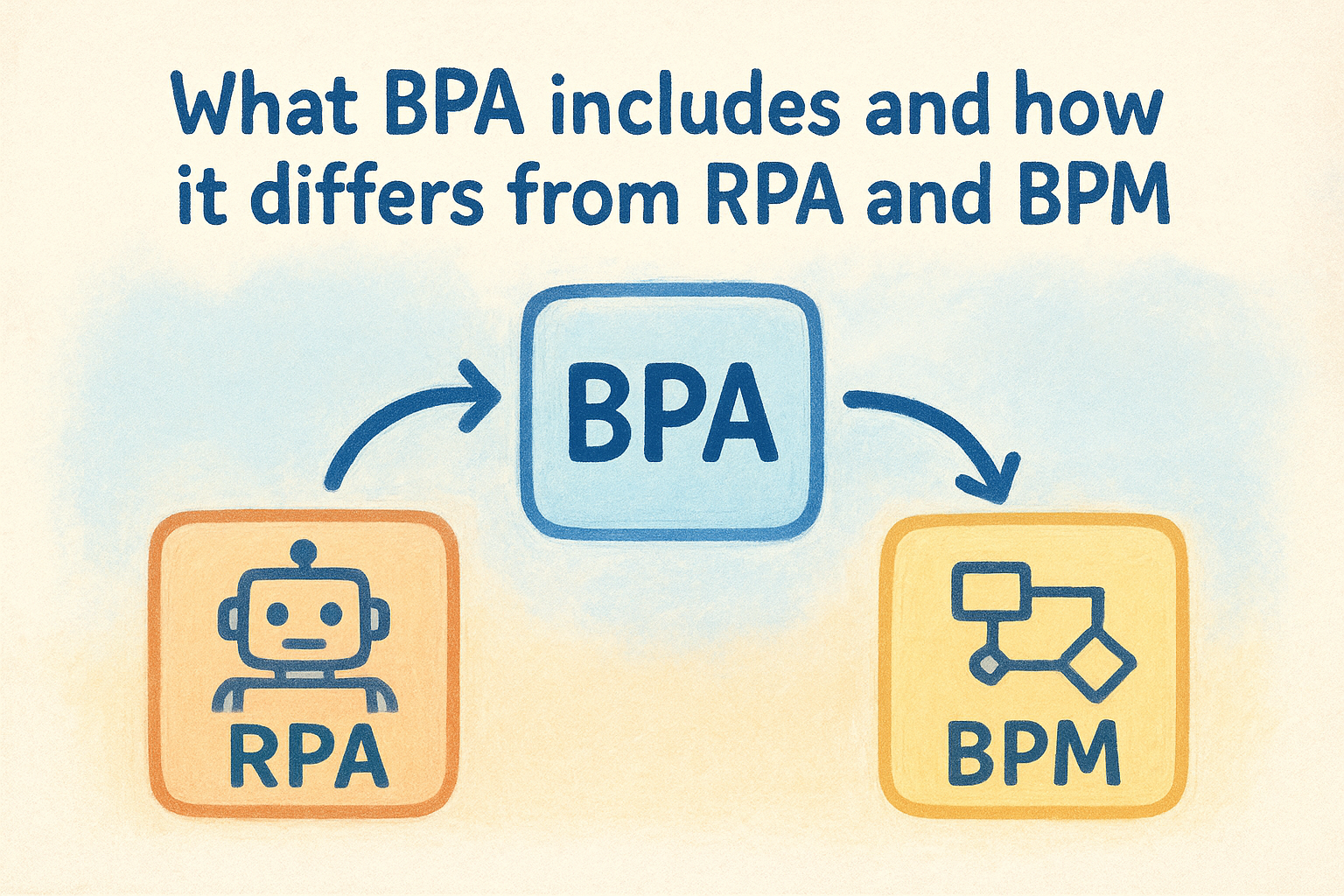
What BPA includes and how it differs from RPA and BPM
The business process automation definition often gets blurred with two related but distinct terms: robotic process automation (RPA) and business process management (BPM). Understanding where each one starts and stops helps you apply the right approach to your workflows rather than reaching for the wrong tool and wondering why it fails to deliver.
RPA and BPM: two pieces of a bigger picture
RPA focuses on automating repetitive, rule-based tasks at the interface level. An RPA bot mimics what a human operator would do: log into a system, read a field, copy it somewhere else, and move on. It works reasonably well for isolated, high-volume tasks, but it operates on top of your systems rather than integrating them. When your underlying software updates or a process changes, those bots break, and someone has to rebuild them.
BPM takes a different angle entirely. It is a management discipline focused on designing, mapping, and continuously improving workflows across your organisation. BPM gives you visibility into how work moves through your business, but it does not execute tasks on its own. Think of BPM as the strategy layer and BPA as the execution layer that actually runs the work.
What BPA adds to the equation
BPA sits in the practical middle ground. It takes well-defined processes and automates them end to end, across multiple systems, with built-in logic for decisions, conditions, and exceptions. Rather than automating a single repetitive click, BPA connects an entire sequence: a trigger fires, data moves, a check runs, an outcome is recorded, and the next step begins without anyone touching it manually.
For regulated businesses, this distinction matters because compliance workflows cannot afford to break mid-sequence or require manual intervention to complete.
For a firm running client onboarding and identity verification, this means those workflows execute as a connected sequence inside your existing tools, not as a patchwork of separate steps your team has to babysit across multiple platforms.
How business process automation works end to end
Understanding the business process automation definition in theory is useful, but seeing how it actually runs in practice is what helps you identify where it fits in your own workflows. At its core, BPA operates on a simple principle: a trigger fires, logic evaluates conditions, tasks execute across connected systems, and an outcome is recorded, all without anyone manually moving the process along.
Triggers, logic, and actions
Every automated workflow starts with a trigger, which is the event that tells the system to begin. That might be a new contact added to your CRM, a form submission, an incoming email, or a scheduled time. Once the trigger fires, the automation evaluates predefined conditions and rules: does this contact meet the criteria for a KYC check? Is the required data present? Which path should this workflow follow?
Based on those conditions, the system executes a series of connected actions across your integrated platforms, pulling data, running a check, updating a record, sending a notification, or routing the workflow to the next stage. Each step passes the relevant information forward without your team touching it.
When each step in a workflow feeds cleanly into the next, the process becomes far more reliable than any manual chain of tasks ever could be.
Where the outcome gets recorded
Once the workflow completes, the result needs to land somewhere visible and auditable. In a well-built automation, that outcome writes back directly to the system your team already uses, whether that is a CRM contact record, a compliance log, or a client file. Your team does not need to check a separate tool or transfer results by hand.
This closed-loop design means every check, approval, or status update is captured in context, making it straightforward to review what happened, when it happened, and what the outcome was. For regulated industries, that audit trail is not a nice-to-have; it is a core part of demonstrating compliance.
How to implement BPA in a regulated business
Applying the business process automation definition to a regulated business requires more than picking software and flipping a switch. Compliance-sensitive workflows carry real consequences if they run incorrectly, so your implementation needs to start with clarity about what you are automating, why, and how you will verify it works before it goes live.
Start with your highest-risk manual processes
Your best starting point is the workflow that currently carries the most risk if it goes wrong. For most regulated businesses, that means client identity verification and onboarding. These steps happen frequently, involve sensitive personal data, and must produce a documented, auditable outcome every single time. If your team currently handles these by hand across multiple systems, that is where automation will deliver the clearest immediate value.
Automating your riskiest workflow first gives you a measurable baseline and builds internal confidence in the approach before you expand it.
Map the current steps in that process before you touch any tooling. Write down what triggers the workflow, what data is needed, what decisions get made along the way, and where the final outcome needs to land. That map becomes the blueprint your automation follows.
Choose integrations that connect your existing tools
One of the most common implementation mistakes is introducing a standalone automation tool that sits outside your existing stack. This creates yet another system to manage, which defeats the purpose. Your automation should run inside the platforms your team already uses, such as your CRM, so that outcomes feed directly back into existing records without manual transfers.
For Australian accounting firms and other regulated practices, look for pre-built, productised integrations designed specifically for compliance workflows like KYC and AML checks. These reduce setup time significantly and are built to handle the specific data handling and audit trail requirements that regulated businesses face, rather than forcing you to configure a generic solution from scratch.
Business process automation examples for everyday teams
Putting the business process automation definition into context means looking at the workflows your team runs every day and identifying which ones follow a repeatable, rule-based pattern. Most of the examples that deliver the fastest return involve tasks your team currently handles manually but that follow the same steps every single time.
Client onboarding and identity verification
For regulated practices, client onboarding is one of the clearest automation opportunities available. When a new contact is added to your CRM, an automated workflow can pull that contact’s details, run an identity verification check against global document databases, and write the verified outcome back to the contact record, all without your team switching tabs or re-entering data.
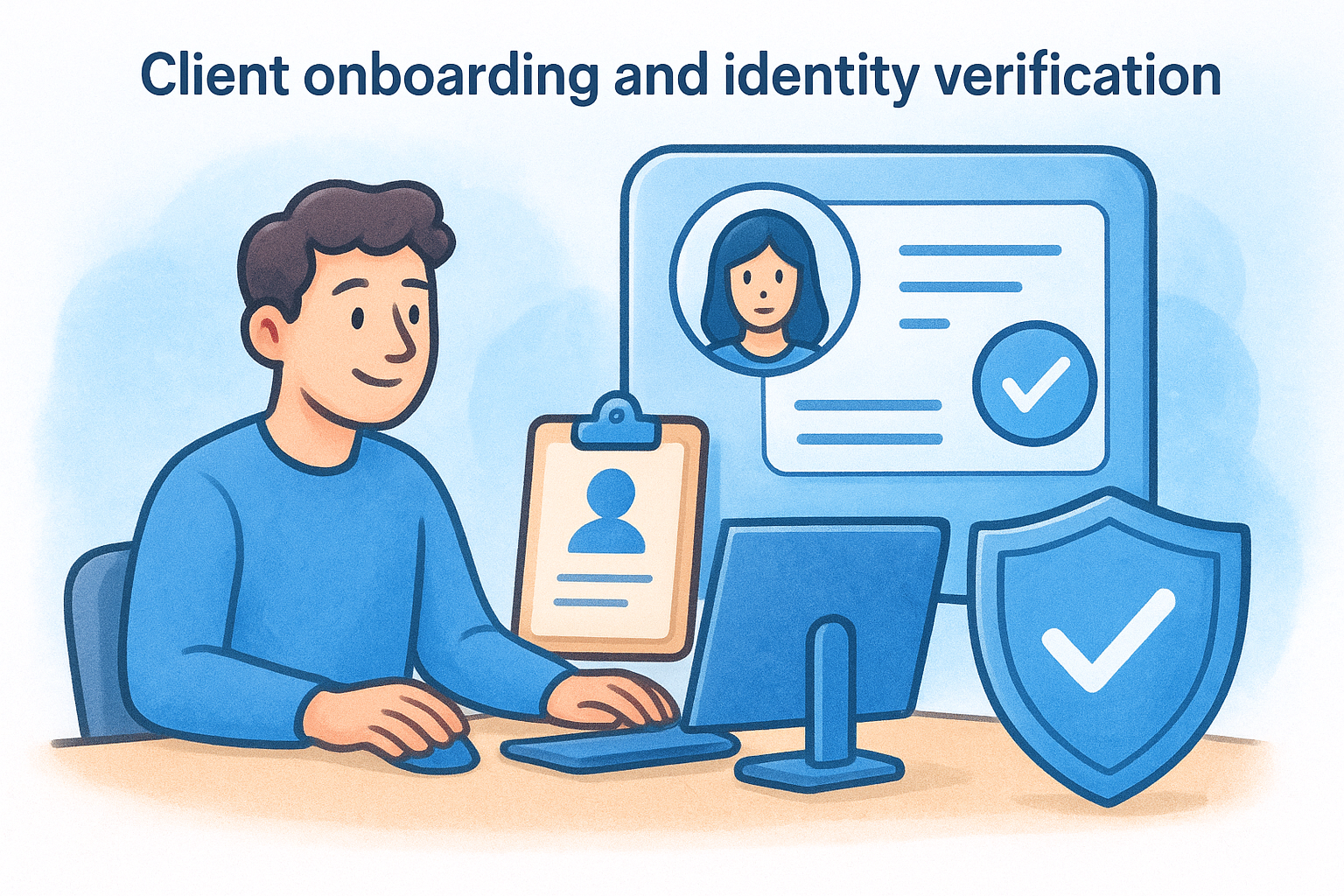
This kind of end-to-end automation removes the manual bottleneck from a workflow that carries real compliance risk if it falls through the gaps.
Accounting firms and financial services practices subject to AML/CTF obligations benefit immediately here because every check produces a documented, auditable result stored directly in the system your team already uses.
Approval routing and task assignment
Another common example is internal approval workflows. When a client file reaches a certain stage, automation can route it to the right team member, set a deadline, and send a reminder if no action is taken within a defined window. Your staff stop manually tracking who needs to act next.
Invoice and billing triggers follow the same pattern. Once a project milestone is marked complete in your project tool, the automation creates a draft invoice in your accounting software and notifies the relevant person to review it before sending.
Data synchronisation across platforms
Your team loses significant time keeping records consistent across disconnected tools. Automation handles this by syncing updates, status changes, and completion events across your platforms in real time, with no manual exports and no risk of someone working from outdated information. Common sync automations include:
- Contact record updates flowing from your CRM to your accounting software
- Compliance check outcomes writing back directly to the relevant client file
- Status changes triggering notifications to the assigned team member
Key takeaways
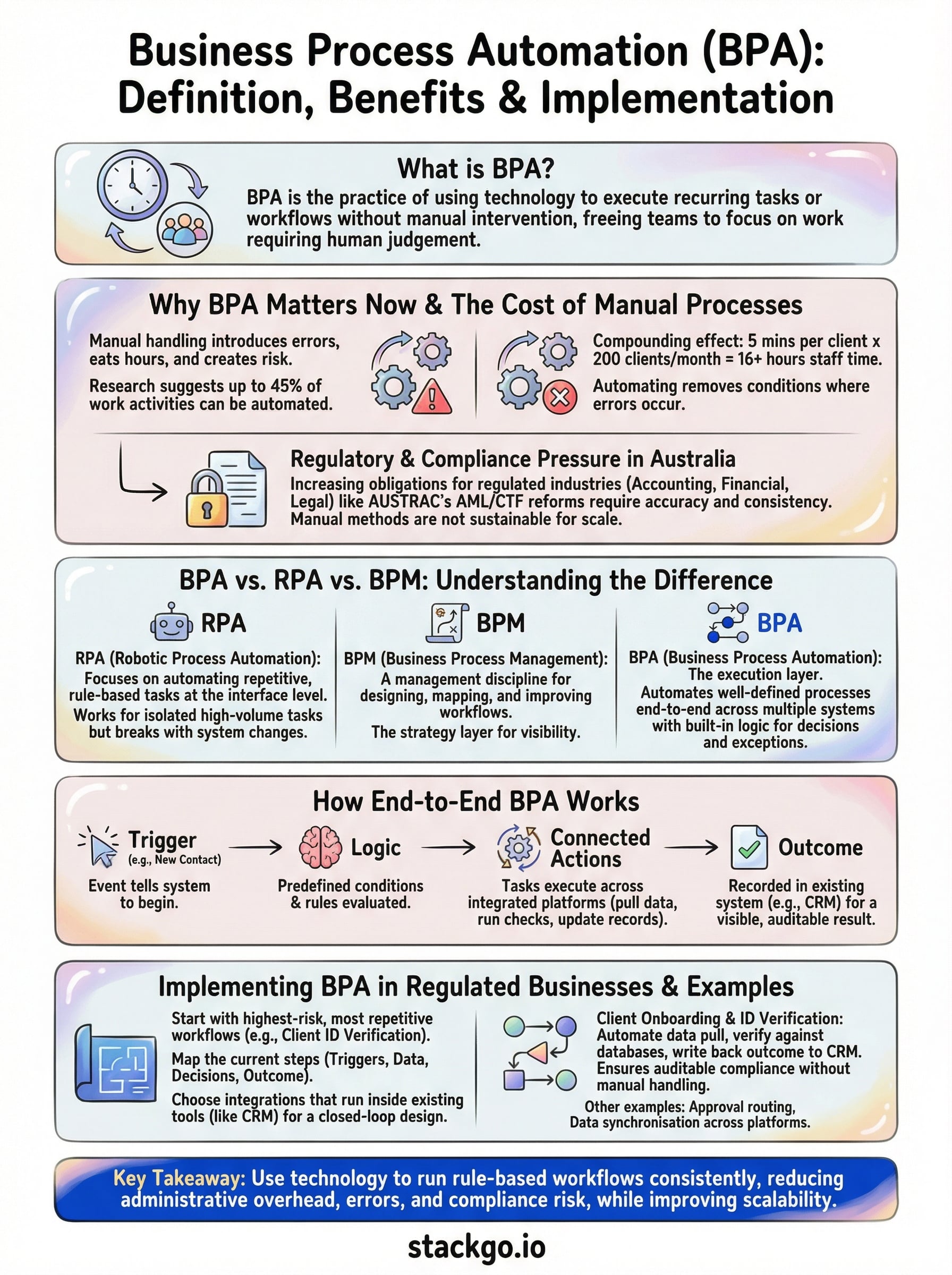
The business process automation definition comes down to one practical idea: use technology to run recurring, rule-based workflows so your team can focus on work that requires real judgement. Automation is not about replacing people; it is about removing the manual steps that slow them down, introduce errors, and carry compliance risk.
For regulated businesses in Australia, the case for acting now is clear. AUSTRAC’s expanding AML/CTF obligations mean your compliance workflows need to run consistently, produce auditable outcomes, and scale without adding headcount. Patching that together manually across disconnected systems is no longer a viable approach.
Your starting point should be your highest-risk, most repetitive workflow, which for most practices means client identity verification and onboarding. Getting that process running cleanly inside your existing CRM is the foundation everything else builds on. If you want to see how that works in practice, explore IdentityCheck for AUSTRAC Tranche 2 compliance.


