

Screening clients against the OFAC sanctions list API isn’t optional if you’re handling regulated transactions, it’s a legal requirement. But manually checking names against the Office of Foreign Assets Control’s Specially Designated Nationals (SDN) list is slow, error-prone, and completely impractical at scale. An API-based approach lets you automate those checks directly within your existing workflows, cutting minutes down to milliseconds.
The challenge most businesses hit isn’t finding an API, it’s integrating one without rebuilding half their tech stack. You need sanctions screening that slots into your CRM or onboarding process cleanly, not another standalone tool that creates more tabs and more manual steps. That’s exactly the problem StackGo solves: our platform, including tools like IdentityCheck, brings compliance checks like KYC, AML, and sanctions screening directly into the software you already use, covering over 200 countries and 10,000 document types.
This guide walks you through how an OFAC sanctions list API works, what to look for when choosing one, and how to run fast, reliable compliance checks without stitching together fragile custom integrations. Whether you’re in financial services, accounting, or any regulated industry, you’ll leave with a clear path to automating sanctions screening that actually fits your operations.
What you need before you integrate OFAC screening
Before you write a single line of code or sign up for an OFAC sanctions list API, you need three things in order: your compliance obligations, your technical environment, and your data inputs. Jumping straight to integration without this groundwork creates gaps that surface during audits or regulatory reviews. Spend an hour here now and you’ll avoid weeks of rework later.
Your legal and compliance baseline
Your compliance team or legal adviser needs to confirm which OFAC programmes apply to your business before you build anything. OFAC administers over 30 active sanctions programmes, covering countries, individuals, and entities. If you’re in Australian financial services, accounting, or any sector that handles international transactions, you’re likely subject to both OFAC requirements and Australian AML/CTF obligations under AUSTRAC. These overlap but are not identical, so get clarity on which lists you must screen against and at what frequency.
Screening only at onboarding is not enough. Regulators expect you to run ongoing checks whenever your sanctions data updates or a client’s circumstances change.
Once you know which programmes apply, document your screening policy in writing. This includes your thresholds for fuzzy matching (covered in Step 3), who reviews flagged hits, and how quickly your team escalates potential matches. A written policy protects you during an audit and makes your API configuration decisions far more straightforward.
Your technical prerequisites
On the technical side, confirm these four things before you start building:
- Authentication method: Most sanctions APIs use API keys or OAuth 2.0. Know which your chosen provider requires.
- Rate limits: Understand your provider’s request caps, especially if you need to screen large batches at onboarding or run a bulk historical refresh.
- Webhook or polling support: For ongoing monitoring, you need either webhooks that push alerts or a reliable polling schedule your system can maintain.
- Error handling: Decide upfront how your system responds to a timeout or a failed API call. A silent failure during sanctions screening is a direct compliance risk.
Your data inputs
The quality of your screening results depends entirely on what data you send in each request. At minimum, gather full legal name, date of birth, and nationality or country of operation for every individual. For corporate clients, you also need registered entity name and jurisdiction of incorporation. Incomplete inputs produce false negatives, which are more dangerous than false positives because they pass through undetected.
Step 1. Choose your data source and access method
You have two real options for accessing OFAC data: pull directly from OFAC’s own published files or connect through a third-party sanctions screening API that aggregates OFAC alongside other global watchlists. Your choice here determines how much maintenance work sits on your team and how broad your coverage needs to be.
Direct OFAC data vs. third-party aggregators
OFAC publishes its SDN list and consolidated sanctions files free on the US Treasury website. You can download these in XML, CSV, or fixed-length formats and parse them yourself. The advantage is zero licensing cost. The downside is that you own all the update logic, including scheduling regular pulls, handling format changes, and building your own match engine.
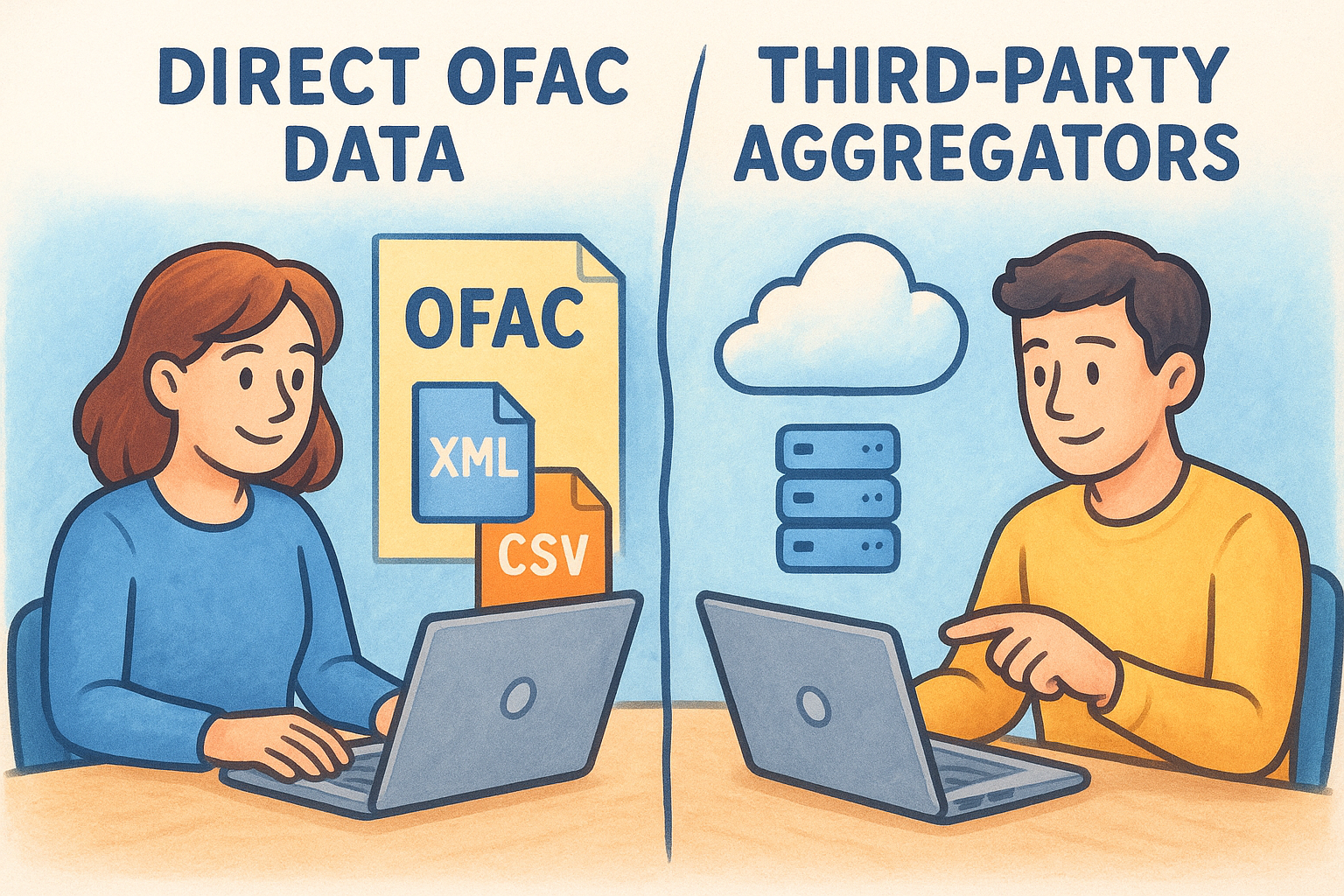
Most regulated businesses are better served by a third-party ofac sanctions list api that handles list updates automatically and covers multiple watchlists in a single request.
Third-party providers give you pre-built endpoints, managed data refresh cycles, and often wider coverage across PEP lists, AUSTRAC-relevant watchlists, and other global sanctions databases. For most compliance teams, that trade-off is worth the subscription cost.
| Option | Cost | Maintenance burden | Coverage |
|---|---|---|---|
| Direct OFAC files | Free | High (your team) | OFAC only |
| Third-party API | Subscription | Low (provider-managed) | Multi-list |
Choosing your access method
Once you pick your provider, confirm whether they offer REST or SOAP endpoints, since most modern systems work better with REST. Check that their documentation includes clear authentication examples and test credentials so you can validate your integration before it goes anywhere near live client data. A provider without thorough documentation will cost you more in integration time than the licence fee saves.
Step 2. Build a sanctions screening request
With your data source confirmed, you’re ready to construct your first screening request. A well-structured request reduces false positives and ensures your ofac sanctions list api integration returns clean, actionable results. The two areas that trip up most teams are how they format the request payload and how they parse the response.
Structure your API request payload
Every screening request should include the highest-quality data points you have available for the subject. At minimum, pass full legal name and date of birth. Where possible, add nationality, country of residence, and any known aliases. Most providers accept a JSON body structured like this:
{
  "name": "Jane Smith",
  "dob": "1985-04-12",
  "nationality": "AU",
  "type": "individual",
  "match_threshold": 85
}
Set your match threshold between 80 and 90 to balance sensitivity against the volume of hits your team needs to review manually.
The match_threshold field controls fuzzy matching sensitivity, which determines how closely a submitted name must resemble a listed entry to trigger a hit. A threshold below 80 floods your review queue with noise; above 90, you risk missing legitimate matches where names are misspelled or transliterated differently across documents.
Handle the response correctly
Your API response will typically return a match status, a confidence score, and a list of matching records from the screened databases. Parse the confidence score first and route anything above your defined threshold directly into a manual review queue. Do not auto-clear hits programmatically.
Log every response in full, including the exact payload you sent, the timestamp, and the raw response body. Regulators do not accept partial records, so your audit trail needs to capture the complete exchange from request to decision.
Step 3. Triage hits and keep an audit trail
Receiving a hit from your ofac sanctions list api integration is not the same as confirming a match. Every flagged result needs a human decision, and that decision needs to be recorded. How you triage hits and document outcomes is what separates a defensible compliance programme from one that fails under scrutiny.
Review hits with a consistent framework
Your review process needs to be the same every time, regardless of who handles it. Assign each hit a priority level based on the confidence score returned by the API, then route it to the appropriate reviewer. A simple triage framework keeps this consistent across your team:
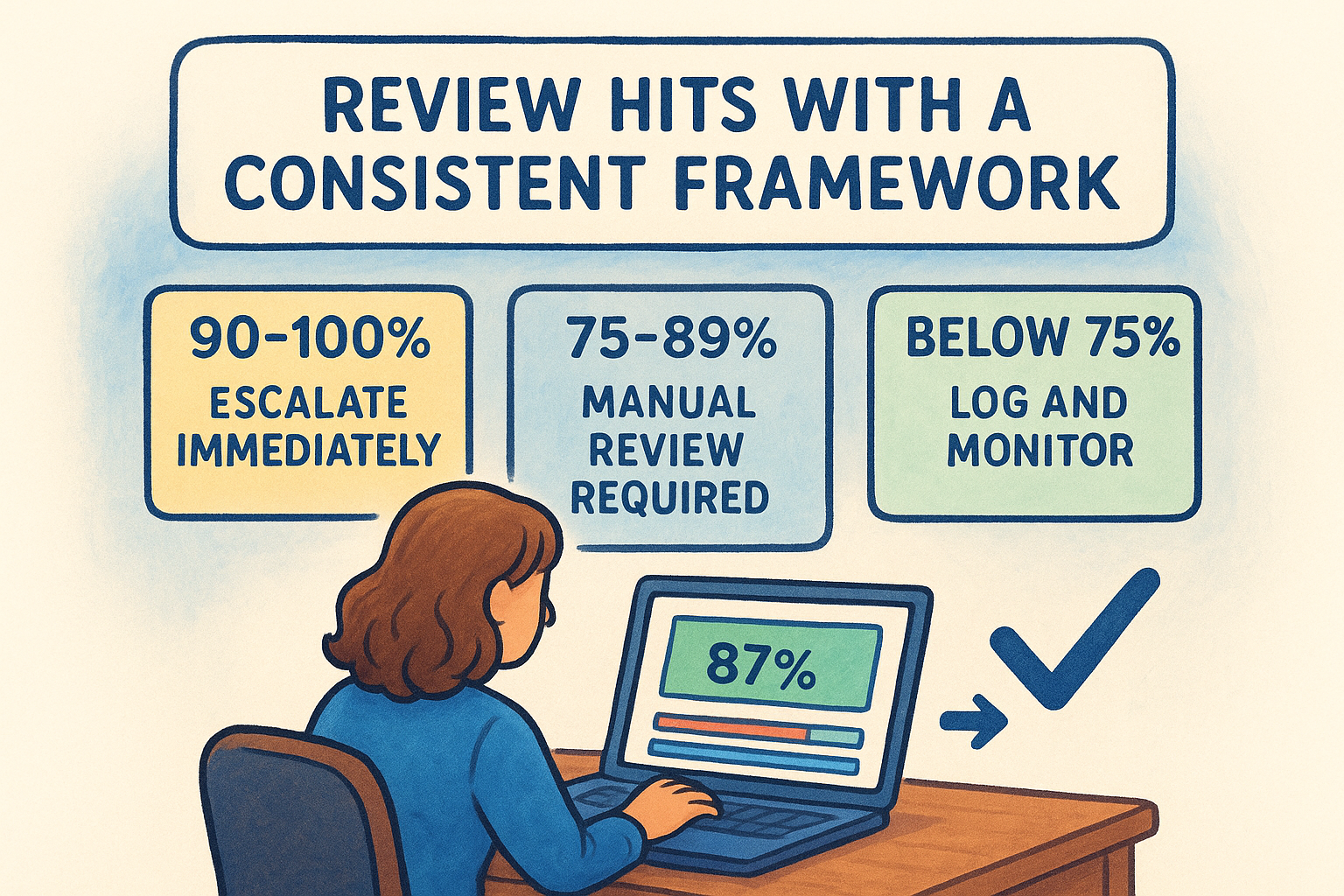
| Confidence score | Action | Reviewer |
|---|---|---|
| 90-100% | Escalate immediately | Compliance officer |
| 75-89% | Manual review required | Senior analyst |
| Below 75% | Log and monitor | Standard queue |
Reviewers need to check name variations, date of birth, and listed entity details against the client’s verified information before clearing or escalating a hit. Never clear a hit without comparing at least two independent data points.
A hit cleared without documented reasoning is legally equivalent to no review at all.
Build an audit trail that survives a regulator’s review
Your audit log needs to capture every step from API request to final decision. Store the following fields for each screening event:
{
  "screening_id": "scr_20260329_00142",
  "subject_name": "Jane Smith",
  "request_timestamp": "2026-03-29T10:14:32Z",
  "api_response_summary": "1 hit, confidence 87%",
  "reviewer": "[email protected]",
  "decision": "cleared",
  "decision_timestamp": "2026-03-29T10:31:05Z",
  "decision_notes": "DOB mismatch confirmed against verified passport"
}
Retain these records for at least seven years to meet AUSTRAC obligations and ensure your team can produce them on request without manual reconstruction.
Step 4. Automate ongoing monitoring in your workflows
A one-time check at onboarding does not satisfy your ongoing compliance obligations. Sanctions lists update without warning, and a client who was clean at sign-up can appear on a watchlist six months later. Automating your ofac sanctions list api calls on a schedule, or based on specific triggers, keeps your screening continuous without adding manual overhead.
Schedule recurring batch checks
Set a recurring batch job to rescreen your entire active client base whenever your sanctions data refreshes. Most providers update their lists daily or in near-real-time, so align your batch schedule to their refresh cadence. A nightly cron job works for most small-to-medium firms:
# Run at 02:00 AEST daily
0 2 * * * /usr/local/bin/python3 /opt/compliance/batch_screen.py --list active_clients
Your batch script should pull active client records, submit them in paginated requests to avoid rate limits, and write each result to your audit log automatically. Set alerts for any batch run that completes with unreviewed hits above your confidence threshold.
Do not wait for your next scheduled batch if a client’s details change. Update and rescreen them immediately when new information is added.
Trigger event-based rescreens
Build event-driven rescreens into your CRM or onboarding platform so that specific actions automatically kick off a new check. The most important triggers to configure are: a change to a client’s name or nationality, a new high-value transaction, and any internal flag raised by your team. Map these events to your API endpoint directly so your compliance workflow fires without anyone remembering to run it manually.
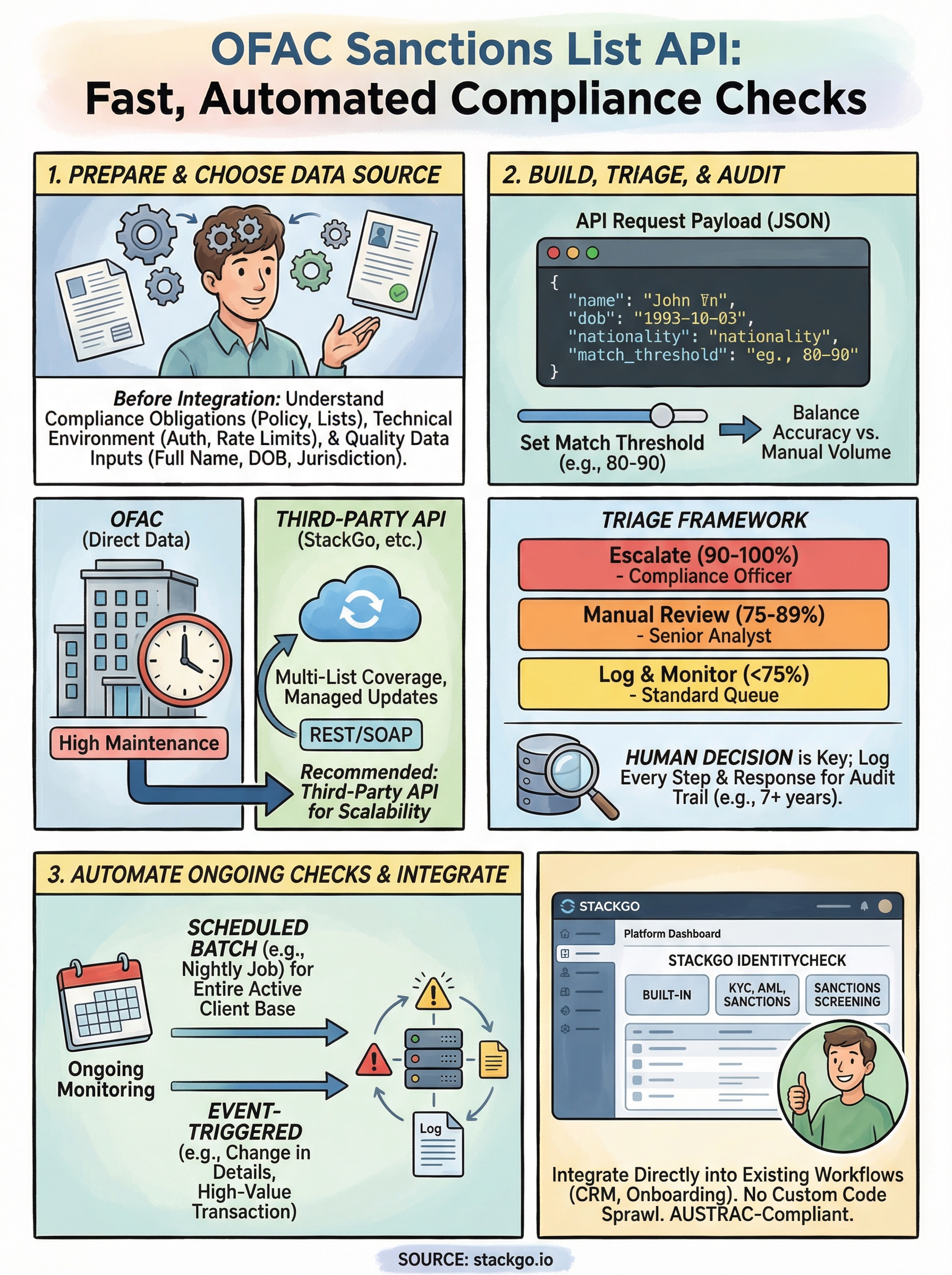
Next steps
You now have a complete framework for integrating an ofac sanctions list api into your compliance operations: from choosing your data source and structuring requests, to triaging hits and automating ongoing monitoring. The steps in this guide are designed to work inside your existing software stack, not alongside it.
The biggest mistake regulated businesses make at this point is over-engineering the build. Start with a single workflow, get your audit trail logging correctly, and expand from there. A clean integration on one process beats a fragile setup across five.
If you’re in accounting, financial services, or another regulated Australian industry, StackGo’s IdentityCheck tool runs KYC, AML, and sanctions screening directly inside the platforms you already use, with no custom integration work required. You can test whether it fits your current setup straight away. See how IdentityCheck handles AUSTRAC Tranche 2 AML/CTF compliance and get started without rebuilding your tech stack.


