

Onfido KYC is one of the more recognised identity verification platforms on the market, used by businesses across financial services, professional services, and beyond to meet regulatory compliance requirements. If you’re evaluating it, or just trying to understand what it actually does, you’re in the right place. Onfido combines document verification with biometric checks to help organisations confirm that a person is who they claim to be, a critical step in Know Your Customer (KYC) and Anti-Money Laundering (AML) workflows.
For regulated businesses, choosing a KYC provider is only half the challenge. The other half is making it work within your existing software stack without duct-taping together manual workarounds or juggling disconnected systems. That’s exactly the problem we solve at StackGo, our integration platform lets you run identity verification directly from tools like HubSpot or Salesforce, so compliance doesn’t mean context-switching between platforms.
This article breaks down how Onfido’s KYC solution works, its core features, and how it integrates with broader business systems. Whether you’re comparing providers or figuring out how to operationalise identity checks at scale, we’ll give you the detail you need to make an informed decision.
What Onfido KYC is and what it verifies
Onfido is an identity verification company that uses a combination of document analysis and biometric matching to confirm a person’s identity. Its KYC offering sits at the core of its platform, designed to help businesses meet regulatory obligations without relying on in-person checks or manual document reviews. Rather than asking your team to eyeball a passport scan, Onfido automates the process using AI-driven analysis, running checks in seconds and returning a verification result your system can act on.
Onfido KYC is not just a document scanner – it’s a layered verification system that combines machine learning with fraud pattern detection to give you a reliable identity signal.
The documents and data Onfido checks
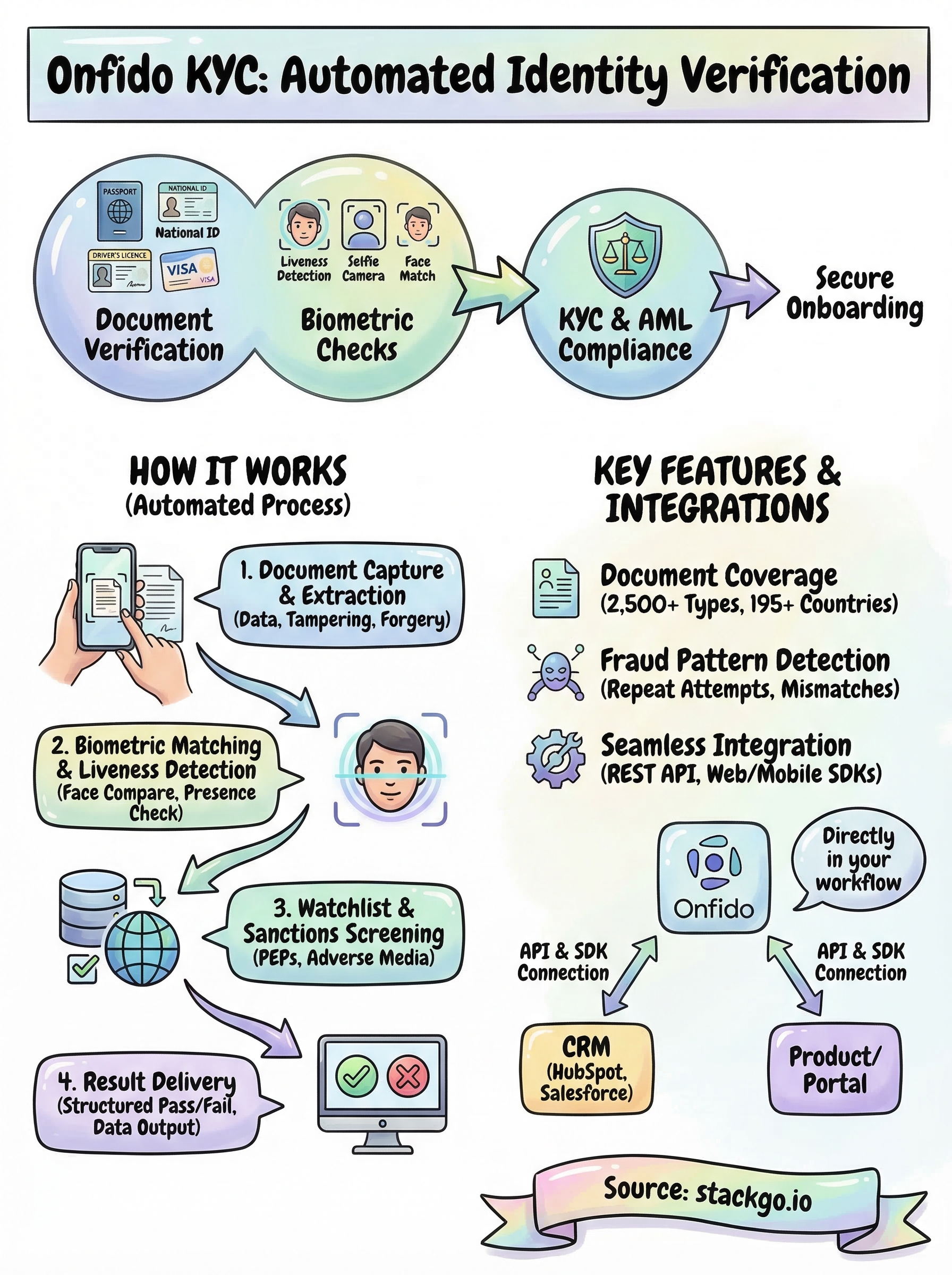
With Onfido KYC, businesses can verify identity across more than 2,500 document types from over 195 countries. When a user submits a document, Onfido extracts the key data fields from it (name, date of birth, document number, expiry), checks for signs of tampering or forgery, and cross-references the information against what your user provided. This gives you a structured data output alongside a fraud signal, not just a raw image.
The types of identity documents Onfido can verify include:
- Passports
- National identity cards
- Driver’s licences
- Residence permits
- Visas
Biometric verification and liveness detection
Beyond documents, Onfido adds a biometric layer to its verification process. After submitting a document, the user completes a selfie or short video challenge, and Onfido compares the face captured against the photo on the document. This step confirms that the person holding the document is genuinely present during the check, which is a critical protection against fraudsters using stolen or fabricated documents.
Liveness detection sits on top of the facial comparison to block spoofing attempts, such as someone holding a printed photo in front of their camera. Onfido’s system analyses motion cues and image depth to distinguish a live person from a static image, adding another layer of confidence to each verification result you receive.
Why Onfido KYC matters for regulated onboarding
Regulated businesses don’t get to choose whether they verify identity; they’re required to. Whether you operate in accounting, financial services, or real estate, your obligations under KYC and AML legislation demand that you confirm who you’re doing business with before a relationship begins. Onfido KYC gives you a structured, auditable way to meet those obligations without relying on manual document checks that are slow, inconsistent, and hard to evidence if a regulator comes asking.
The compliance stakes for Australian businesses
For businesses in Australia, the pressure to get onboarding right is increasing. AUSTRAC’s AML/CTF reforms are expanding the scope of regulated entities, which means more professional services firms (including accountants and lawyers) will need to demonstrate active identity verification processes. A solution like Onfido KYC provides a documented verification trail that shows exactly when a check was run, what result it returned, and what document was used.
A consistent, automated verification record is far stronger evidence of compliance than a folder of scanned documents reviewed by a staff member.
Relying on manual checks also creates operational risk: staff make mistakes, documents get misfiled, and audit preparation becomes a time-consuming process. Automated KYC removes that variability and gives you confidence that every new client has been verified to the same standard.
How Onfido KYC works step by step
The Onfido KYC process runs several automated checks in sequence, each one adding a layer of confidence to the final result. From the user’s perspective, the whole thing takes under a minute to complete, which keeps your onboarding flow moving without creating friction.
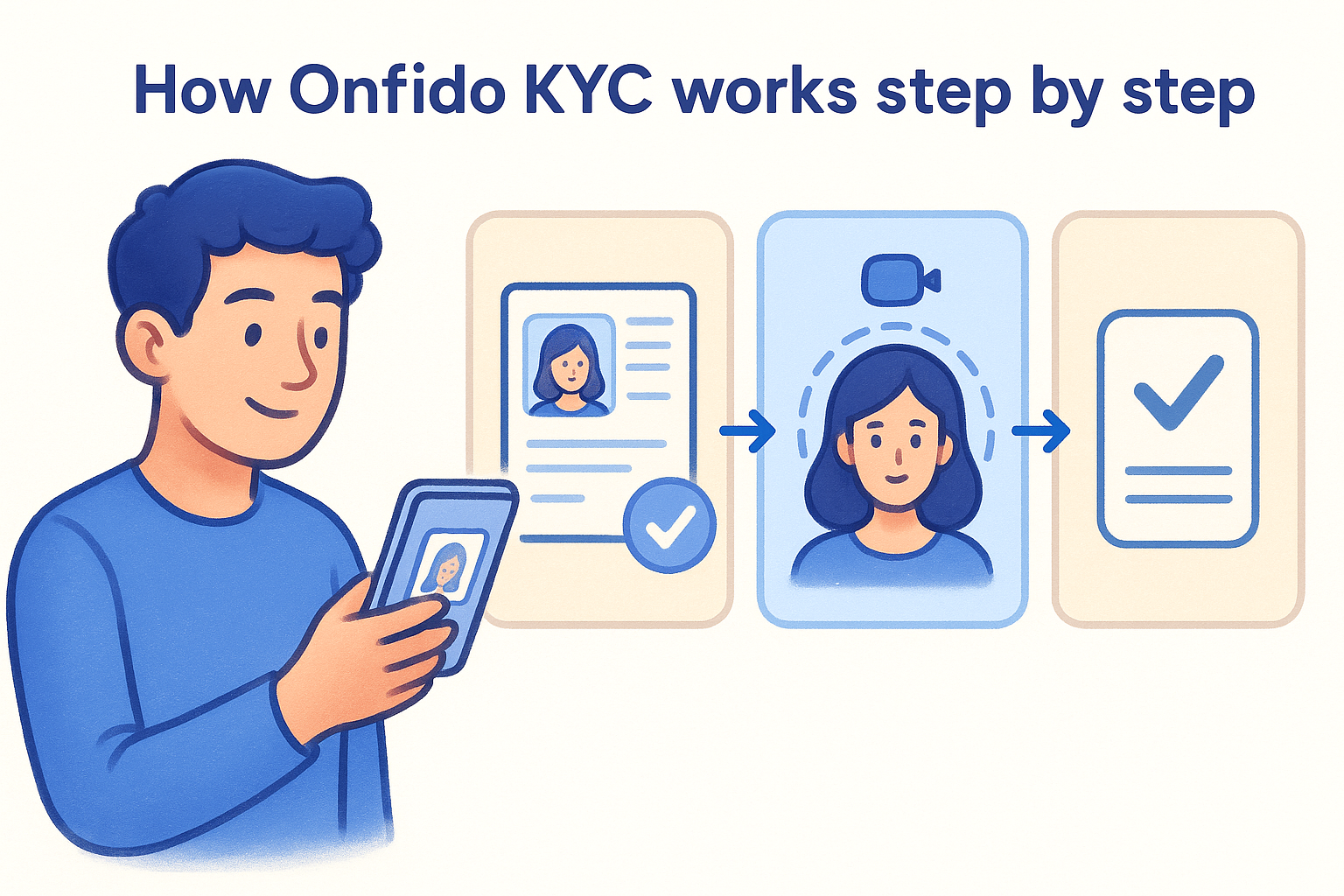
A fast, low-friction verification step means fewer users drop off before completing your onboarding process.
Document capture and data extraction
When a user begins a check, they capture their identity document using a camera on their device. Onfido’s AI then extracts key data fields and runs a series of fraud checks against the document itself:
- Name, date of birth, and document number extraction
- Tamper and forgery detection
- Security feature validation
- Cross-reference against user-provided data
Biometric matching and liveness detection
Once the document passes, the user completes a short biometric step, either a selfie or guided video. Onfido then compares the captured face to the photo on the document to confirm they match.
The liveness detection layer confirms the person is physically present during the check, blocking attempts to spoof the system with a printed photo or pre-recorded video.
Result delivery to your system
Onfido returns a structured pass or fail result to your platform alongside the extracted data fields. Your system can then trigger the next onboarding step automatically, without your team needing to manually review each outcome.
Key features, checks, and fraud controls
Onfido KYC bundles several distinct checks into a single verification flow, giving you more than just a document scan. Each layer targets a different fraud vector, which means the system catches problems that a single-point check would miss entirely.
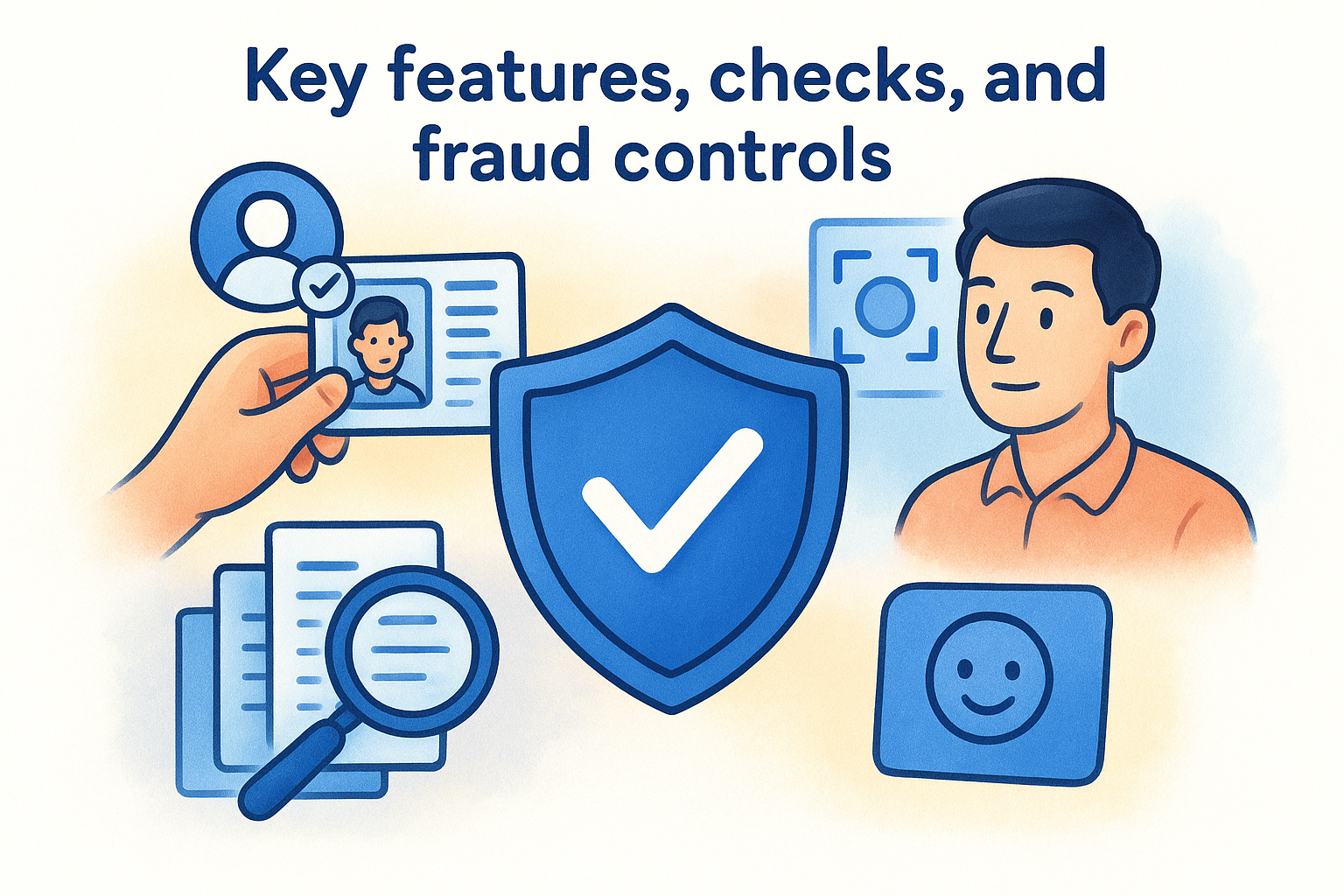
Combining document, biometric, and database checks in one flow gives you a much stronger compliance position than running any of them separately.
Database and watchlist screening
Beyond document and biometric checks, Onfido cross-references a person’s extracted identity data against key sources to flag risk before onboarding completes. This step is especially relevant for businesses with AML obligations, where knowing who you’re dealing with goes beyond confirming they hold a valid passport.
The main sources Onfido screens against include:
- Global sanctions and watchlists
- Politically exposed person (PEP) registers
- Adverse media sources
Repeat attempt and fraud signal detection
Onfido tracks repeat verification attempts across its network, so if a fraudster has failed verification elsewhere, that signal carries forward. The platform also flags suspicious patterns such as mismatched data between documents and selfies, unusual device behaviour, or document images that appear in known fraud databases.
Your compliance team gets a structured risk signal to act on rather than a raw collection of images to interpret manually. This keeps your onboarding process clean for the vast majority of applicants while making it significantly harder for bad actors to slip through.
Integrations, SDKs, and CRM workflows
Onfido connects to your existing systems through a REST API and a set of client-side SDKs for web, iOS, and Android. This means you can embed the verification flow directly into your product or onboarding portal without redirecting users to an external page, keeping the experience consistent with the rest of your brand.
How you integrate Onfido matters as much as the checks themselves; a clunky handoff between systems creates friction that costs you completions.
SDK and API access
Onfido’s Web SDK and mobile SDKs handle the front-end capture experience, including document upload and the biometric step, while the API manages check creation and result retrieval on the back end. You configure the verification steps you need through the API, so you can run just a document check, add biometrics, or layer in watchlist screening depending on your compliance requirements.
Connecting Onfido KYC to your CRM
Most regulated businesses run onboarding through a CRM like HubSpot or Salesforce, which is where Onfido KYC integration becomes a practical challenge. Onfido’s API can send results back to your CRM, but that connection typically requires custom development or middleware to map data fields correctly and trigger follow-on workflows. Platforms like StackGo solve this by providing a productised integration that handles the data flow between Onfido and your CRM natively, without custom builds or fragile automation chains.
Where to go from here
Onfido KYC gives regulated businesses a solid foundation for automated identity verification, combining document checks, biometric matching, and watchlist screening into a single flow. If you’re evaluating it as a compliance tool, the core capability is strong. The part that trips most businesses up is not the verification itself but getting results back into the systems your team already works in, without building custom middleware or managing brittle automation.
That is where the practical work begins. If you run onboarding through HubSpot or Salesforce, you need a clean connection between your verification provider and your CRM, one that maps data correctly, writes outcomes back to the right contact, and triggers the next step automatically. StackGo’s IdentityCheck integration handles exactly that. You can explore how IdentityCheck supports AUSTRAC Tranche 2 compliance or create a free account to test it against your own workflow and see whether it fits before committing.


