

If your business collects client names, addresses, dates of birth, or tax file numbers, and if you’re operating in Australia, it almost certainly does, you’re handling personally identifiable information. That means PII compliance requirements aren’t optional. They’re baked into federal law under the Privacy Act 1988 and the Australian Privacy Principles (APPs), and the penalties for getting it wrong have teeth: up to $50 million for serious or repeated breaches.
Yet many businesses, particularly accounting firms and professional services, still store sensitive client data across spreadsheets, CRM fields, and shared drives with little thought to who can access it or how it’s protected. The gap between "we collect data" and "we handle data compliantly" is where real risk lives. It’s also where costly mistakes, accidental exposure, inadequate access controls, poor data minimisation practices, tend to happen.
At StackGo, we built our integration platform with this exact problem in mind. Our Privacy Layer ensures that PII processed during identity verification never sits exposed in your CRM, and is only accessible to MFA-authenticated admins. We deal with compliance tooling every day, so we understand what these obligations look like in practice, not just in theory.
This guide breaks down Australia’s PII compliance requirements into clear, actionable steps. You’ll learn what counts as PII under Australian law, which obligations apply to your business, and how to build processes that satisfy regulators without grinding your operations to a halt.
What counts as PII in Australia
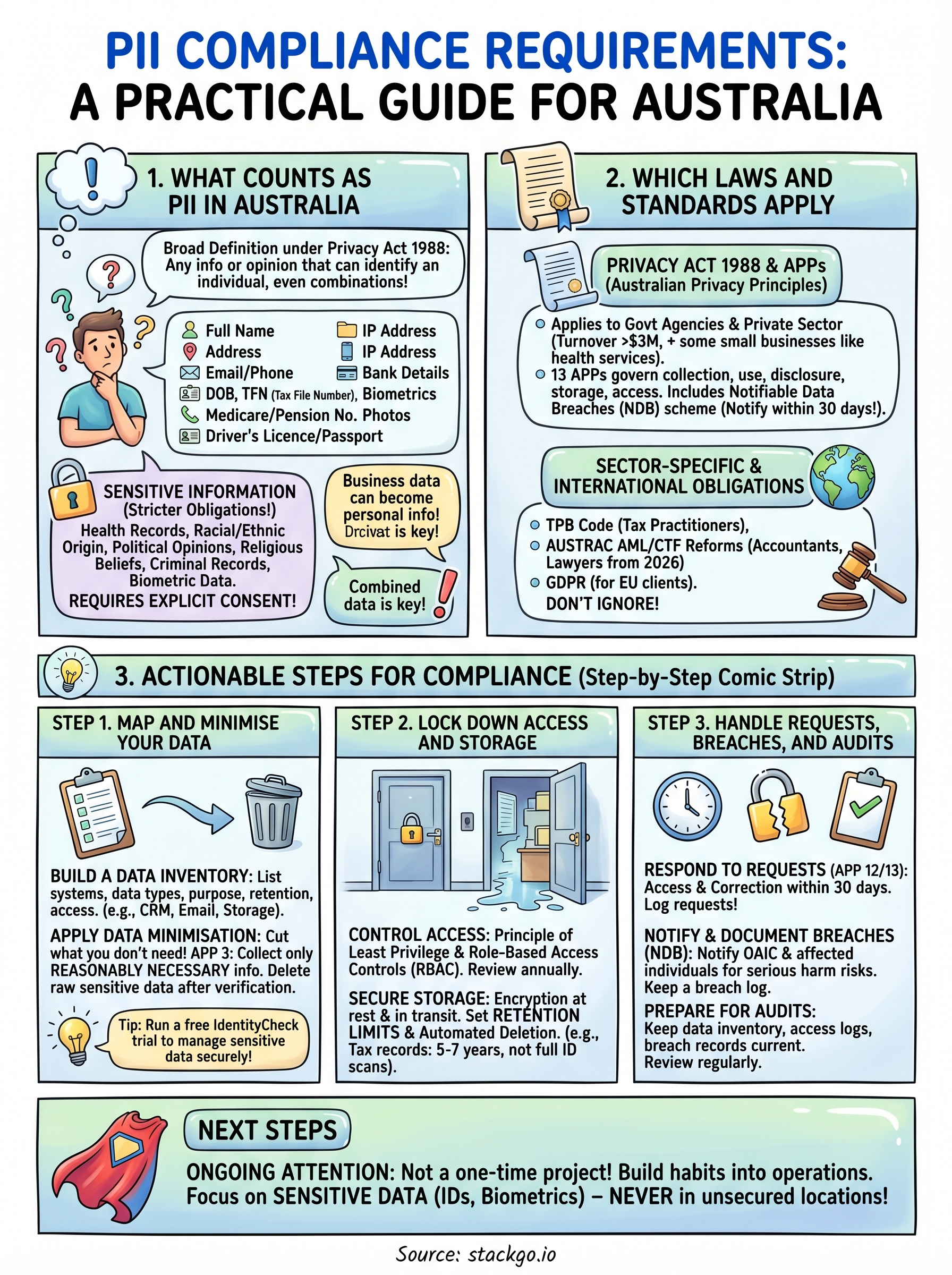
Under the Privacy Act 1988, "personal information" is defined broadly as any information or opinion about an identified individual, or an individual who is reasonably identifiable. This matters for PII compliance requirements because it means you cannot just focus on obvious identifiers like names and email addresses. If a combination of data points in your system could identify a person, that combination qualifies as personal information under Australian law, regardless of whether you intended to collect it as such.
The legal definition under the Privacy Act
The Office of the Australian Information Commissioner (OAIC) applies a contextual test to determine whether information is "personal". A name on its own might not always qualify (think "John Smith"), but pair it with an address, employer, or phone number and it almost certainly does. The definition also covers opinions about a person, even if those opinions turn out to be incorrect, which means notes your staff record about a client inside a CRM can fall squarely within scope.
Here are common examples of PII that Australian businesses routinely collect:
- Full name
- Residential or business address
- Email address and phone number
- Date of birth
- Tax File Number (TFN)
- Medicare or pension number
- Driver’s licence or passport number
- IP address (in many contexts)
- Bank account or credit card details
- Photographs and biometric data
Sensitive information: a higher category
Not all personal information carries the same weight under Australian law. Sensitive information attracts stricter handling obligations and includes health records, racial or ethnic origin, political opinions, religious beliefs, criminal records, and biometric data. In most circumstances, you need explicit consent from the individual before you collect any of it.
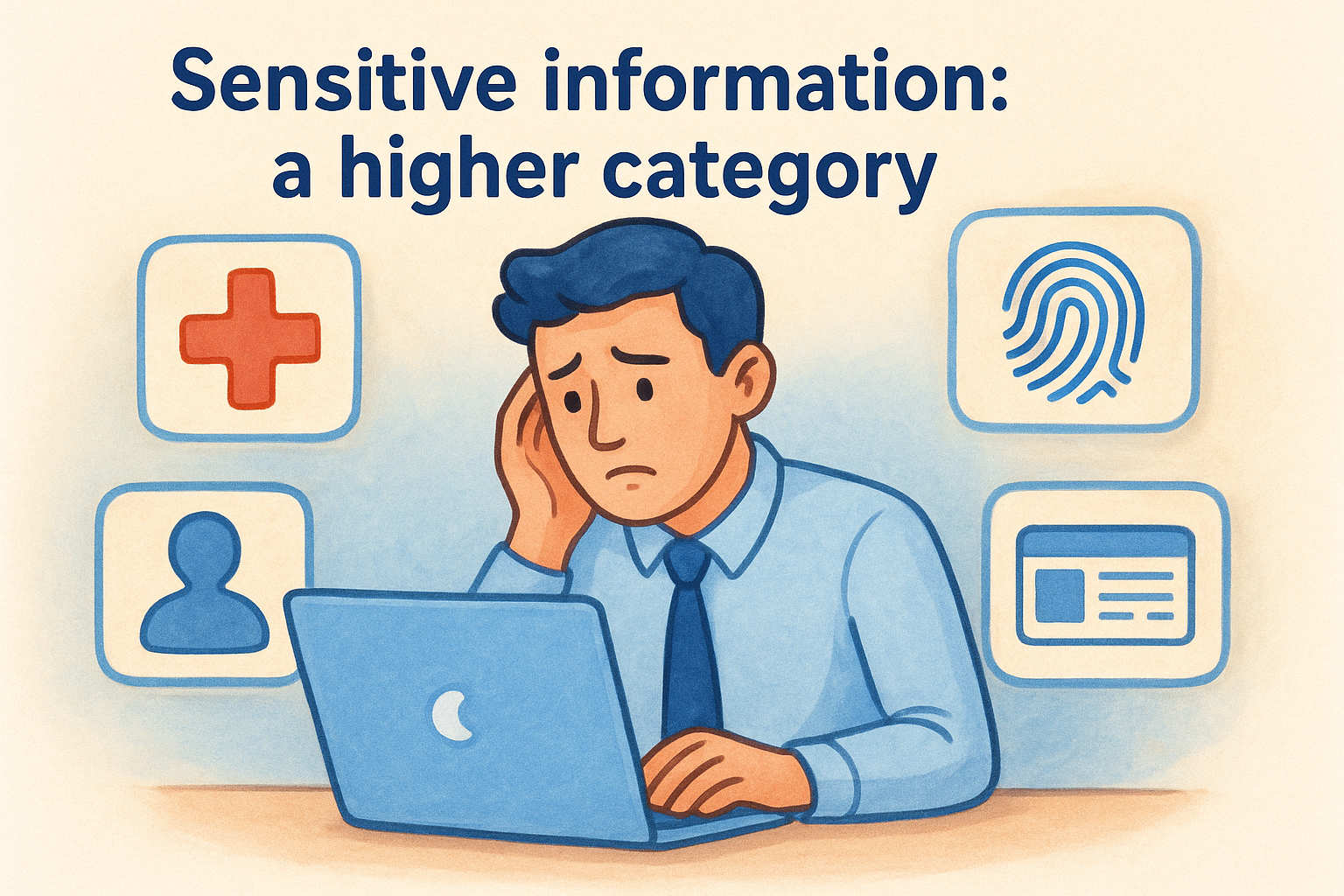
The Privacy Act treats sensitive information as a separate, more protected category, requiring explicit consent before collection in most circumstances.
For accounting firms and professional services businesses, this category frequently comes up during identity verification workflows. When you verify a client’s government-issued ID or run an AML check, you are likely collecting biometric or government identifier data that crosses into sensitive information territory. Treating that data the same way you would treat a contact’s phone number is a measurable compliance risk, not just a technicality.
When business data becomes personal information
Many businesses underestimate how much of their operational data qualifies as personal information. A CRM contact record, a client’s billing history, a support ticket thread, and even an internal staff note can all become personal information depending on context. The test is always whether that information, alone or combined with other data you hold, could identify a specific individual.
This distinction trips up a lot of firms during audits. You might store a record that looks anonymous in isolation, for example, a transaction amount linked to a client reference number, but if your system can connect that reference number back to a named individual, the entire record falls within scope. Understanding these boundaries is the foundation of any credible compliance programme, and it directly shapes how you approach data mapping, access controls, and retention policies in the steps that follow.
Which laws and standards apply
Understanding your legal obligations starts with knowing which frameworks actually govern your business. For most Australian organisations, the Privacy Act 1988 is the primary reference point, but depending on your industry and client base, additional sector-specific rules will layer on top of it. Getting familiar with each one is a core part of meeting your pii compliance requirements in practice.
The Privacy Act 1988 and the Australian Privacy Principles
The Privacy Act 1988 applies to all Australian Government agencies and to private sector organisations with an annual turnover above $3 million. However, many smaller businesses, including health service providers and some professional services firms, fall within its scope regardless of turnover. The Act is enforced by the Office of the Australian Information Commissioner (OAIC), which investigates complaints, issues guidance, and can recommend significant penalties for non-compliance.
Embedded within the Privacy Act are the 13 Australian Privacy Principles (APPs), which set out specific obligations around how you collect, use, disclose, store, and provide access to personal information. Each APP targets a different stage of the data lifecycle, so you need to assess your practices against all of them, not just the ones that seem immediately relevant. The Notifiable Data Breaches (NDB) scheme also sits within this framework, requiring you to notify both the OAIC and affected individuals within 30 days of identifying an eligible data breach.
If your business handles health records, government identifiers, or biometric data, your obligations under the APPs are stricter and the consequences of a breach are more severe.
Sector-specific and international obligations
Accounting firms registered with the Tax Practitioners Board (TPB) must also comply with the TPB’s Code of Professional Conduct, which includes obligations around client confidentiality and data handling. From 2026 onwards, AUSTRAC’s expanded Anti-Money Laundering and Counter-Terrorism Financing (AML/CTF) reforms will bring a much wider group of professional services firms, including accountants and lawyers, into a regulated regime with active customer due diligence requirements.
If you serve clients based in the European Union, the General Data Protection Regulation (GDPR) can apply to your data processing activities even as an Australian business. Ignoring international obligations because your business is locally registered is a risk that regulators have started to scrutinise more closely.
Step 1. Map and minimise your data
You cannot protect what you have not mapped. Before you can meet your pii compliance requirements under the APPs, you need a clear picture of what personal information your business holds, where it sits, who can access it, and why you collected it in the first place. Most businesses are surprised by how spread out their data actually is once they start looking.
Build a data inventory
Start by listing every system, tool, and process that touches personal information. This includes your CRM, accounting software, email platform, and document storage, as well as any third-party integrations you use. For each one, record what types of personal information flow through it, the legal basis for holding that data, and how long you retain it.
A data inventory does not need to be complex. A well-maintained spreadsheet is enough to get started, and it becomes your core reference point for every compliance decision that follows.
Use the table below as a starting template:
| System | Data types held | Purpose | Retention period | Access level |
|---|---|---|---|---|
| CRM (e.g. HubSpot) | Name, email, TFN | Client onboarding | 7 years | Admin, sales team |
| Email platform | Name, email | Communication | 2 years | All staff |
| Identity verification tool | Passport, biometrics | AML/KYC checks | Per regulatory requirement | Admin only |
Apply data minimisation
Once you know what you hold, cut what you do not need. APP 3 requires you to collect only the personal information that is reasonably necessary for your business functions. That means if you run an identity verification check, you should not be storing a full copy of the client’s passport image in your CRM after the check is complete.
Review each data type in your inventory and ask two questions: do you still need this, and is it stored in the right place? For many firms, the answers reveal duplicate records and outdated client files, as well as sensitive information sitting in low-security locations like shared inboxes or generic cloud folders. Removing unnecessary data reduces your exposure and simplifies your compliance position considerably.
Step 2. Lock down access and storage
Mapping your data tells you what you hold. Now you need to control who can reach it and where it actually lives. Access control and secure storage sit at the heart of pii compliance requirements under APP 6, APP 11, and APP 12, which together govern how you use, protect, and allow individuals to access their personal information. Getting these two elements right will eliminate the most common causes of accidental exposure.
Control who can access personal information
Most data breaches in professional services firms are not the result of sophisticated attacks. They happen because too many people have access to too much data, and nobody audited that access for years. Start by applying the principle of least privilege: every staff member and system integration should only access the personal information they genuinely need to do their job.

Role-based access controls are the simplest way to enforce this principle consistently across your team and your tools.
Run through each system in your data inventory and assign explicit access tiers. For example, your CRM administrator should access full client records, while a junior staff member processing invoices may only need name and billing details. Review these access levels at least once a year, and immediately revoke access when a staff member changes roles or leaves the business.
Store data securely and set retention limits
Where data lives matters as much as who can see it. Personal information stored in low-security locations, such as shared inboxes, generic cloud folders, or unlocked spreadsheets, fails the security standard set out under APP 11. Your storage locations should enforce encryption at rest and in transit, and require authenticated access as a minimum baseline.
Set retention periods for every data category in your inventory and enforce them. Australian businesses handling tax records must generally retain them for five to seven years, but that does not mean you need to keep full identity document scans from onboarding for the same period. Once the verification outcome is recorded and the regulatory obligation is met, delete the raw sensitive data and retain only what you need. Automated deletion rules inside your document management or CRM system make this process repeatable without relying on manual reminders.
Step 3. Handle requests, breaches, and audits
Even with strong data controls in place, your pii compliance requirements do not stop at storage. Regulators expect you to respond to individual access requests, notify the right parties when something goes wrong, and maintain records that demonstrate your compliance posture over time. These three capabilities separate businesses with genuine compliance programmes from those that have policies on paper but no practice behind them.
Respond to access and correction requests
APP 12 gives individuals the right to request access to personal information you hold about them, and APP 13 gives them the right to correct information that is inaccurate, out of date, or incomplete. You must respond to both types of requests within 30 days. Refusing a request is only permitted in limited circumstances, such as when providing access would unreasonably affect someone else’s privacy or when the information relates to legal proceedings.
Keep a request log with the date received, the requester’s identity, the type of request, and your response date. This creates an auditable record without requiring complex tooling.
Use this simple template to manage each request consistently:
| Field | Detail |
|---|---|
| Date received | DD/MM/YYYY |
| Requester name | Full name |
| Request type | Access / Correction / Deletion |
| Information in scope | Brief description |
| Response sent | DD/MM/YYYY |
| Outcome | Fulfilled / Refused (with reason) |
Notify and document breaches
Under the Notifiable Data Breaches (NDB) scheme, you must notify the OAIC and affected individuals within 30 days of identifying an eligible data breach, which is any unauthorised access or disclosure of personal information that is likely to cause serious harm. When you detect a potential breach, contain it first, then assess whether the NDB threshold is met before deciding on notification.
Document every breach, even those that fall below the NDB threshold. Record what happened, what data was involved, who was affected, and what corrective action you took. This breach log demonstrates accountability to the OAIC if your practices are ever scrutinised.
Prepare for audits
Regulators do not give advance notice. Keep your data inventory, access logs, and breach records current so you can produce them quickly. Review your compliance documentation at least once a year, or after any significant change to your systems or client onboarding processes.
Next steps
PII compliance requirements in Australia are not a one-time project. They require ongoing attention across your data inventory, access controls, breach response processes, and staff awareness. The steps in this guide give you a practical foundation, but the real work is building these habits into your day-to-day operations rather than treating them as an annual box-ticking exercise.
For accounting firms and professional services businesses handling identity verification, the biggest risk sits in how client data flows through your systems. Sensitive information like government IDs and biometric data should never rest in unsecured CRM fields or low-access-control storage locations. If you want to see how compliant identity verification can work directly inside your existing software, run a free IdentityCheck trial and test whether it fits your compliance workflow before AUSTRAC’s expanded AML/CTF obligations take full effect.


