

When regulators expect you to know exactly who you’re doing business with, verifying a company’s identity is no longer optional, it’s a baseline requirement. Trulioo KYB (Know Your Business) is one of the more recognised solutions in this space, offering businesses a way to verify corporate entities across multiple jurisdictions before entering into a commercial relationship.
But what does Trulioo’s KYB product actually do, and how does it fit into your compliance workflow? That’s what this article breaks down, the features, the mechanics, and where it sits in the broader verification process. We’ll also look at how businesses are handling KYB checks in practice, including the operational challenge of connecting verification tools to the systems teams already use day-to-day.
At StackGo, we build integrations that embed compliance processes like identity and business verification directly into your existing software stack, so if you’re evaluating tools like Trulioo, understanding how they work (and how they’ll fit) is a solid starting point.
Why KYB matters for onboarding and AML compliance
When you onboard a new business client, you’re not just collecting contact details. You’re taking on regulatory exposure the moment that relationship begins, and regulators in Australia and globally now expect you to verify the business itself, not just the individual sitting across from you. KYB (Know Your Business) is the process of confirming that a company is legitimate, properly registered, and not linked to financial crime before you engage with them commercially.
The regulatory pressure behind business verification
Anti-money laundering regulations have expanded significantly over the past few years, and Australian businesses are increasingly caught in scope. The AUSTRAC AML/CTF framework already covers a range of sectors, and the 2024 reforms extended obligations to professional service firms including accountants and lawyers. Under these rules, you need to identify and verify your business clients at onboarding and monitor them on an ongoing basis.
Failing to verify a business client at onboarding is not just a compliance gap, it is a liability that can follow you through an audit or enforcement action.
How KYB connects to your onboarding process
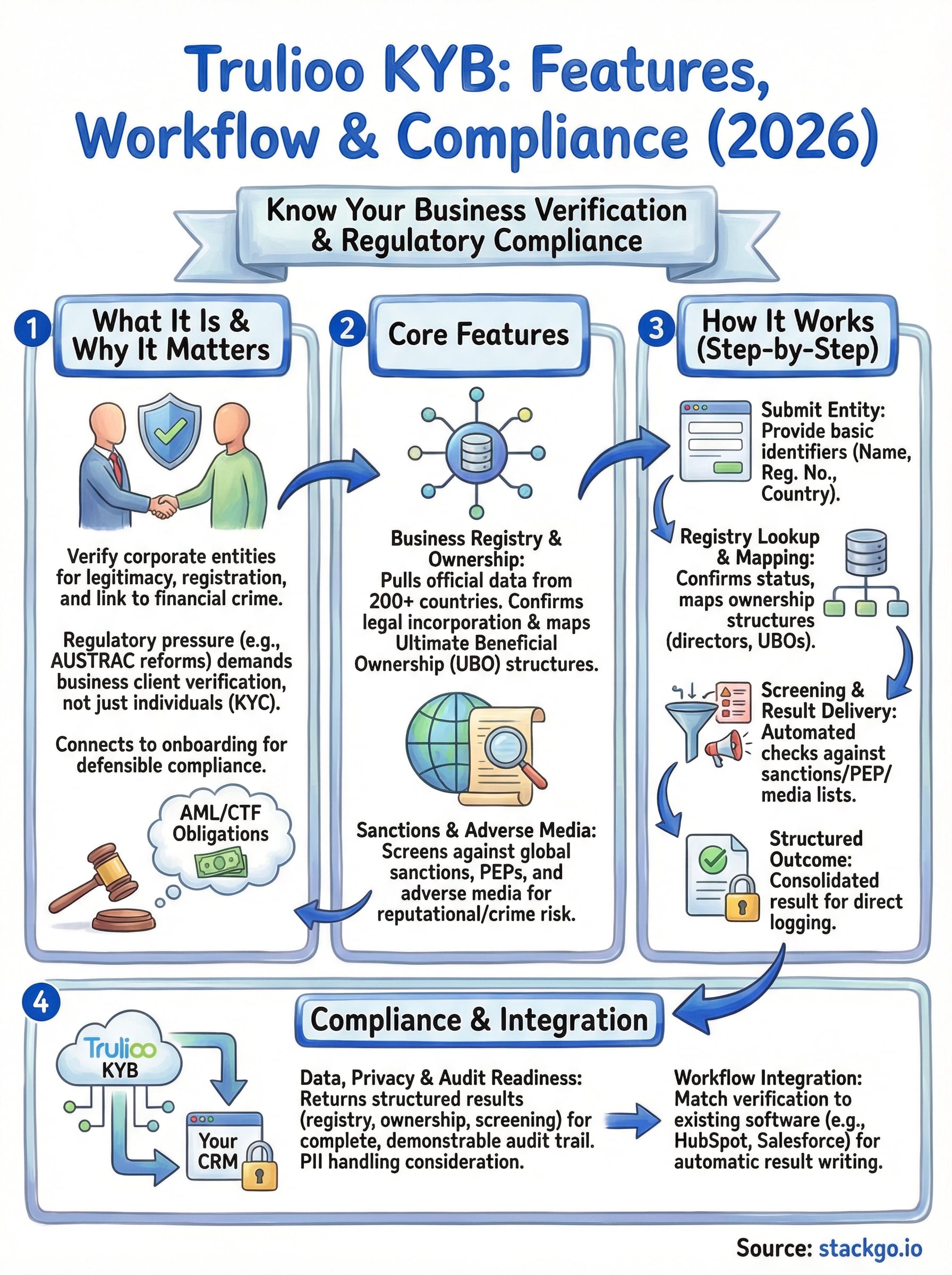
KYB does not operate in isolation. Verification of the business entity typically runs alongside KYC checks on the individuals who control or benefit from it, including directors and ultimate beneficial owners (UBOs). This is where tools like Trulioo KYB become relevant: they handle the corporate layer of verification, pulling registry data, sanctions screening, and ownership structures into a single check rather than leaving your team to chase documents manually.
Structuring your onboarding workflow to cover both layers matters more than most teams realise. If you verify individuals but ignore the business entity itself, your AML process carries a structural gap that manual workarounds will not fix. Getting both layers right at the point of onboarding is what separates a defensible compliance posture from one that falls apart under scrutiny.
What Trulioo KYB includes in 2026
Trulioo KYB covers a broad set of verification capabilities designed to confirm a business entity’s legitimacy before you commit to an ongoing commercial relationship. The platform connects to official registry data and third-party sources across more than 200 countries, meaning you can run checks on business clients operating across multiple jurisdictions without switching tools or managing separate data feeds.
Business registry and ownership verification
At its core, Trulioo KYB pulls data directly from government business registries to confirm that a company is legally incorporated, actively registered, and operating under the identity it presents to you. Beyond registration status, it also maps ultimate beneficial ownership (UBO) structures, which is the layer most compliance frameworks require you to document when onboarding corporate clients.

Verifying registration alone is not enough. If your process does not identify who controls or benefits from the business, your KYB check is incomplete.
Sanctions and adverse media screening
Alongside registry checks, Trulioo screens business entities and their associated individuals against global sanctions lists, politically exposed persons (PEP) databases, and adverse media sources. This means your team gets a picture that covers both the structural legitimacy of the business and any reputational or financial crime risk connected to it. Running both checks at the same point in your onboarding flow reduces the manual back-and-forth that slows teams down during due diligence.
How Trulioo KYB works step by step
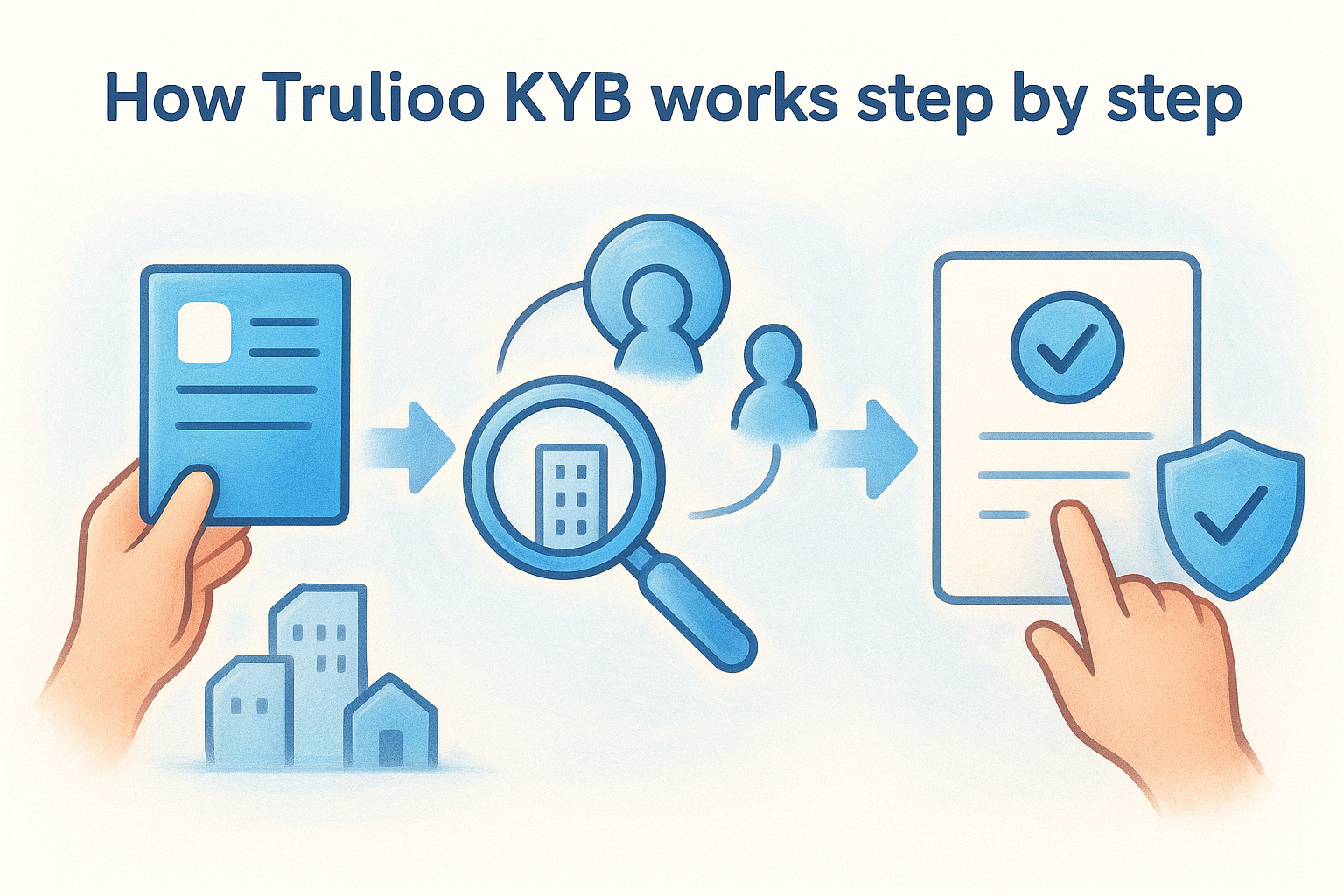
The Trulioo KYB process is built around a structured verification flow that begins the moment you submit a business entity for review. Rather than requiring your team to collect and manually cross-reference documents, the platform runs automated checks against authoritative data sources and returns a structured result your compliance team can act on.
Submitting the business entity
You start by providing basic identifiers for the business, such as the company name, registration number, country of incorporation, and registered address. Trulioo uses these details to locate the entity in the relevant official registry database, which is the starting point for all downstream checks.
Registry lookup and ownership mapping
Once the entity is located, Trulioo confirms its registration status and active standing, then maps the ownership structure to identify directors and ultimate beneficial owners. This step surfaces the corporate layers that regulators expect you to document before onboarding a business client.
Ownership mapping is where most manual KYB processes break down, so having this step automated and documented reduces your audit risk significantly.
Screening and result delivery
Trulioo then runs the entity and its associated individuals against sanctions lists, PEP databases, and adverse media feeds before delivering a consolidated result. Your team receives a structured verification outcome that you can log against the client record without needing to chase separate data sources.
Data, privacy, and audit readiness for KYB
Running business verification checks generates a paper trail, and how you manage that trail matters as much as the checks themselves. When regulators or auditors review your onboarding process, they are not just looking at whether you ran a check. They want to see what data you collected, when you ran it, and what outcome you recorded against each client.
What data Trulioo KYB stores and returns
Trulioo KYB returns structured verification results that include registry confirmation, ownership mapping, and screening outcomes. The data returned is designed to be logged directly against a client record rather than left sitting in a separate system your team has to cross-reference manually. Understanding exactly what Trulioo holds versus what your own systems store is important, particularly if your business handles personally identifiable information (PII) under Australian Privacy Act obligations.
The weaker point in most KYB setups is not the verification itself but where the resulting data lands and who can access it.
Keeping your audit trail complete
Your compliance posture depends on being able to demonstrate verification at the point of onboarding, not reconstruct it months later. That means your workflow needs to capture the check result, the timestamp, and the data used in a format that survives an audit without manual explanation. If your KYB tool and your CRM do not communicate cleanly, gaps appear in exactly the records regulators are most likely to request.
Choosing a KYB setup for your workflow and stack
Picking the right KYB setup is not just about the verification capabilities on offer, it is about whether the tool actually fits how your team works. A solution that requires your staff to log into a separate platform, copy data manually, and then update your CRM creates friction that compounds across every new client you onboard.
Match verification to your existing CRM
Trulioo KYB provides strong coverage and data depth, but the value it delivers depends on how cleanly the results connect back to your client records. If your team uses a CRM like HubSpot or Salesforce, you need those verification outcomes written back automatically rather than sitting in a tool no one opens after the check runs.
The best KYB setup is one your team actually uses consistently, not the one with the most features sitting unused in a separate tab.
Consider how your stack handles PII
Data handling is a practical concern that affects your tool selection directly. Where verification results land, who can access them, and how your system handles personally identifiable information under Australian privacy obligations all factor into whether your setup holds up when scrutinised. Platforms that embed verification directly into your existing stack reduce the risk of data scattered across disconnected tools, which is where most compliance gaps originate.
Next steps
Trulioo KYB gives you a capable foundation for verifying business entities, mapping ownership structures, and screening against sanctions and PEP lists. But the compliance value you get from it depends almost entirely on how well those results connect back to the systems your team already uses to manage client relationships. A check that sits in a separate platform, disconnected from your CRM, creates the same manual handoff problem you were trying to solve in the first place.
If your business is preparing for Australian AUSTRAC AML/CTF obligations, particularly under the Tranche 2 reforms affecting accountants and professional service firms, the right integration setup makes the difference between a process your team follows consistently and one that breaks down under real workload. You can learn more about how IdentityCheck runs AUSTRAC Tranche 2 AML/CTF compliance inside your existing software, or create a free account to test whether it fits your workflow.


