

Most businesses run on a patchwork of software, a CRM here, an accounting tool there, a compliance platform somewhere else. Each one does its job, but getting them to talk to each other? That’s where things fall apart. If you’ve ever asked why use an integration platform, chances are you’re already feeling the pain of disconnected systems: duplicate data entry, manual workarounds, and processes that should take minutes but somehow eat up hours.
An integration platform connects your existing software so that data flows automatically between systems, without requiring you to build custom code or rely on fragile automation chains. For regulated businesses especially, accounting firms, financial services, legal practices, this isn’t just a productivity play. It’s the difference between a compliant, auditable workflow and a mess of spreadsheets and sticky notes that puts your obligations at risk.
At StackGo, we built our platform around this exact problem. Our integration tools, like IdentityCheck for KYC/AML verification, sit directly inside the software you already use (think HubSpot, Salesforce, Xero) so your team doesn’t need to learn anything new or switch between tabs to get critical work done.
This article breaks down the real benefits of using an integration platform, walks through practical use cases across industries, and helps you understand the ROI so you can make a clear-eyed decision about whether it’s the right move for your business.
What an integration platform is and is not
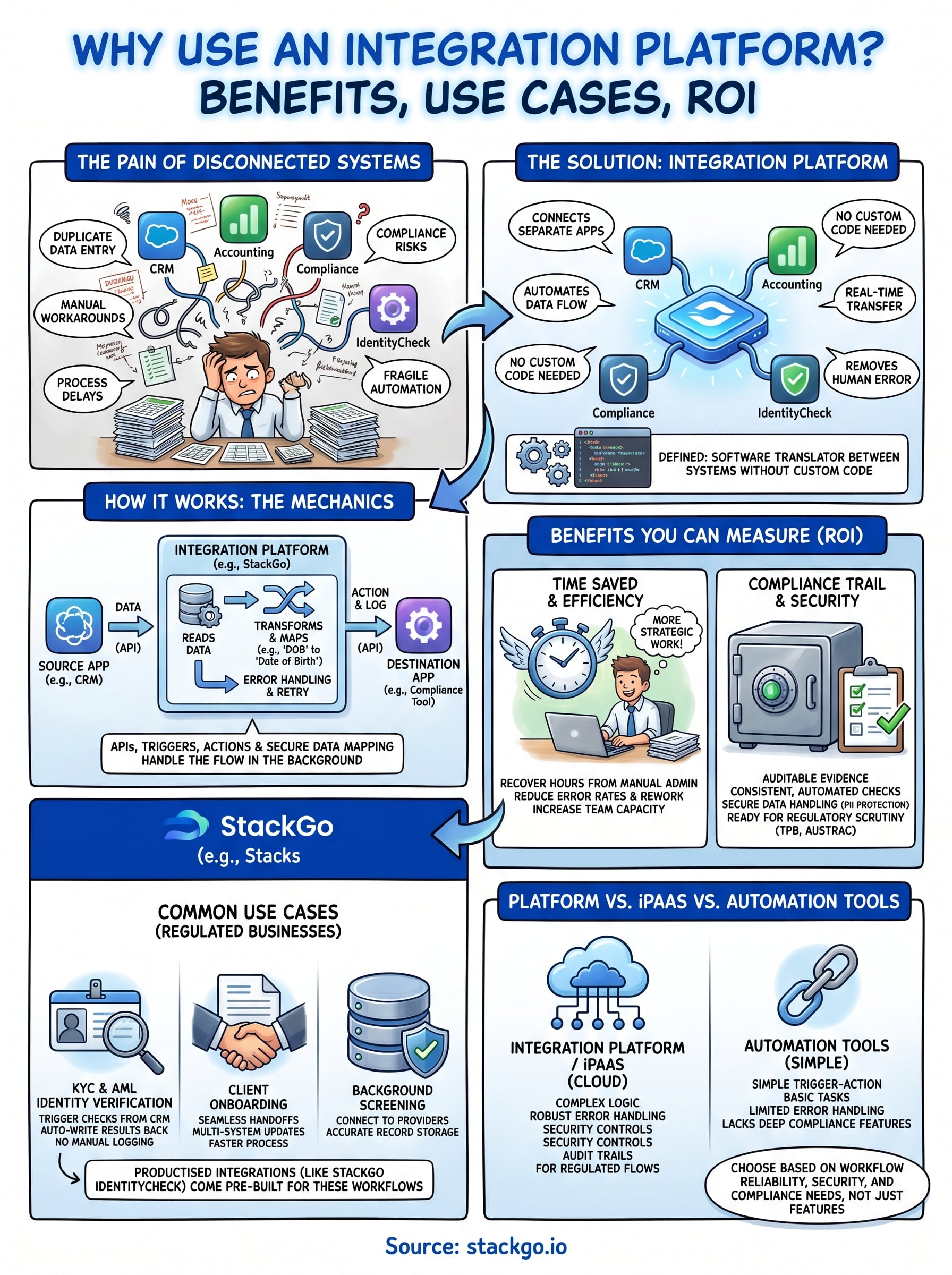
An integration platform is software that connects separate applications so they can share data and trigger actions automatically. Instead of your team manually exporting a file from one system and importing it into another, the platform handles that transfer in the background, in real time or on a schedule. When you stop to ask why use an integration platform, the clearest answer is this: it removes the human from repetitive data-moving tasks so your team can focus on work that actually requires judgment.
The core definition: connecting systems without custom code
At its most basic level, an integration platform sits between two or more software applications and acts as a translator. Your CRM might store a client’s name and contact details in one format, while your compliance tool expects data in a completely different structure. The integration platform reads from one system, transforms the data, and writes it to the other, automatically. For accounting firms running KYC checks or AML screening, this means a staff member can trigger an identity verification directly from HubSpot or Xero, without ever logging into a separate tool.
When data moves automatically between systems, you eliminate the manual re-entry that causes errors, delays, and compliance gaps.
Productised integrations, like StackGo’s IdentityCheck, take this a step further. Rather than asking your team to configure connection logic themselves, the integration comes pre-built for a specific workflow. You install it, connect your accounts, and it works. This is a meaningful distinction from building your own API connections, which require developer resources and ongoing maintenance to keep running reliably.
What an integration platform is not
Understanding what an integration platform is not matters just as much as knowing what it is. It is not a standalone application you use directly to complete tasks. Your team does not log into an integration platform the way they log into accounting software or a CRM. It operates quietly in the background, moving and transforming data between the tools your people already use every day.
An integration platform is also not the same as a basic automation tool that chains together simple trigger-action sequences. Those tools can handle straightforward tasks, but they struggle with complex conditional logic, robust error handling, and the security controls that regulated businesses require. A proper integration platform is built to manage data validation, audit trails, and privacy layers, capabilities that matter enormously when you are processing personally identifiable information for compliance purposes.
There is one more thing to be clear about. An integration platform is not a shortcut around your compliance obligations. It does not replace the regulatory requirements your business must meet; it makes meeting them faster, more accurate, and easier to document. For Australian accounting firms working through TPB obligations or preparing for AUSTRAC AML/CTF requirements, that distinction is critical. The platform supports your compliance process; your team and your obligations remain entirely your own.
How productised integrations differ from general platforms
General-purpose integration platforms give you building blocks. You still need to define the logic, map the data fields, and test the connections yourself. Productised integrations come with that work already done for a defined use case. The workflow is pre-configured, the data mapping is set, and the edge cases have already been accounted for. For busy practices that need compliance workflows to simply work without requiring an in-house developer, this difference is the deciding factor.
Why teams use integration platforms in the first place
The short answer is that manual processes break under pressure. When your team copies data between systems by hand, the chance of error compounds with every step. A wrong client ID, a missed field, or a file uploaded to the wrong record are not hypothetical risks; they happen in practices that rely on disconnected tools every single day. Understanding why use an integration platform starts with recognising that the cost of not integrating is real, even if it shows up gradually through errors, delays, and compliance gaps rather than one obvious failure.
Manual processes cost more than you think
Most businesses underestimate the true cost of manual data handling. A staff member who spends 20 minutes per client moving information between your CRM, your identity verification tool, and your accounting software might seem like a minor inconvenience. Across a team of five people processing 30 clients per month, that adds up to 50 hours of avoidable admin every single month.
The real cost of disconnected systems is not just time; it is the accumulated risk of errors that compound across every manual step in your workflow.
Those 50 hours could go toward billable work, client relationships, or tasks that actually require your team’s expertise and judgment. When your systems share data automatically, error rates drop because there is no longer a person manually transcribing information between platforms with no validation layer to catch mistakes.
Compliance requirements demand a standard that manual work cannot meet
For regulated businesses in Australia, including accounting firms subject to TPB obligations and those preparing for AUSTRAC AML/CTF requirements, data accuracy is non-negotiable. When you conduct a KYC check manually, you risk recording the outcome incorrectly, filing it in the wrong place, or skipping the record update entirely under time pressure. Regulators expect a clear, auditable trail that proves you completed the required checks to the required standard, and a spreadsheet does not meet that bar.
An integration platform writes outcomes directly back to the relevant client record in your CRM or practice management software the moment a check is complete. Your team does not need to remember to update anything, because the system handles it automatically and consistently on every single transaction.
How integration platforms move data between systems
Understanding the mechanics helps you evaluate whether a platform can actually handle your workflows. At a high level, an integration platform reads data from one system, transforms it if needed, and writes it to another. That movement happens through structured connections that maintain data integrity at every step, which is exactly why use an integration platform comes up so frequently in regulated industries where errors carry real consequences.
APIs and the connections underneath
Most modern software applications expose an Application Programming Interface (API), which is essentially a set of rules that lets other systems request or send data in a controlled way. When your CRM stores a client record, its API makes that record accessible to other tools with the right authorisation. An integration platform uses these APIs to pull information from one application and push it to another, without any human involvement once the connection is set up. You do not need to understand API structure in depth to benefit from this; a well-built productised integration abstracts all of that complexity away from your team entirely.
The platform handles the API communication, authentication, and error responses automatically, so your staff interact only with the software they already know.
Triggers, actions, and data mapping
Every integration follows a simple pattern: a trigger event in one system kicks off an action in another. For example, when a staff member marks a client as ready for onboarding in your CRM, that trigger fires the identity verification workflow automatically. The platform then maps the relevant data fields, your client’s name, document type, and date of birth, to the format the verification service expects, and passes them across securely.
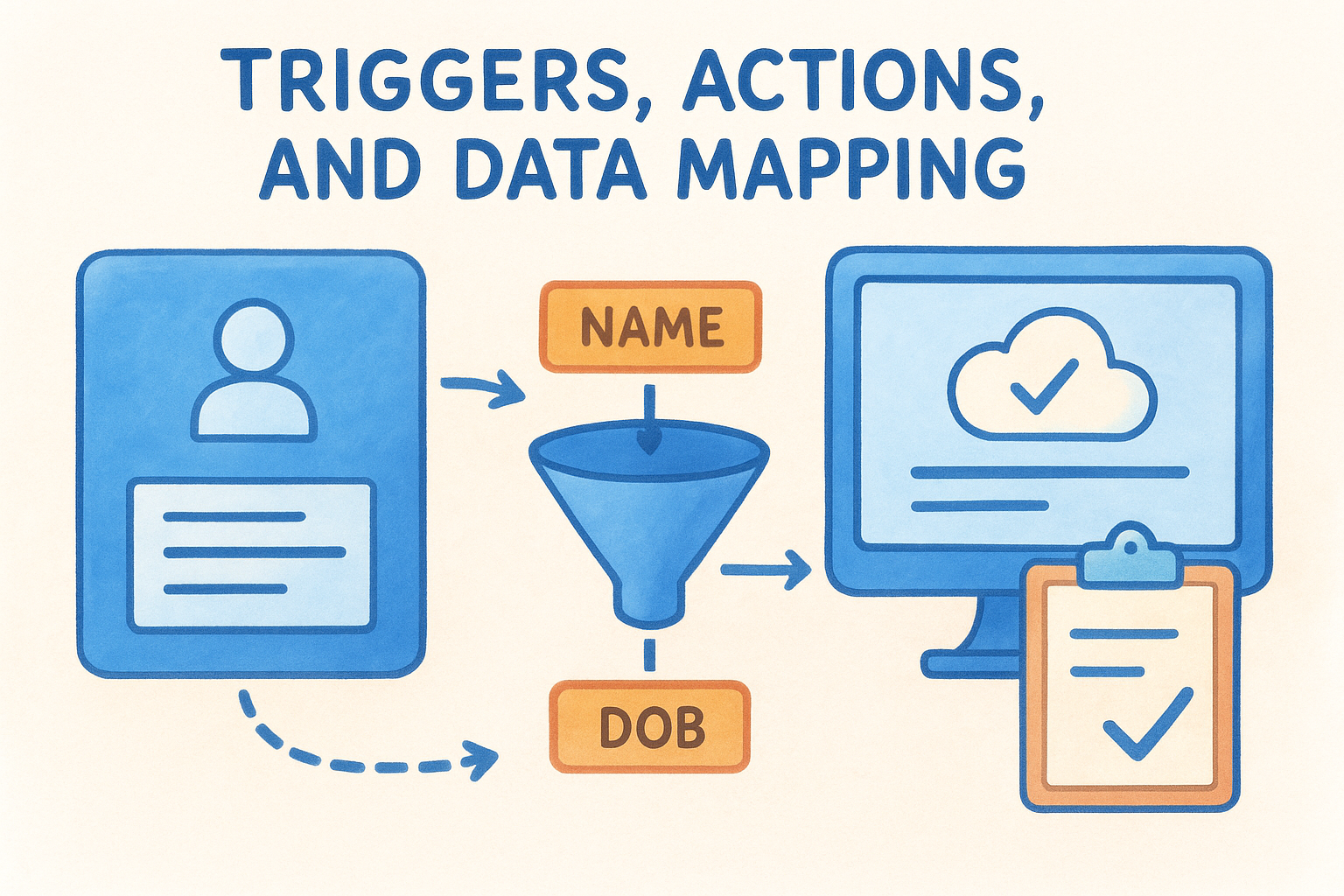
Data mapping is where many home-built integrations fail. If one system labels a field "Date of Birth" and another expects "DOB", the data transfer breaks unless something in the middle handles the translation. A productised integration like StackGo’s IdentityCheck comes with this mapping pre-configured for the specific workflow, so the connection works reliably from day one without your team needing to troubleshoot field mismatches.
What happens when something goes wrong
Reliable integration platforms include error handling and retry logic built into every connection. If a verification service is temporarily unavailable, the platform queues the request and retries rather than silently failing and leaving your records incomplete. Your team gets a clear notification about the issue, and the audit trail captures exactly what happened and when, which matters significantly when regulators ask for evidence of your compliance process.
Benefits you can measure, not just "nice to have"
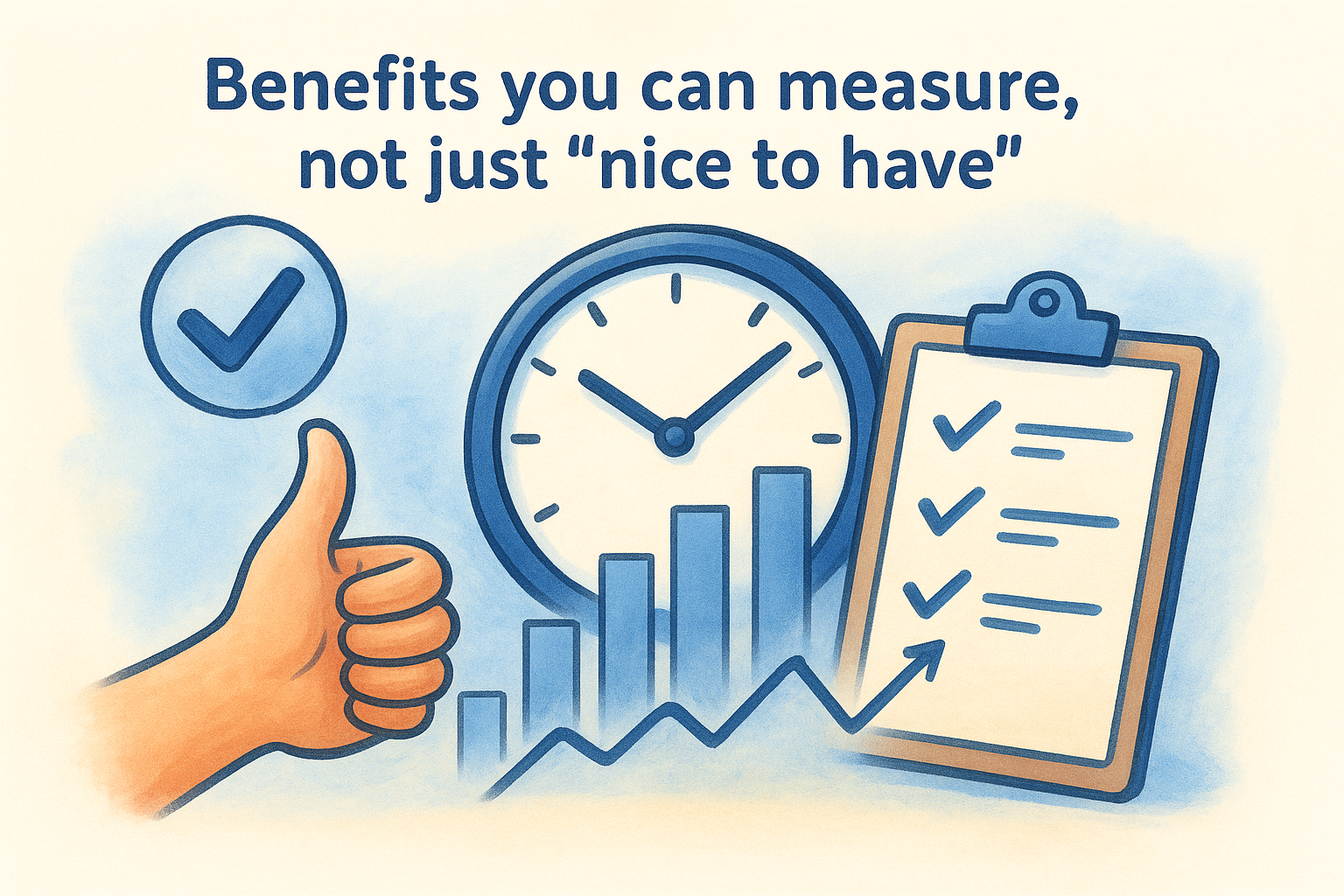
Asking why use an integration platform often starts with frustration, but the decision to act comes down to numbers. The benefits of connecting your systems are not abstract improvements to team harmony. They show up in your timesheet data, your error logs, and your compliance audit records, which makes them straightforward to quantify and present to decision-makers in your business.
Time saved and errors eliminated
The most immediate benefit your team notices is time recovered from manual tasks. When identity verification results write back automatically to your CRM, a staff member no longer needs to log the outcome after each check. For a practice running 50 client verifications per month, saving 15 minutes per check returns over 12 hours of productive capacity to your team every single month, capacity that goes directly toward billable work or handling a larger client volume without adding headcount.
The hours your team spends copying data between systems are not neutral; they represent real capacity your business could redirect toward revenue-generating work.
Human error in data entry is a predictable outcome of asking people to repeat the same low-feedback task at volume, not a reflection of your team’s care or capability. When your integration platform handles data transfer automatically, field-level validation and pre-configured data mapping catch format mismatches and missing values before they reach the destination system. The result is cleaner records, fewer client callbacks to fix details, and a measurable drop in rework each month.
A compliance trail that holds up under scrutiny
Regulated businesses in Australia need more than a completed task; they need documented evidence that the task happened correctly, at the right time, against the right client record. An integration platform logs every data transfer, every trigger event, and every outcome automatically, building a record your team does not have to reconstruct from memory after the fact.
When your accounting firm faces a TPB review or an AUSTRAC compliance check, you pull the log rather than piece together events from email threads and spreadsheet notes. Removing that reconstruction risk alone is a significant outcome for any practice processing high volumes of client verifications each month.
Common integration use cases in regulated businesses
The question of why use an integration platform becomes very concrete when you look at how regulated businesses actually handle their workflows. Compliance-heavy industries run repeating processes that involve multiple systems, sensitive client data, and strict documentation requirements, which makes them exactly the environment where disconnected tools create the most risk. The use cases below are not theoretical; they reflect the daily operational reality for thousands of Australian practices.
KYC and AML identity verification
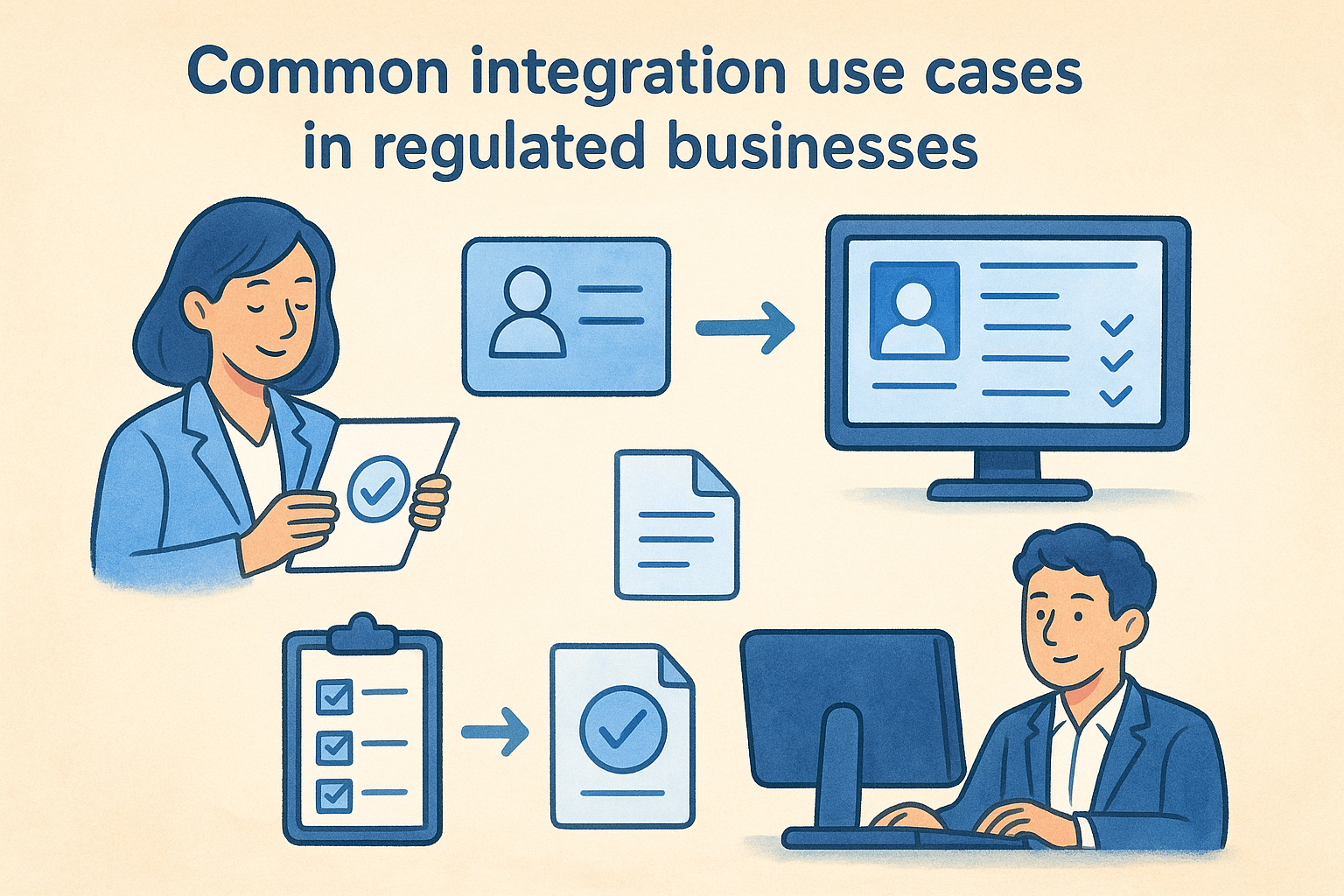
Accounting firms, financial services providers, and legal practices all carry an obligation to verify who they are working with before they act on a client’s behalf. Without integration, this means logging into a separate verification tool, running the check, downloading the result, and manually updating the client record in your CRM or practice management system. That sequence introduces four separate points where something can go wrong.
When a platform like StackGo’s IdentityCheck sits inside your existing CRM, the entire verification workflow runs from a single interface, with the outcome written back to the client record automatically.
With a productised integration, your staff trigger the KYC or AML check directly from the client record, the check runs in the background, and the result is logged against that record without any manual steps. This approach supports both current TPB obligations and the upcoming AUSTRAC AML/CTF requirements that will apply to more accounting practices from 2026.
Client onboarding for professional services
Onboarding a new client typically involves collecting identity documents, verifying details, running compliance checks, and updating records across several systems. Each handoff between tools is a potential gap. An integration platform connects these steps so that completing one action automatically triggers the next, reducing the time your team spends coordinating tasks between platforms and ensuring no step is skipped.
Background screening in education and recruitment
Universities, registered training organisations, and recruitment firms screen candidates against criminal history databases, working with children checks, and professional registers. Running these checks manually and recording results by hand creates an audit trail that is inconsistent and difficult to defend under scrutiny. An integration platform connects your applicant tracking or student management system directly to your screening provider, so results are captured accurately and stored against the correct record from the moment the check completes.
Integration platform vs iPaaS vs automation tools
If you research why use an integration platform, you will quickly run into several terms used almost interchangeably: integration platform, iPaaS, and automation tools. They are not the same thing, and confusing them leads businesses to choose a solution that looks right on paper but fails in practice. Understanding the distinctions clearly before you commit to a direction saves you from rebuilding your stack six months later.
What iPaaS means and where it fits
iPaaS stands for Integration Platform as a Service, which is the cloud-delivered version of what integration platforms do. Rather than installing software on your own servers, you connect your applications through a vendor-hosted platform that manages the infrastructure, uptime, and security on your behalf. For most businesses today, iPaaS and integration platform effectively describe the same category of solution, with the "as a Service" framing simply clarifying the delivery model.
The key distinction that matters for your business is not what the platform is called, but whether it handles the complexity of your specific workflows reliably and securely.
iPaaS solutions vary significantly in their depth. Some offer broad connectivity across hundreds of applications, with the expectation that your team configures the logic and maps the data fields yourself. Others, like productised integration tools, deliver a specific workflow pre-built and ready to run from day one. For regulated businesses with consistent, repeating compliance processes, the pre-built approach reduces implementation time and removes the risk of misconfiguration.
Where automation tools fit and where they fall short
Automation tools like basic trigger-action platforms are useful for simple, low-stakes workflows: sending a notification when a form is submitted, or copying a row from one spreadsheet to another. These tools are designed for speed and accessibility, not for the data integrity, error handling, and audit trail requirements that compliance workflows demand.
The practical difference becomes clear when something goes wrong. A basic automation tool often fails silently, leaving your records incomplete with no notification and no log of what happened. An integration platform built for regulated use captures every event, handles errors with retry logic, and maintains a clear record that your team can produce when a regulator or auditor asks for evidence of your compliance process.
How to choose the right integration platform
When you work through why use an integration platform, the follow-up question is always which one. The market is full of options that make similar promises, which makes it easy to choose based on feature lists rather than fit. The right platform for your business is the one that handles your specific workflows reliably, integrates with the software your team already uses, and meets the security and compliance standards your industry demands without requiring you to hire a developer to keep it running.
Match the platform to your specific workflows
Start by listing the exact processes you need to connect before you evaluate any vendor. If your accounting practice needs to run KYC checks directly from your CRM and write results back automatically, look for a platform that offers that workflow pre-built, not one that asks you to configure it from scratch. Productised, pre-built integrations save implementation time and reduce the risk of misconfiguration that can open compliance gaps in your process.
Check which source and destination systems the platform supports natively. A platform that connects cleanly with Salesforce but has no native support for Xero or HubSpot is not the right fit for an Australian practice built around those tools day to day.
Check for security and compliance credentials
For regulated businesses, security is not a secondary consideration. Before committing to any platform, confirm how it handles personally identifiable information. Does it store PII inside your CRM, or does it use a privacy layer that keeps sensitive data away from systems that do not need it? Multi-factor authentication for admin access and clearly documented data handling practices are baseline requirements, not premium features.
A platform that cannot demonstrate how it protects client data is not a platform you want processing your KYC or AML verification results.
Prioritise ease of implementation over feature count
A long feature list means very little if your team needs weeks of configuration work before the platform does anything useful. Favour platforms that offer a clear, short path from setup to a working integration, particularly if you do not have in-house technical resources to manage the build. The implementation timeline and ongoing maintenance requirements are often more decisive than the number of connectors in the catalogue, because a platform your team can use consistently delivers far more value than one that looks impressive but sits half-configured.
Where to go from here
Knowing why use an integration platform is the first step. Acting on that knowledge is where the real difference shows up in your practice. If you run a regulated business in Australia, whether that is an accounting firm preparing for AUSTRAC AML/CTF compliance or a professional services practice working through TPB obligations, the case is clear: manual processes carry compounding risk, and the tools to replace them exist today and work inside the software your team already uses.
StackGo’s IdentityCheck runs KYC and AML checks directly from your CRM, writes results back automatically, and keeps sensitive client data out of systems that do not need it. If your practice is approaching Tranche 2 compliance deadlines, you can see how IdentityCheck handles AUSTRAC AML/CTF requirements or create a free account to test whether it fits your workflow before committing to anything.


