

Most businesses run somewhere between 50 and 100 SaaS applications. That number keeps climbing. And with every new tool added to the stack, the risk of data silos, manual workarounds, and compliance gaps grows right alongside it. Getting these tools to actually talk to each other, reliably and securely, isn’t optional anymore. It’s the difference between a tech stack that works for you and one that quietly works against you. That’s exactly why SaaS integration best practices matter, and why getting them wrong can cost you far more than just wasted time.
If you’re running a regulated business, accounting, financial services, legal, the stakes are even higher. A broken integration or a manual copy-paste step in your identity verification workflow isn’t just inconvenient. It’s a compliance risk. At StackGo, we build productised integrations (like IdentityCheck) that connect critical compliance workflows directly into the CRMs and platforms you already use, so we’ve seen firsthand what separates a solid integration strategy from a fragile one.
This guide walks you through a practical, step-by-step playbook for connecting and managing your SaaS applications. You’ll get actionable frameworks for planning, security, testing, and ongoing management, built around real operational needs, not abstract theory. Whether you’re evaluating your first integration or untangling a mess of disconnected tools, this playbook gives you a clear path from assessment to execution.
What great SaaS integrations look like
A great SaaS integration does one thing well: it moves the right data between the right systems at the right time, without requiring a human to supervise it. That sounds straightforward, but most integrations fall short because they’re built to solve an immediate pain point rather than designed with longevity in mind. Understanding what a well-built integration actually looks like is the foundation of any solid saas integration best practices strategy, because you can’t build toward a standard you haven’t defined.
The hallmarks of a reliable integration
Reliable integrations share a consistent set of characteristics. They handle errors gracefully, logging failures and alerting the right people rather than silently dropping data. They’re idempotent, meaning that if the same data is processed twice, it doesn’t create duplicates or corrupt records. They respect rate limits set by each connected platform, and they authenticate using secure, revocable credentials rather than hardcoded passwords.
A reliable integration should fail loudly, not quietly. Silent failures are the most dangerous kind in any compliance-critical workflow.
You can assess any integration against four direct questions: Does it log every transaction? Does it recover from a failed API call automatically? Does it enforce data validation before writing to a destination system? Does it use scoped permissions rather than admin-level access by default? If the answer to any of these is no, you have a fragile system waiting to break at the worst possible moment.
What poor integrations actually cost you
Broken or poorly designed integrations don’t just create IT headaches. They introduce compliance exposure, damage client trust, and drain staff time on manual reconciliation work. An accounting firm running identity verification checks that relies on a poorly configured middleware tool might find that verification outcomes never write back to the client record, leaving the business with no audit trail. That’s not a minor inconvenience. It’s a regulatory liability.
The hidden costs compound quickly. Staff spend time re-entering data, managers spend time confirming whether the integration actually ran, and your compliance team spends time reconstructing records after the fact. These costs rarely appear on a single line item, which is exactly why they tend to get ignored until something breaks badly enough to trigger a formal review.
Productised, custom, and middleware: what’s the difference
Not all integrations are built the same way, and the approach you choose has a direct impact on reliability, maintenance burden, and total cost. Understanding the three main categories helps you make better decisions before you commit to a path.
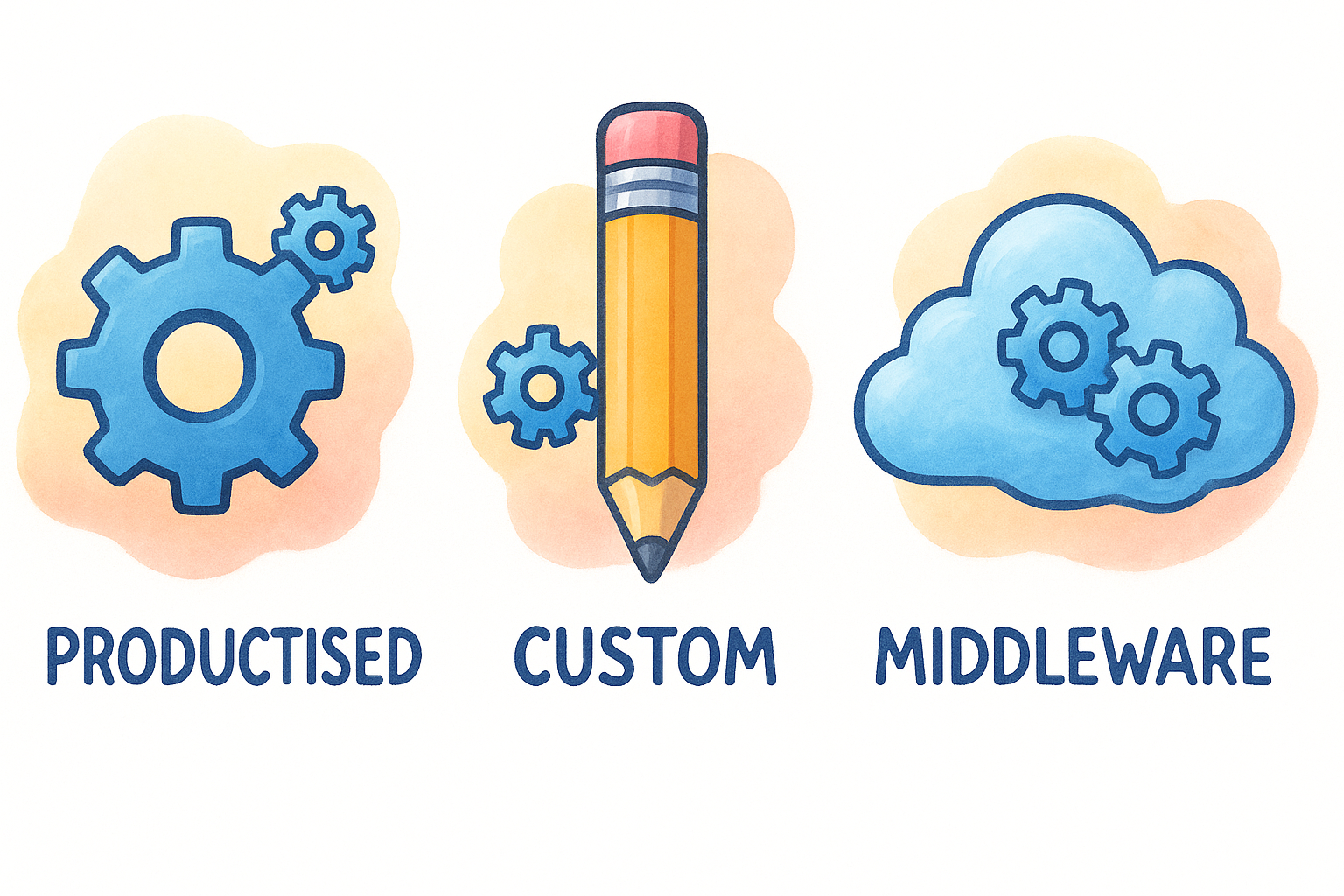
| Type | How it works | Best for | Risks |
|---|---|---|---|
| Productised | Pre-built, vendor-maintained, plug-and-play setup | Standard workflows between popular platforms | Limited configurability |
| Custom-built | Developer-coded directly via APIs | Unique or complex data flows | High maintenance, breaks on API changes |
| Middleware/iPaaS | A third-party platform routes data between apps | Quick automations, low-code teams | Fragile for mission-critical tasks, added latency |
Productised integrations are purpose-built to handle specific workflows reliably without requiring your team to build or maintain anything. Custom integrations give you the most control but create ongoing developer dependency. Middleware tools sit in the middle, offering flexibility but introducing a third point of failure in any data flow. For regulated workflows where accuracy and audit trails are non-negotiable, productised or well-architected custom integrations are almost always the stronger choice.
Step 1. Map goals, systems, and data
Before you touch a single API or evaluate a single tool, you need a clear picture of what you’re trying to achieve and what you’re working with. Skipping this step is the single biggest reason integrations get rebuilt six months after launch. Every saas integration best practices framework starts here, because an integration built on a vague brief will almost always solve the wrong problem, or solve the right problem in a way that breaks the moment anything upstream changes.
Define the business outcome first
Start by writing down the specific outcome the integration needs to deliver. Not the technical steps, not the tool names, but the business result. For an accounting firm, that might be: "When a new client is created in HubSpot, trigger an identity verification check and write the verified status back to the contact record within 24 hours." That single sentence defines the trigger, the action, the destination, and the acceptable timeframe. It also immediately tells you how to measure whether the integration is working.
If you can’t describe the integration’s purpose in one sentence, you’re not ready to build it yet.
Keep your outcome statement this concrete. Vague goals like "streamline our onboarding" don’t give developers, vendors, or operations teams enough to work with, and they make it impossible to confirm whether the integration actually did what you needed it to do.
Audit your current systems and data flows
Once you know what outcome you need, map every system involved and document how data currently moves between them. You’re looking for four things: where data originates, where it needs to land, what format it travels in, and where humans are currently stepping in to fill the gaps manually.
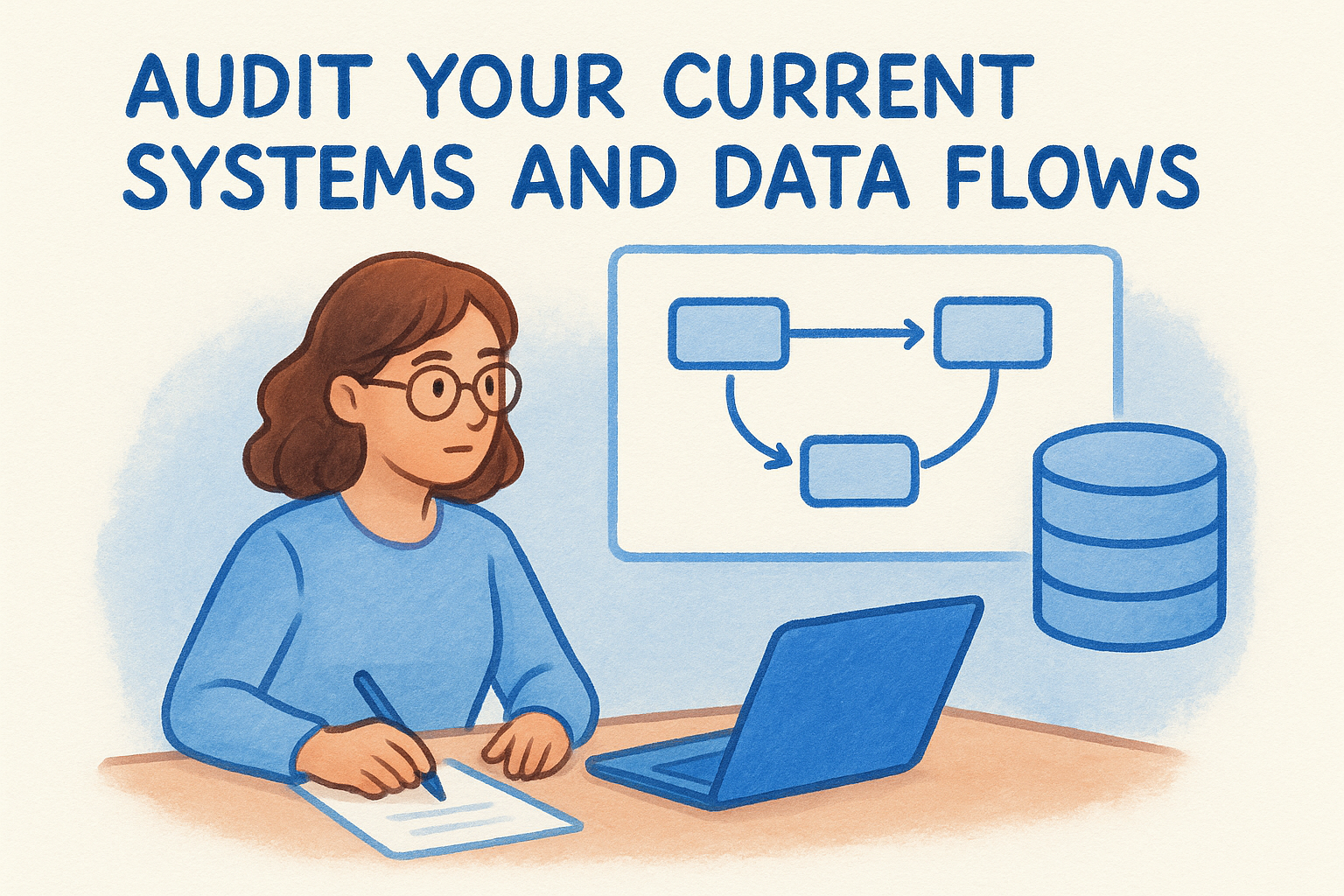
Use this template to capture the essentials before you go any further:
| Field | Example |
|---|---|
| Source system | HubSpot CRM |
| Destination system | Identity verification platform |
| Trigger event | New contact created |
| Data written back | Verification status, document type |
| Current manual step | Staff emails client a verification link |
| Weekly volume | 20 new clients |
| Data sensitivity | PII, financial records |
Fill this in for every workflow you plan to connect. Identifying the manual steps is particularly important because those are typically the highest-risk points in your current process, where data gets lost, delayed, or entered incorrectly. Running this audit also brings data sensitivity issues to the surface early, so you can build compliance and privacy controls into the integration design from the start rather than bolting them on after something goes wrong.
Step 2. Pick the right integration approach
Once you know exactly what you need the integration to do, you can choose how to build it. This is where many teams make a costly mistake: they pick a tool they already have access to, often a middleware platform, rather than the approach that fits the workflow. The right choice depends on three factors: how complex your data flow is, how often the workflow runs, and how much risk your business carries if the integration fails or produces inaccurate data.
Match the approach to the workflow
Not every workflow needs a custom-built solution, and not every workflow is safe to run through a general-purpose automation tool. A straightforward one-to-one sync between two popular platforms is usually best handled by a productised integration, where a vendor has already solved the edge cases and maintains the connection on your behalf. Complex, multi-step flows with unique business logic are better suited to a custom build, where a developer controls exactly how data moves and transforms at each step.
The approach you choose now will determine your maintenance burden for the next two to three years, so treat this decision with the same care you’d give a hiring choice.
Use this decision framework to narrow down your options before committing to a path:
| Scenario | Recommended approach |
|---|---|
| Standard workflow between two popular SaaS tools | Productised integration |
| Unique data transformation or multi-system orchestration | Custom API build |
| Rapid prototype or low-stakes internal workflow | Middleware/iPaaS |
| Compliance-critical workflow with audit trail requirements | Productised or custom build |
Apply saas integration best practices to your shortlist
After you’ve narrowed down your options, pressure-test each approach against your actual operational requirements before committing. Ask whether the approach supports data validation before writing to the destination system, whether it provides error logging and alerting, and whether it gives you a clear audit trail. For regulated businesses, these aren’t nice-to-haves. They’re baseline requirements.
Run each option through these four checks:
- Authentication: Does it use OAuth or API keys with scoped permissions?
- Error handling: Does it retry failed calls and log the outcome?
- Data validation: Does it check field formats before writing to the destination?
- Auditability: Does it timestamp every transaction and store a retrievable log?
Any approach that can’t satisfy all four is not the right fit for a workflow where accuracy and compliance matter.
Step 3. Design for security and compliance
Security is not something you bolt on after an integration is running. It needs to be designed into every data flow from the start, and for businesses handling sensitive client data, this step is where most of the critical decisions get made. Any solid saas integration best practices framework treats security and compliance as first-class requirements, not afterthoughts. The choices you make here determine whether your integration is auditable, defensible, and safe to run at scale.
Control access with the least privilege principle
Every system you connect should only get the minimum permissions it needs to do its job. This is the least privilege principle, and it applies directly to the API credentials and OAuth scopes you configure when setting up each integration. A verification tool that only needs to read and write contact records should never have admin-level access to your CRM. The moment you grant more access than the workflow requires, you expand your attack surface without gaining any operational benefit.
The permissions you configure today are the permissions an attacker exploits tomorrow, so scope every credential to the exact access the workflow requires, and nothing more.
Use this checklist when setting up credentials for any new integration:
- Use OAuth 2.0 where the platform supports it
- Scope API keys to the minimum required fields and endpoints
- Store credentials in a secrets manager, not in code or shared documents
- Set expiry and rotation schedules for all API tokens
- Revoke and reissue credentials immediately when a team member with access leaves
Handle personally identifiable information correctly
When your integration moves client PII across systems, you need to know exactly where that data lands, how long it sits there, and who can access it. For Australian businesses, this means aligning with the Privacy Act 1988 and, for AUSTRAC-regulated firms, the Anti-Money Laundering and Counter-Terrorism Financing Act. Both require that sensitive identity data is protected in transit and at rest, with access logged and restricted to authorised personnel only.
Avoid writing raw PII directly into CRM fields unless the platform enforces access controls you can independently verify. A cleaner approach is to store verification outcomes (pass, fail, pending) in the CRM and keep the underlying identity documents in a purpose-built, access-controlled system. This limits your exposure if the CRM is ever compromised, and it keeps your audit trail straightforward without creating unnecessary compliance risk.
Step 4. Build, test, and document
With your approach confirmed and security requirements defined, you’re ready to build. The most common mistake at this stage is rushing to connect everything at once rather than building incrementally. A staged build lets you validate each piece of the data flow in isolation before combining them, which makes bugs far easier to find and fix before they compound into something harder to untangle.
Build in stages, not all at once
Start with the trigger event and confirm it fires correctly in a sandbox or staging environment before you touch production data. Once the trigger is reliable, connect the first action and verify that the data lands in the destination with the correct format and values. Only add the next step once the previous one is confirmed. This approach reflects core saas integration best practices and keeps your debugging scope narrow at every stage.
Every hour you spend testing in staging saves you three hours of incident recovery in production.
Test against real-world edge cases
Testing only the happy path is the fastest way to ship a fragile integration. Your test plan must cover the scenarios that actually break things: empty fields, duplicate records, API timeouts, and permission errors. Run each of the following checks manually in your staging environment before you go live:
- Does the integration handle a missing required field without crashing?
- Does it create duplicates if the same event fires twice?
- Does it log and alert on a failed API call rather than failing silently?
- Does it correctly handle a record that has already been processed?
- Does it write back the correct outcome when source data sits at the edge of accepted formats?
If any test fails, fix and retest before moving to the next item. Passing eight out of nine checks is not a pass.
Document what you built and why
Documentation is the step most teams skip and regret when something breaks months later. At minimum, your integration documentation should cover the trigger event, systems connected, fields mapped, error handling logic, and the escalation path when something fails. Store it somewhere your whole team can access, and update it every time the integration changes.
Use this template as your starting point:
| Field | Detail |
|---|---|
| Integration name | HubSpot to IdentityCheck |
| Trigger | New contact created |
| Systems connected | HubSpot CRM, verification platform |
| Fields mapped | First name, last name, email, document type |
| Error handling | Retry 3x, then alert ops team via email |
| Last updated | 2026-04-11 |
| Owner | Operations Manager |
Step 5. Run, monitor, and improve
Going live is not the finish line. Once your integration is running in production, your job shifts from building to watching and improving. Integrations break for reasons that have nothing to do with your build quality: APIs get versioned, platforms update their authentication flows, and data volumes change. Applying saas integration best practices to the operational phase means treating your integration like any other critical piece of infrastructure, not something you set up and forget.
Set up monitoring and alerting
Every integration you run needs a monitoring layer that tells you when something stops working before a staff member or client notices the problem. At minimum, you should track three things: whether the trigger event is firing, whether the destination system is receiving and accepting the data, and whether any errors are accumulating beyond your acceptable threshold.
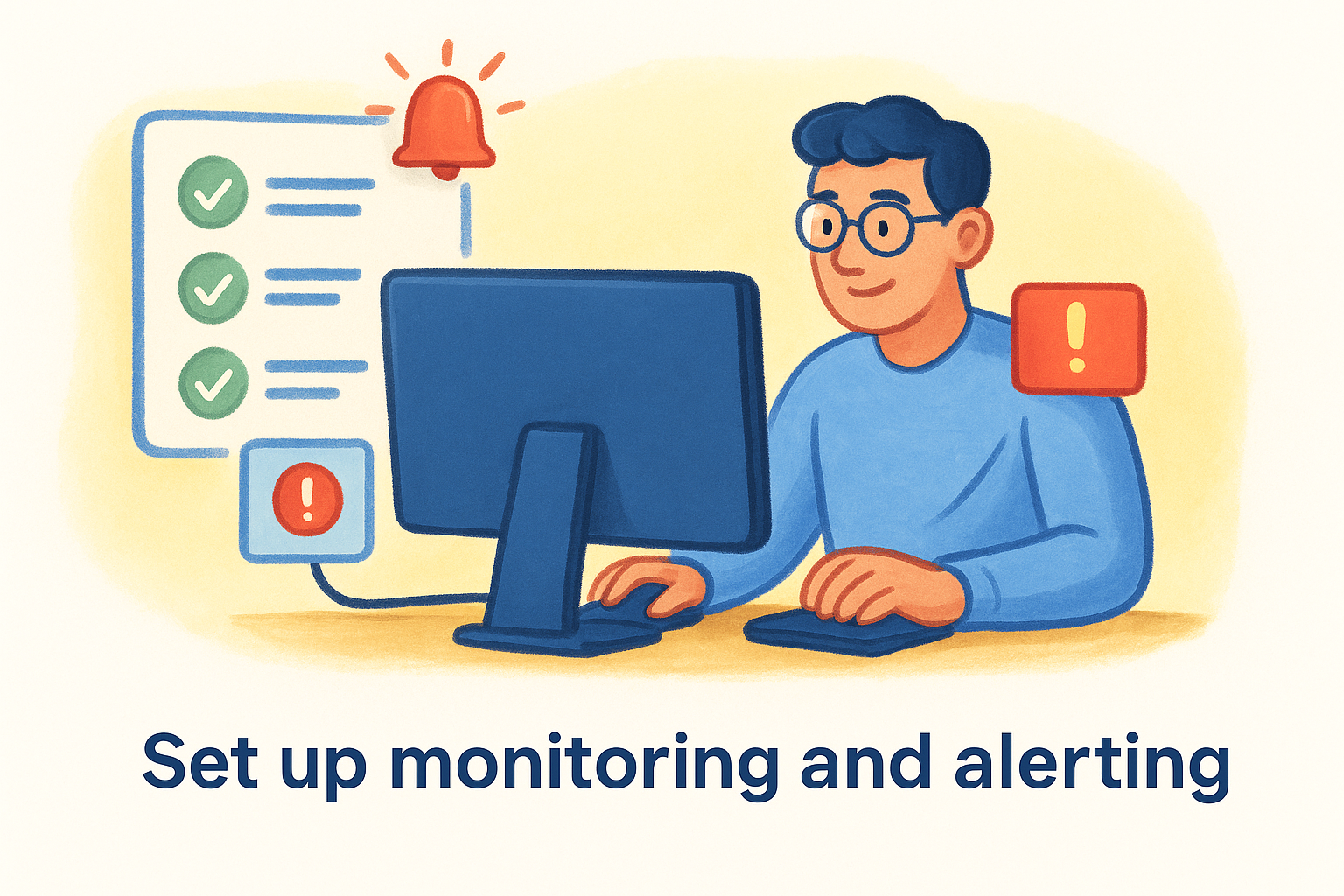
If you’re finding out about integration failures from a client complaint, your monitoring isn’t working.
Use this monitoring checklist to confirm your setup before you close out the launch:
- Error rate alert: triggers when failures exceed 2% of total runs in any 24-hour window
- Latency alert: triggers when the integration takes more than twice its usual processing time
- Authentication alert: triggers immediately if a credential expires or is revoked
- Volume alert: triggers if the number of processed events drops to zero unexpectedly
- Destination write alert: triggers if data stops appearing in the destination system
Configure alerts to reach the person responsible for the integration directly, not just a shared inbox that nobody actively watches.
Review and improve on a schedule
Monitoring tells you when something breaks. Scheduled reviews tell you whether the integration is still solving the right problem and doing it efficiently. Set a calendar reminder to review each integration every 90 days. During that review, check whether the data mapping is still accurate, whether any new fields have been added to the source or destination system that should be captured, and whether error rates have trended upward.
Your 90-day review should answer three questions directly:
- Is the integration still delivering the business outcome you defined in Step 1?
- Have any upstream changes (API updates, field renames, permission scope changes) introduced silent errors?
- Are there manual steps your team has re-introduced around the integration that signal a gap in the original build?
Document your answers each time and update your integration log accordingly. Small improvements made on a regular schedule are significantly cheaper than a full rebuild triggered by an accumulation of ignored issues.
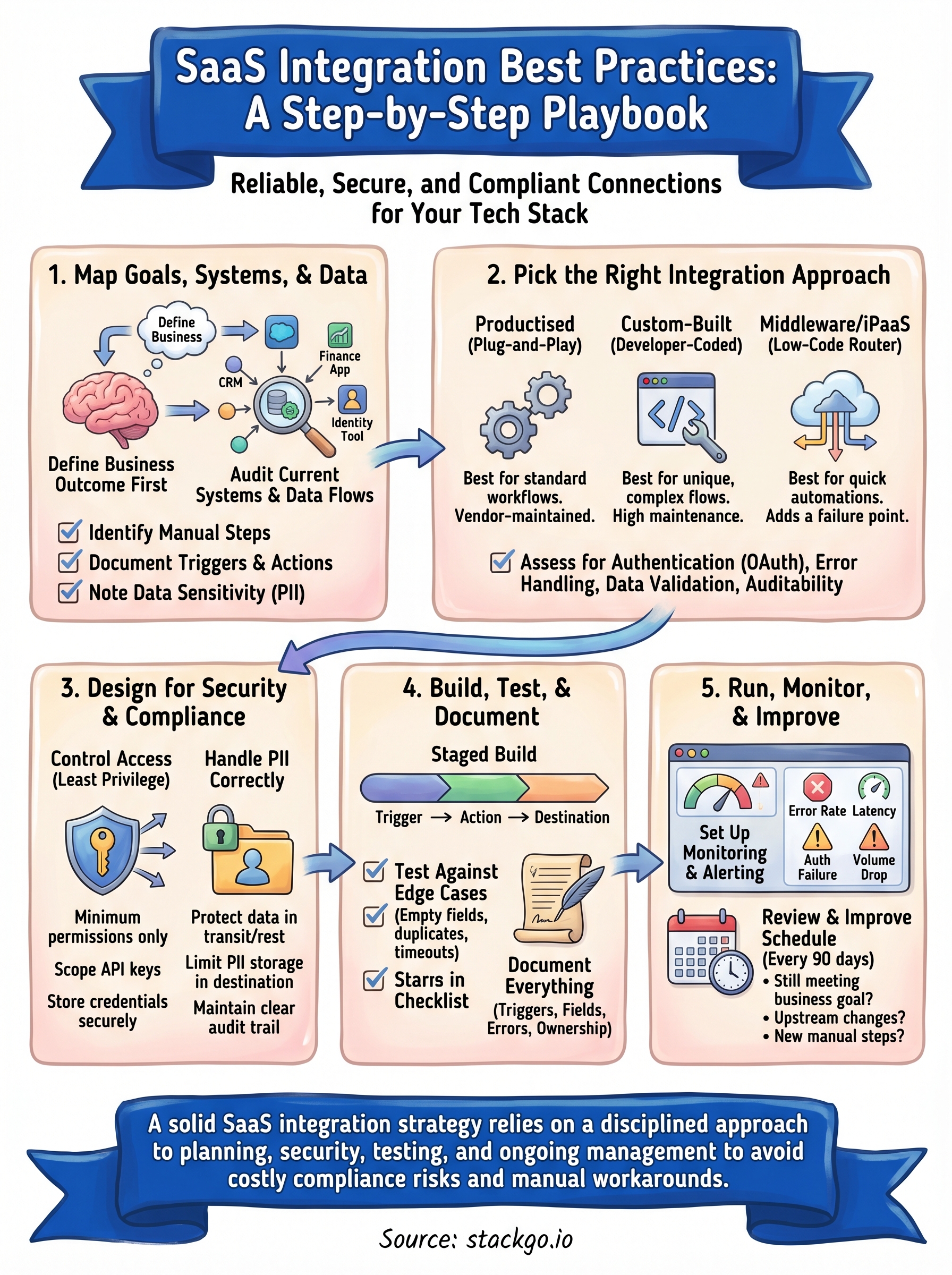
Bring it all together
Every step in this playbook builds on the one before it. You start by mapping your goals and systems, choose the approach that fits your workflow, design security in from the start, build and test methodically, then monitor and improve once you’re live. That sequence is the core of any saas integration best practices framework that actually holds up in production. Skip a step, and you’ll typically pay for it later with a fragile connection, a compliance gap, or a manual workaround that quietly becomes permanent.
For regulated businesses, the stakes are higher than most. Every integration that touches client identity data carries real compliance weight, and the margin for error is narrow. If you’re running identity verification inside your existing CRM and want a purpose-built integration that handles the compliance complexity for you, see how IdentityCheck runs AML/CTF checks inside your existing systems or create a free account to test it directly.


