

Managing Anti-Money Laundering obligations across multiple clients, transactions, and reporting requirements creates a significant administrative burden. Spreadsheets fall apart, compliance tasks slip through the cracks, and audit preparation becomes a scramble. An AML compliance dashboard solves this by giving you a single view of your entire compliance programme, verification statuses, risk assessments, suspicious activity flags, and reporting deadlines all in one place.
For Australian accounting firms preparing for AUSTRAC’s AML/CTF regime expansion, and other regulated businesses already subject to KYC requirements, a well-designed dashboard isn’t a luxury. It’s a practical necessity for staying compliant without drowning in manual processes. The challenge is building one that actually works with your existing systems rather than adding yet another disconnected tool to manage.
This article explains what an AML compliance dashboard includes, why it matters for your compliance programme, and how to build one that integrates with the software you already use. At StackGo, we build integration tools like IdentityCheck that connect identity verification directly into platforms like HubSpot and Salesforce, so your compliance data flows automatically into your CRM rather than living in a separate system. Whether you’re evaluating dashboard software or planning a custom solution, you’ll find actionable guidance on creating a centralised compliance view that actually reduces your workload.
Why AML compliance dashboards matter
Your compliance programme generates data constantly. Every client onboarding, every identity verification, every risk assessment, and every suspicious activity report creates records that AUSTRAC or other regulators expect you to maintain and produce on demand. When this information lives in multiple systems, spreadsheets, email inboxes, and filing cabinets, you face serious operational and regulatory risk. A centralised aml compliance dashboard consolidates everything into a single source of truth, so you can see your compliance posture at a glance rather than piecing it together from scattered sources.
Manual compliance tracking creates operational bottlenecks
Running AML compliance without a dashboard means your team spends hours each week on administrative tasks that add no value. Someone needs to chase down verification statuses, check whether risk assessments are up to date, manually update spreadsheets, and prepare reports by copying data between systems. This approach doesn’t scale. When your client base grows or reporting requirements become more complex, the manual burden multiplies faster than you can hire staff to handle it.
The cost extends beyond time. Manual processes introduce human error at every step. Someone forgets to record a verification date, transcribes a risk score incorrectly, or loses track of a suspicious transaction flag. These mistakes create compliance gaps that auditors will find, and they expose your firm to regulatory penalties and reputational damage. A dashboard automates the data collection and aggregation, removing the repetitive work and the error risk in one move.
When compliance data lives in your head or in disconnected spreadsheets, you’re always one team member’s absence away from losing critical institutional knowledge.
Audit preparation requires centralised evidence
AUSTRAC audits and compliance reviews happen with little notice. When a regulator requests evidence of your AML programme, you need to produce documentation quickly and demonstrate that your controls work as described. If your verification records sit in one system, your risk assessments in another, and your suspicious activity reports in a third location, preparing an audit file becomes a multi-week scramble. Staff drop their normal work to hunt through files, export data, and compile reports manually.
Dashboards solve this by maintaining an audit trail automatically. Every verification, risk assessment, and compliance decision gets logged with timestamps, user actions, and supporting documentation attached. You can generate reports on demand, filter by date range or client segment, and export exactly what the auditor needs. This preparation time drops from weeks to hours or minutes, and the quality of your evidence improves because the system captures details that manual processes miss.
Real-time visibility prevents compliance gaps
Without a dashboard, you discover compliance problems too late. A client’s identity verification expires, and nobody notices until they try to complete a transaction. A high-risk client slips through because their risk assessment wasn’t updated on schedule. Suspicious activity patterns develop across multiple clients, but no one sees the connection because the data lives in separate silos. By the time these issues surface, you’ve already breached your obligations.
Real-time dashboards highlight these problems immediately. You see which verifications are expiring in the next 30 days, which clients are overdue for re-assessment, and which transactions have triggered automated risk flags. Your team can prioritise their work based on actual compliance risk rather than guessing where to focus their attention. This proactive visibility turns compliance from a reactive scramble into a managed process with predictable outcomes.
What an AML compliance dashboard includes
An effective aml compliance dashboard combines client data, verification records, risk assessments, and transaction monitoring into a unified interface. You need to see every client’s compliance status without clicking through multiple screens or opening different systems. The dashboard pulls data from your identity verification tools, transaction systems, and compliance workflows, then presents it in a format that lets you identify problems quickly and take action before deadlines pass. The specific components vary based on your business model and regulatory obligations, but certain elements appear in every functional compliance dashboard.
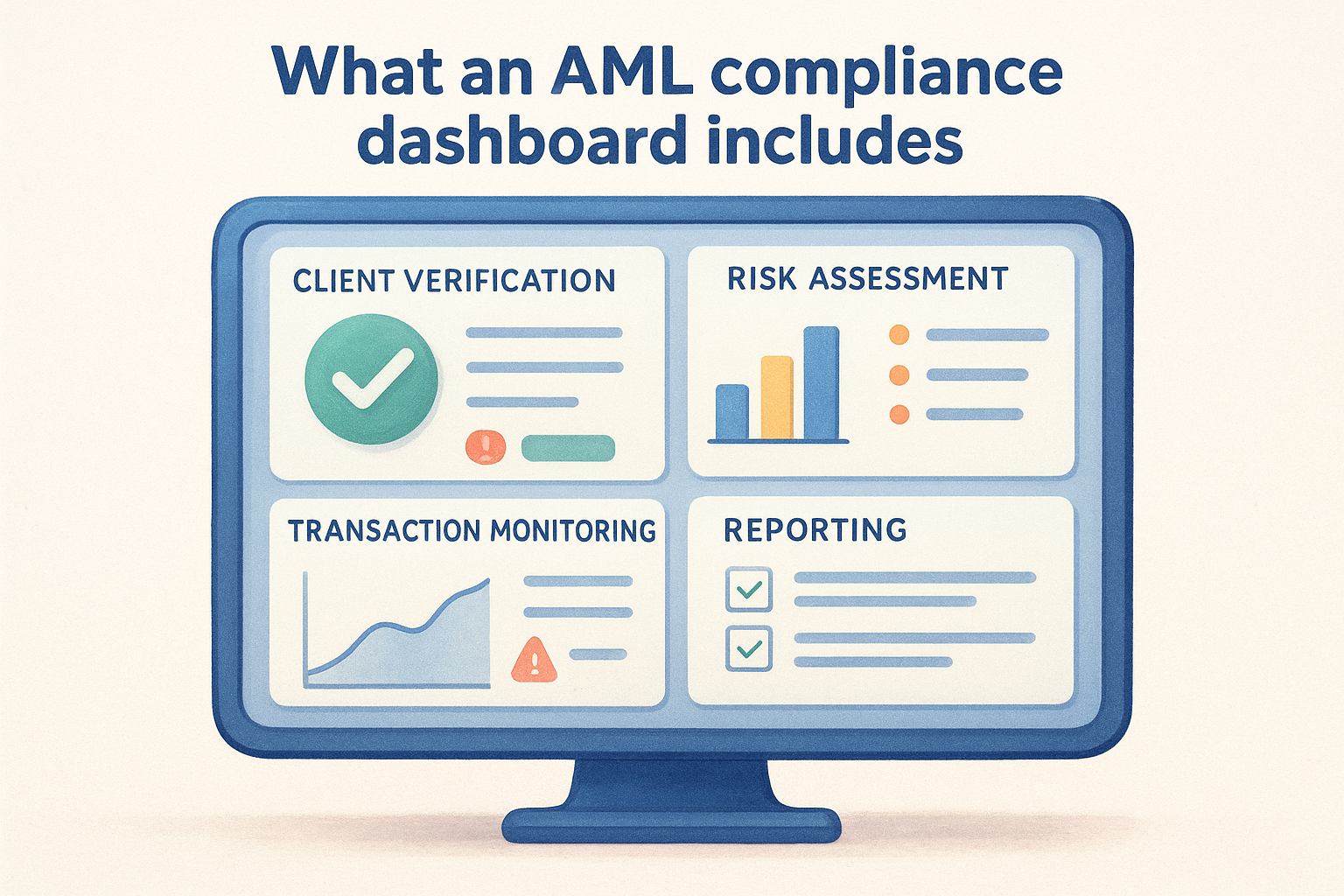
Client verification status and expiry tracking
Your dashboard needs a complete view of every client’s identity verification status at any moment. This includes which verification method you used (document check, biometric, face match), when verification occurred, and when the verification expires under your risk-based approach. You should see pending verifications for new clients, upcoming expiry dates for existing clients, and any verification failures that require follow-up. This view prevents the common mistake of assuming a client remains verified when their documentation has actually expired.
The system should flag clients approaching their re-verification deadline automatically, typically 30 or 60 days before expiry. Your team then receives enough notice to contact the client and collect updated documents without disrupting their service. This proactive approach maintains continuous compliance rather than creating gaps between expired and renewed verifications.
Risk assessment records and scoring
Each client carries a money laundering risk rating based on factors like their industry, transaction patterns, geographic location, and beneficial ownership structure. Your dashboard must display these ratings prominently, showing which clients fall into high, medium, or low risk categories. You need visibility into when each assessment was last updated and when the next review is due, because risk ratings change as client circumstances evolve or regulatory requirements tighten.
Your risk assessment process means nothing if you can’t quickly identify which high-risk clients need immediate attention versus which low-risk clients can wait for scheduled reviews.
Transaction monitoring and alerts
The dashboard aggregates unusual transaction patterns and suspicious activity flags from your monitoring systems. You see transactions that exceed threshold amounts, involve high-risk jurisdictions, or match known typology patterns for money laundering. Each alert includes the relevant transaction details, the triggering rule, and the client’s current risk rating. Your compliance team can then investigate directly from the dashboard, document their findings, and escalate to a suspicious matter report if warranted.
Reporting and documentation centre
Every compliance action generates documentation requirements. Your dashboard needs a section that tracks suspicious matter reports submitted to AUSTRAC, stores copies of verification documents, maintains audit logs of compliance decisions, and generates scheduled reports automatically. You should access any client’s complete compliance file from one location, with all supporting evidence attached and timestamped. This centralised documentation makes audit preparation straightforward and ensures nothing gets lost across different systems or team members.
Dashboard KPIs and metrics for AUSTRAC-ready AML
Your aml compliance dashboard needs to track specific metrics that demonstrate your AML/CTF programme works as designed. AUSTRAC doesn’t prescribe exact KPIs, but they expect you to measure and monitor the effectiveness of your controls. The metrics you choose should reflect your risk-based approach and give you early warning when compliance processes break down. Generic business intelligence won’t cut it here. You need indicators that directly tie to your regulatory obligations and show whether you’re meeting customer due diligence, ongoing monitoring, and reporting requirements consistently.
Verification completion and timeliness metrics
Track the percentage of clients with current, valid identity verification at any moment. This metric should sit at or very close to 100%, with any gaps representing new clients still in the onboarding process or clients requiring re-verification. You also need to measure average time to complete initial verification from the moment a client provides their documentation. Long verification times create friction in your onboarding process and may indicate process bottlenecks or resource constraints that need addressing.
Monitor your re-verification compliance rate separately. This shows what percentage of clients get re-verified on schedule based on their risk rating. If high-risk clients require annual re-verification under your programme, this metric tells you whether those reviews actually happen on time. Falling below 95% compliance signals that your scheduling and notification processes aren’t working, or your team lacks the capacity to handle the required volume.
Risk assessment coverage and recency
Measure what percentage of your client base has an up-to-date risk assessment aligned with your documented review schedule. Every client needs an initial assessment, and higher-risk clients need more frequent reviews. Your dashboard should show the distribution of clients across risk categories (high, medium, low) and highlight any clients overdue for reassessment. Sudden shifts in this distribution, like a spike in high-risk clients, warrant investigation because they might reflect changes in your client base or inadequate initial risk screening.
If you can’t immediately tell how many high-risk clients need review this month, your dashboard isn’t doing its job.
Transaction monitoring effectiveness
Track the volume of suspicious activity alerts your monitoring systems generate versus how many progress to actual suspicious matter reports (SMRs) filed with AUSTRAC. A very low conversion rate might indicate your transaction monitoring rules are too sensitive, creating alert fatigue for your compliance team. Conversely, very few alerts could mean your monitoring thresholds are too high, letting suspicious activity slip through undetected. You need the balance point where alerts remain manageable but capture genuine risks. Also measure average time to investigate and close alerts, because AUSTRAC expects timely action when you identify potential money laundering or terrorism financing activity.
Data sources and integrations for a single view
Your aml compliance dashboard only works if it pulls accurate, current data from every system that touches your AML obligations. A dashboard that requires manual updates or displays stale information defeats the entire purpose of centralisation. You need automated integrations that feed verification results, transaction records, risk assessments, and client details into one unified view without human intervention. The technical challenge isn’t creating pretty graphs. It’s connecting disparate systems that weren’t designed to talk to each other and ensuring the data flows reliably.
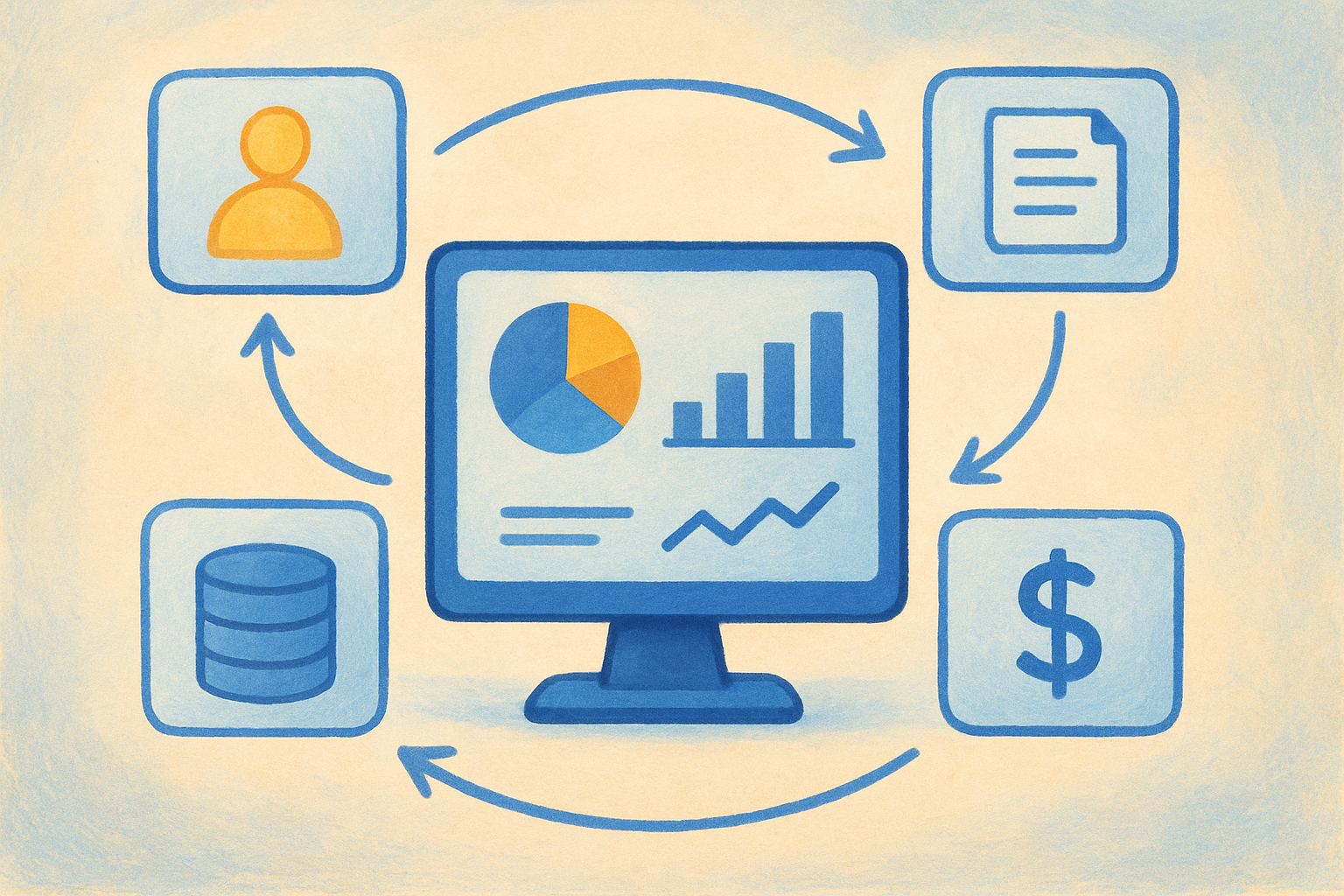
Core systems that feed your dashboard
Identity verification platforms like Onfido, Jumio, or similar services generate the verification outcomes that confirm each client’s identity. Your dashboard needs real-time access to these results, including verification status, document types checked, verification dates, and expiry schedules based on your risk-based approach. Without this integration, your team manually copies verification data into spreadsheets, creating delays and errors that undermine your compliance programme.
Your CRM or client management system holds core client information like contact details, account status, relationship start dates, and beneficial ownership records. Transaction systems, whether accounting software, payment processors, or banking platforms, provide the activity data that feeds your monitoring rules and suspicious activity detection. Risk assessment tools or spreadsheets contain the risk ratings and review schedules that determine verification frequency. Each system represents a critical piece of your compliance puzzle.
If your dashboard can’t automatically pull data from these sources, you’ll spend more time updating the dashboard than actually managing compliance.
Integration approaches that actually work
Native integrations built directly into your existing software deliver the most reliable results with minimal maintenance overhead. Solutions like StackGo’s IdentityCheck connect verification directly into platforms like HubSpot and Salesforce, reading contact information, verifying identities, and writing outcomes back automatically. This approach eliminates the middleware complexity and keeps your compliance data where your team already works.
API connections offer flexibility when native integrations don’t exist. Your development team or integration partner can build custom connections between your dashboard and source systems using each platform’s application programming interface. This method requires ongoing maintenance when APIs change but provides control over exactly which data fields flow into your dashboard and how often updates occur.
Scheduled data imports remain the fallback option when real-time integration isn’t feasible. Your systems export data files on a regular schedule, and your dashboard imports them automatically. This approach introduces lag time between when events occur and when they appear in your dashboard, but it’s better than manual updates for systems that lack integration capabilities.
How to build an AML compliance dashboard
Building an aml compliance dashboard starts with understanding your specific regulatory obligations rather than copying generic templates. Your dashboard needs to reflect your firm’s unique risk profile, client types, and AUSTRAC reporting requirements. The build process involves mapping your compliance workflows, identifying data sources, selecting the right technical approach, and testing thoroughly before you rely on it for actual compliance decisions. Most firms underestimate the integration work required to connect their existing systems, which becomes the project’s most time-consuming component.
Start with your regulatory requirements
Map every AUSTRAC obligation that generates measurable compliance activity in your firm. This includes customer identification procedures, ongoing due diligence schedules, transaction monitoring thresholds, and suspicious matter reporting deadlines. Document which systems currently handle each requirement and where the supporting evidence lives. You’ll quickly see gaps where critical compliance data exists in formats your dashboard can’t easily access, like paper files or staff emails. These gaps need resolution before your dashboard can provide a complete compliance view.
Your requirements mapping also defines which key performance indicators matter for your specific situation. Accounting firms preparing for AUSTRAC’s regime expansion will track different metrics than established reporting entities like casinos or remittance providers. Don’t build a dashboard that tracks everything possible. Focus on the metrics that directly demonstrate your compliance programme’s effectiveness.
Choose between build or buy
Off-the-shelf compliance software offers pre-built dashboards with standard AML features, but these solutions often require you to adopt their entire platform rather than integrating with your existing systems. You’ll pay subscription fees, train staff on new interfaces, and potentially duplicate data between the compliance platform and your CRM. This approach works when you’re starting from scratch with minimal existing infrastructure.
Custom-built dashboards give you complete control over functionality and integrations, but they require development resources and ongoing maintenance. You’ll need technical expertise to connect APIs, handle data transformations, and update integrations when source systems change. The middle path involves integration platforms like StackGo that connect verification capabilities directly into software you already use, eliminating the need for standalone compliance systems while maintaining centralised visibility.
The best dashboard is the one your team actually uses every day, which means it needs to fit into existing workflows rather than creating new ones.
Connect your data sources first
Integration determines whether your dashboard succeeds or becomes another abandoned project. Start by connecting your identity verification platform, because verification status forms the foundation of your AML programme. Test the integration thoroughly to ensure verification outcomes, document details, and expiry dates flow automatically into your dashboard without manual intervention.
Add your CRM or client management system next, pulling contact information and account status that provides context for compliance decisions. Transaction systems come third, feeding the activity data that triggers monitoring alerts. Each integration should include error handling so you know immediately when data stops flowing rather than discovering gaps during an audit.
How to set alerts, workflows, and ownership
Your aml compliance dashboard becomes operationally useful only when it actively notifies the right people about compliance issues before they become problems. Static dashboards that require daily manual checking fail because staff forget to look or miss critical deadlines buried in the data. You need automated alerts that push urgent matters directly to responsible team members, workflows that route compliance tasks through your approval processes, and clear ownership so nothing falls into the gap between departments. Setting these parameters correctly transforms your dashboard from a reporting tool into an active compliance management system.
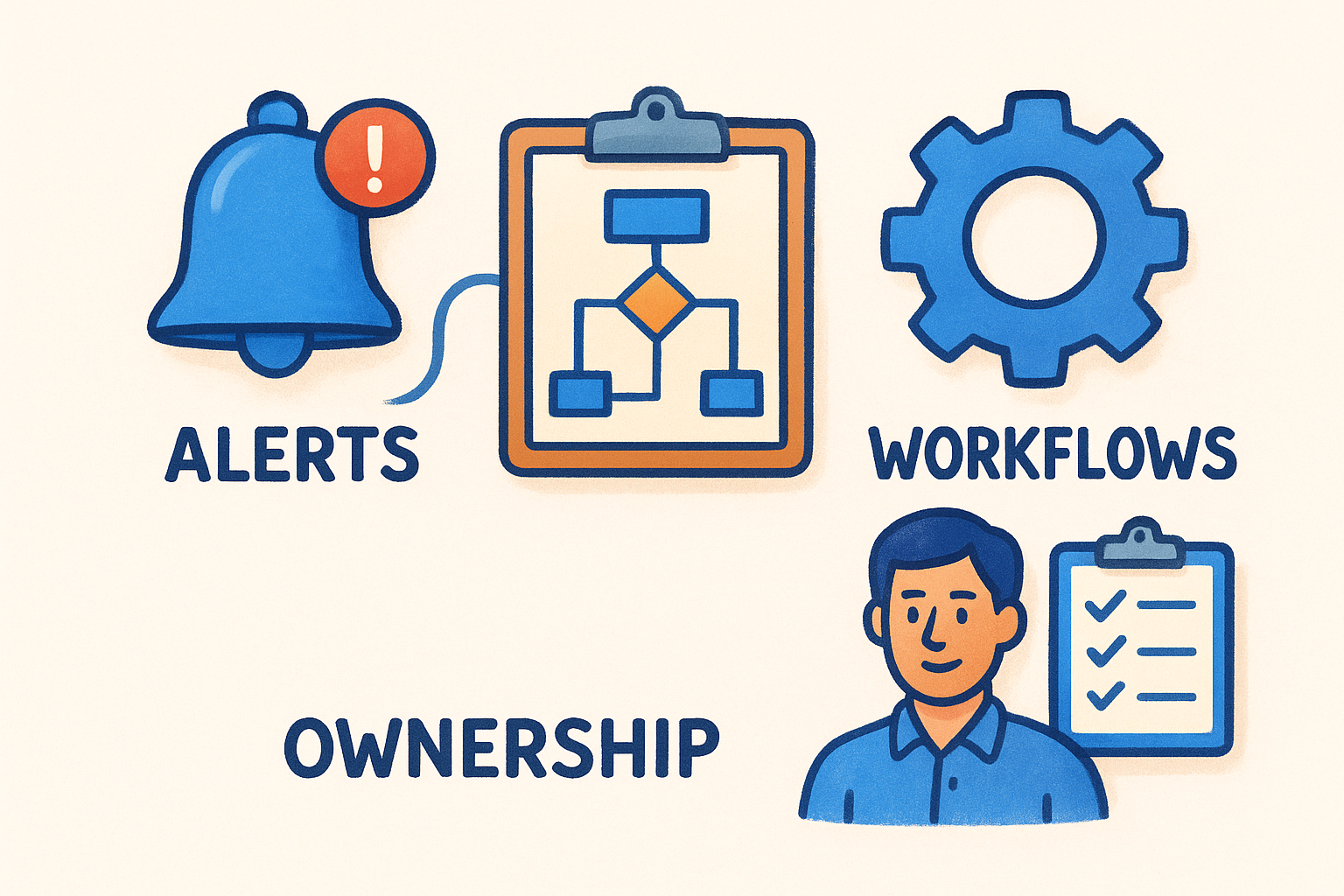
Alert configuration that prevents alert fatigue
Configure alerts based on regulatory deadlines and risk levels rather than every possible data point. High-risk clients requiring verification within 14 days warrant immediate email notifications to compliance officers. Medium-risk clients with 30 days until re-verification need calendar reminders but not urgent flags. Transaction monitoring alerts above your threshold amounts require same-day notification, while pattern-based alerts can aggregate into a daily digest. This tiered approach ensures critical issues get immediate attention without overwhelming your team with constant notifications about routine matters.
Your alert rules should escalate when deadlines pass without resolution. A verification expiring in seven days generates one alert. The same verification expiring tomorrow without action triggers a second alert to management. This escalation prevents tasks from disappearing when the assigned person is absent or overloaded.
If your compliance team receives 50 alerts daily but only five require urgent action, you’ve configured your system to be ignored rather than relied upon.
Workflow automation for compliance tasks
Design workflows that match your actual approval processes rather than forcing staff into rigid sequences. When identity verification fails, your workflow should automatically create a task for the relationship manager to contact the client, set a follow-up deadline, and notify compliance if the deadline passes. Suspicious activity alerts should route through your investigation checklist, require documented decisions at each step, and automatically generate report templates when the investigation confirms suspicious behaviour.
Build review queues that assign work based on staff capacity and expertise. Your dashboard should distribute verification reviews across available team members rather than dumping everything on one person. High-risk assessments route to senior compliance staff, while routine renewals handle through junior team members.
Clear ownership and accountability
Assign specific individuals as primary and backup owners for each compliance workflow category. One person owns client verification processes, another handles transaction monitoring, and a third manages reporting obligations. Your dashboard tracks which tasks each owner has outstanding, how long items sit in their queue, and their completion rates against deadlines. This visibility creates accountability because compliance managers can immediately see who’s falling behind and why.
Document ownership in your written procedures so everyone understands their responsibilities beyond what the dashboard shows. Your compliance programme can’t rely solely on system prompts. Staff need clear mandates about what they own and when they should escalate issues beyond their authority.
How to keep it audit-ready and privacy-safe
Your aml compliance dashboard contains sensitive client information and regulatory evidence that AUSTRAC or other auditors will scrutinise. You need to maintain complete records while protecting personally identifiable information from unauthorised access or breaches. Audit-readiness means regulators can request any compliance record and you produce it within hours, with clear evidence showing your controls operated as designed. Privacy-safety means this same information remains protected through encryption, access controls, and data handling practices that meet privacy legislation requirements. Balancing these two priorities requires deliberate design decisions about what your dashboard stores, who can access it, and how you prove compliance without compromising security.
Document retention and version control
Configure your dashboard to retain all compliance records for the periods AUSTRAC mandates, typically seven years from when a customer relationship ends or a transaction completes. Every verification document, risk assessment, investigation note, and suspicious matter report needs preservation in its original format with metadata intact, including creation dates, author information, and any subsequent modifications. Automated retention prevents accidental deletion when staff clean up old files or systems get upgraded.
Version control becomes critical when risk assessments or compliance procedures change. Your dashboard should maintain historical versions of each client’s risk rating, showing when assessments occurred, what factors influenced the rating, and who approved changes. Auditors look for this evolution to confirm your risk-based approach actually responds to changing circumstances rather than remaining static. Without version history, you can’t prove your compliance programme adapts appropriately.
Privacy-first data handling
Implement privacy layers that separate personally identifiable information from compliance metadata visible in your dashboard. Solutions like StackGo’s IdentityCheck ensure PII doesn’t flow into your CRM unnecessarily, keeping sensitive verification documents in secure repositories accessible only to authorised compliance staff with multi-factor authentication. Your dashboard displays verification status, expiry dates, and risk ratings without exposing actual identity documents or personal details to every user.
Your compliance team needs visibility into verification status, not unrestricted access to every client’s passport photo and address history.
Access controls and audit trails
Define role-based permissions that limit dashboard access based on job function. Relationship managers see their own clients’ compliance status but not investigation details or suspicious activity flags. Compliance officers access full records including transaction monitoring alerts and investigation outcomes. Senior management views aggregate metrics without drilling into individual client files unless specifically authorised.
Log every action users take within your dashboard. Record who viewed which records, when they made changes, what they modified, and why. These audit trails prove your controls prevent unauthorised access and detect potential insider threats. AUSTRAC expects you to monitor your own compliance systems as rigorously as you monitor client activity.
Common mistakes and how to avoid them
Building an aml compliance dashboard involves technical complexity and compliance expertise that most firms tackle for the first time. You’ll make avoidable mistakes if you don’t learn from others who’ve already failed at the same implementation challenges. The most damaging errors fall into predictable patterns: overcomplicating the interface, neglecting integration maintenance, and assuming staff will automatically adopt new systems without proper training. These mistakes create dashboards that either overwhelm users with irrelevant data or fail to capture critical compliance events when systems break. Understanding these common pitfalls before you encounter them saves months of rework and prevents compliance gaps during your implementation phase.
Overloading the dashboard with unnecessary metrics
Adding every possible metric creates visual clutter that buries the critical compliance indicators your team actually needs. You’ll see firms tracking dozens of KPIs because the data exists, not because it helps identify compliance problems. Your dashboard becomes a wall of charts and numbers that nobody reads. Staff ignore it entirely, defeating the purpose of centralised visibility. Focus ruthlessly on metrics that trigger action. If a data point doesn’t tell you when something needs immediate attention or help you answer an auditor’s question, it doesn’t belong in your primary dashboard view.
Your compliance team shouldn’t need ten minutes to find the three things that require urgent action today.
Save detailed analytics and trend analysis for separate reporting views that compliance managers access monthly, not displays that front-line staff see constantly. Your main dashboard answers one question: what compliance tasks need completion right now? Everything else becomes background noise.
Failing to test integrations regularly
Your integrations will break without warning when source systems update their APIs or change data formats. Firms discover these failures during audits when they realise their dashboard hasn’t updated verification statuses for three months. You need scheduled testing that verifies data flows correctly from every connected system at least weekly. Automated monitoring alerts you immediately when expected data stops arriving or arrives in unexpected formats.
Test your integrations against your actual compliance processes rather than just checking whether data appears in the dashboard. Verify that verification expiry dates calculate correctly, risk assessment schedules trigger on time, and transaction alerts route to the right people. Technical connectivity means nothing if the resulting compliance actions don’t execute properly.
Ignoring user adoption and training
Building a perfect dashboard accomplishes nothing if your team continues using spreadsheets and emails for actual compliance work. Staff default to familiar tools unless you actively train them on the new system and remove the old workarounds. Schedule hands-on training sessions where team members complete real compliance tasks using the dashboard, not just passive demonstrations. Make the dashboard your single source of truth by removing alternative methods for compliance tracking.
Monitor usage metrics to identify staff who aren’t adopting the system, then provide additional support rather than assuming resistance means the dashboard has problems.
Final takeaways
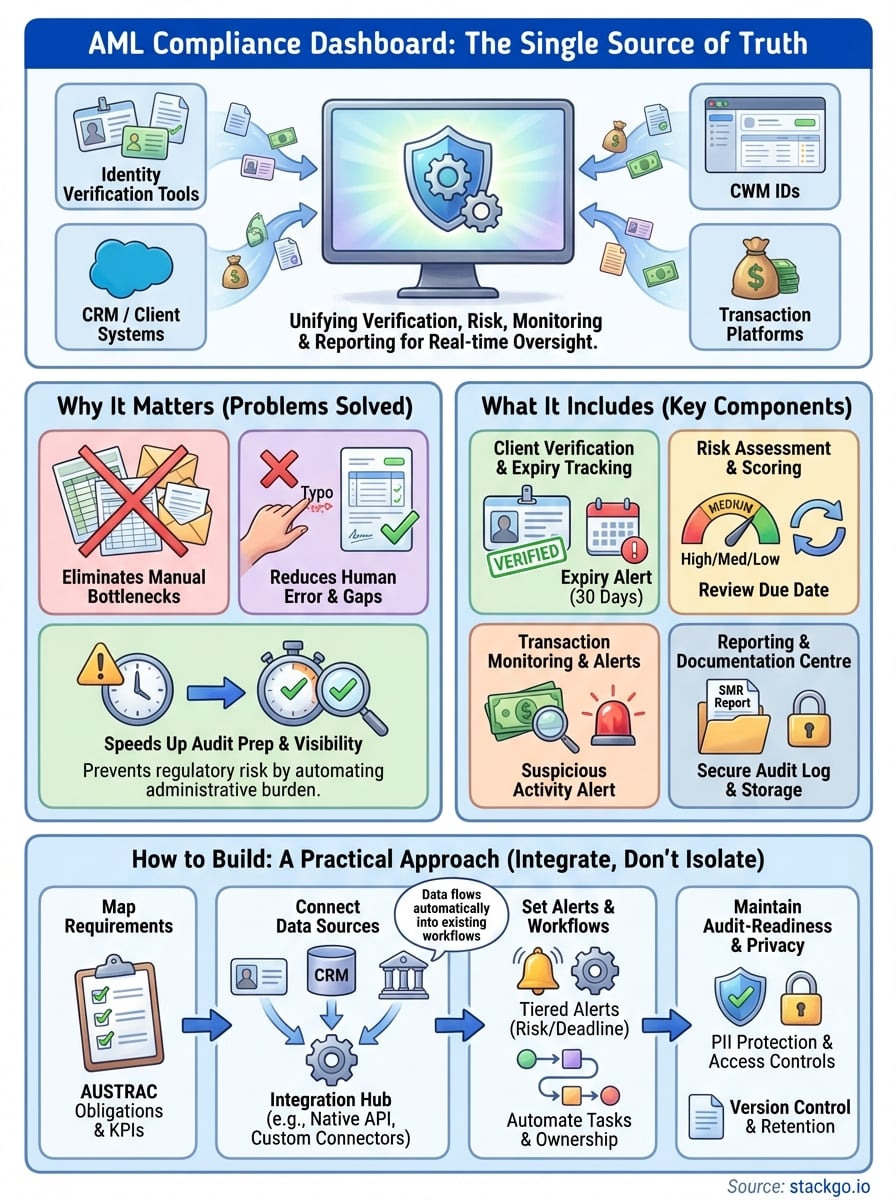
Your aml compliance dashboard serves as the operational centre of your regulatory programme, transforming scattered compliance activities into manageable, visible processes. You gain real-time oversight of verification statuses, risk assessments, and transaction monitoring without juggling multiple systems or spreadsheets. The dashboard’s value lies in automated data flows from your existing tools rather than creating another standalone platform that demands manual updates and separate logins.
Building an effective dashboard requires integration work upfront, but the operational efficiency and audit-readiness you gain justify the investment. Your team stops chasing down compliance information and starts responding proactively to deadlines and risk flags before they become problems. AUSTRAC expects you to demonstrate that your controls actually function as documented. A properly configured dashboard provides exactly that evidence.
If you’re preparing for AUSTRAC’s Tranche 2 expansion or need to improve your existing AML programme, IdentityCheck connects verification directly into your CRM so your compliance data lives where your team already works. This native integration approach eliminates the middleware complexity that makes traditional compliance dashboards difficult to maintain.


