

Every regulated business has processes that should run like clockwork, client onboarding, identity verification, compliance checks, but rarely do. Somewhere between the CRM, the spreadsheet, and the third-party portal, things slow down, break, or fall through the cracks. That’s where process optimisation software comes in: tools designed to strip out inefficiency, automate repetitive workflows, and give your team back the hours they lose to manual busywork.
But not all tools solve the same problem. Some focus on mapping and modelling business processes at an enterprise level. Others, like StackGo’s IdentityCheck, take a more targeted approach, embedding critical compliance workflows (like KYC/AML verification) directly into the software your team already uses, so there’s no context-switching, no extra logins, and no duct-taped integrations holding it all together.
This guide breaks down 10 of the best process optimisation tools available in 2026, covering everything from full-scale BPM platforms to focused integration solutions. Whether you’re an accounting practice preparing for AUSTRAC’s AML/CTF requirements, a financial services firm tightening onboarding, or any regulated business tired of clunky manual processes, you’ll find a clear comparison of what each tool does, who it’s built for, and where it fits in your stack.
1. StackGo
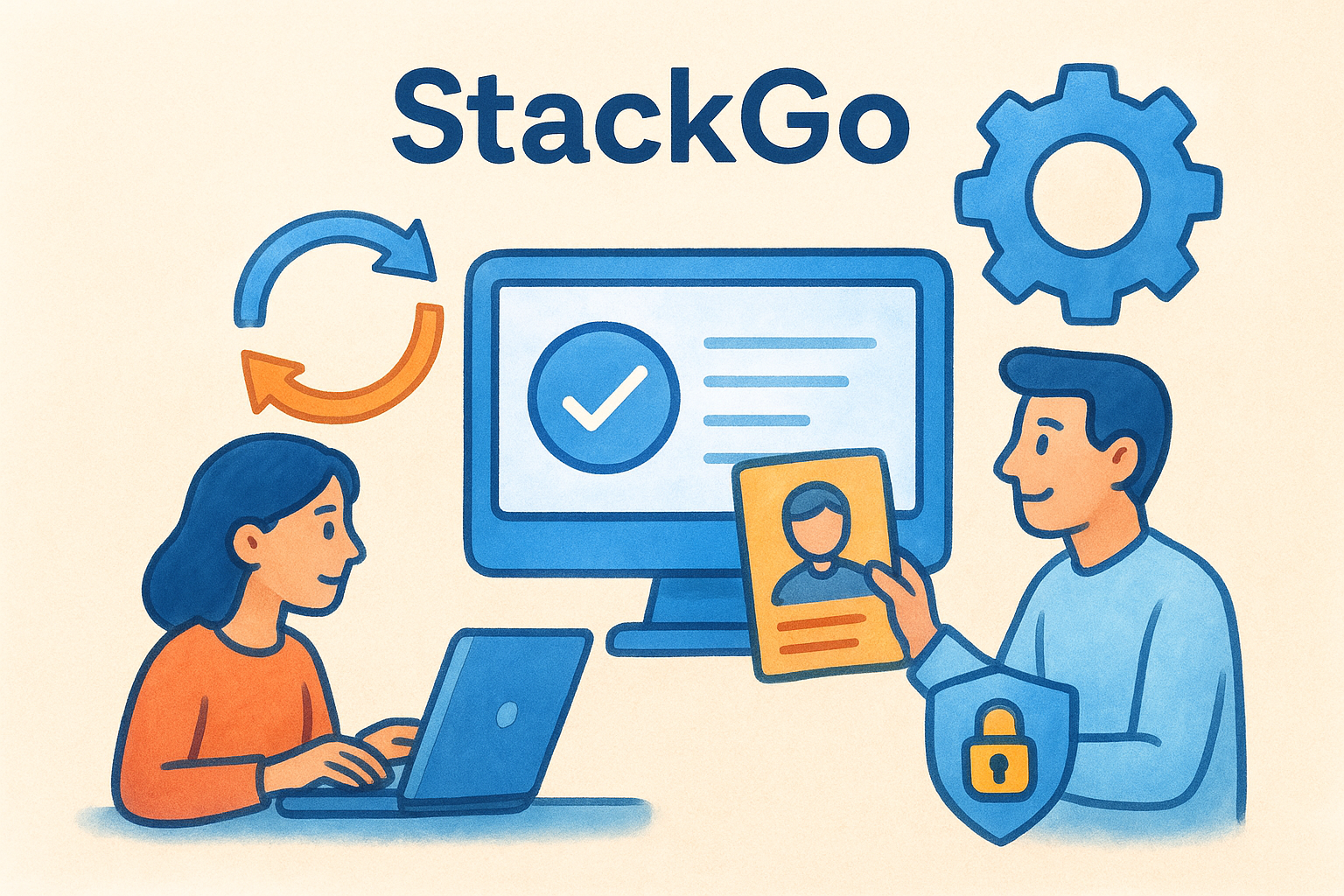
StackGo is an integration platform built for regulated businesses that need to run compliance workflows, like KYC/AML identity verification, directly inside their existing software stack. Rather than sending your team to a separate portal or building fragile automations with tools like Zapier, StackGo embeds the entire process into the CRM or platform your team already uses daily. The result is a focused piece of process optimisation software that removes friction from mandatory compliance tasks without disrupting how your business operates.
What it optimises
StackGo targets the compliance and client onboarding bottleneck that slows down professional services firms. Its flagship product, IdentityCheck, handles the full identity verification cycle: reading contact data from your CRM, running the check against global databases, and writing the outcome back automatically. This eliminates the manual back-and-forth that typically adds hours to each new client setup.
For Australian accounting firms preparing for AUSTRAC’s AML/CTF requirements, StackGo removes the single biggest operational hurdle: running compliant identity checks without adding a new system to manage.
Key features
StackGo’s core features centre on compliance accuracy and data security, two areas where manual processes consistently create risk.
- IdentityCheck: Automated KYC/AML verification that reads, verifies, and updates contact records in your CRM without manual data entry
- Privacy Layer: Personally Identifiable Information (PII) is never stored in the CRM; only MFA-authenticated admins can access sensitive data
- Global coverage: Supports identity verification across 200+ countries and 10,000+ document types
- Audit-ready records: Verification outcomes are written back to the contact record automatically, giving you a clear compliance trail
Integrations and setup
StackGo is built around native integrations with platforms like HubSpot, Salesforce, and Xero, so your team does not need to learn a new interface. Setup is straightforward: connect StackGo to your existing CRM, configure your verification settings, and the workflow runs from inside the tools you already use. There is no custom development required and no middleware to maintain.
Best for
StackGo suits Australian accounting practices, financial services firms, and other regulated businesses that need to meet KYC/AML compliance obligations without adding operational overhead. It is particularly well-suited to teams already using HubSpot or Salesforce who want compliance checks embedded directly into their client onboarding workflow, rather than managed separately.
Pricing model
StackGo prices IdentityCheck on a per-check basis, meaning you only pay for the verifications you run. There are no large upfront licence fees or minimum seat requirements. This makes it cost-effective for firms that handle variable client volumes, and it scales naturally as your business grows without locking you into a fixed monthly cost that does not reflect actual usage.
2. ProcessMaker
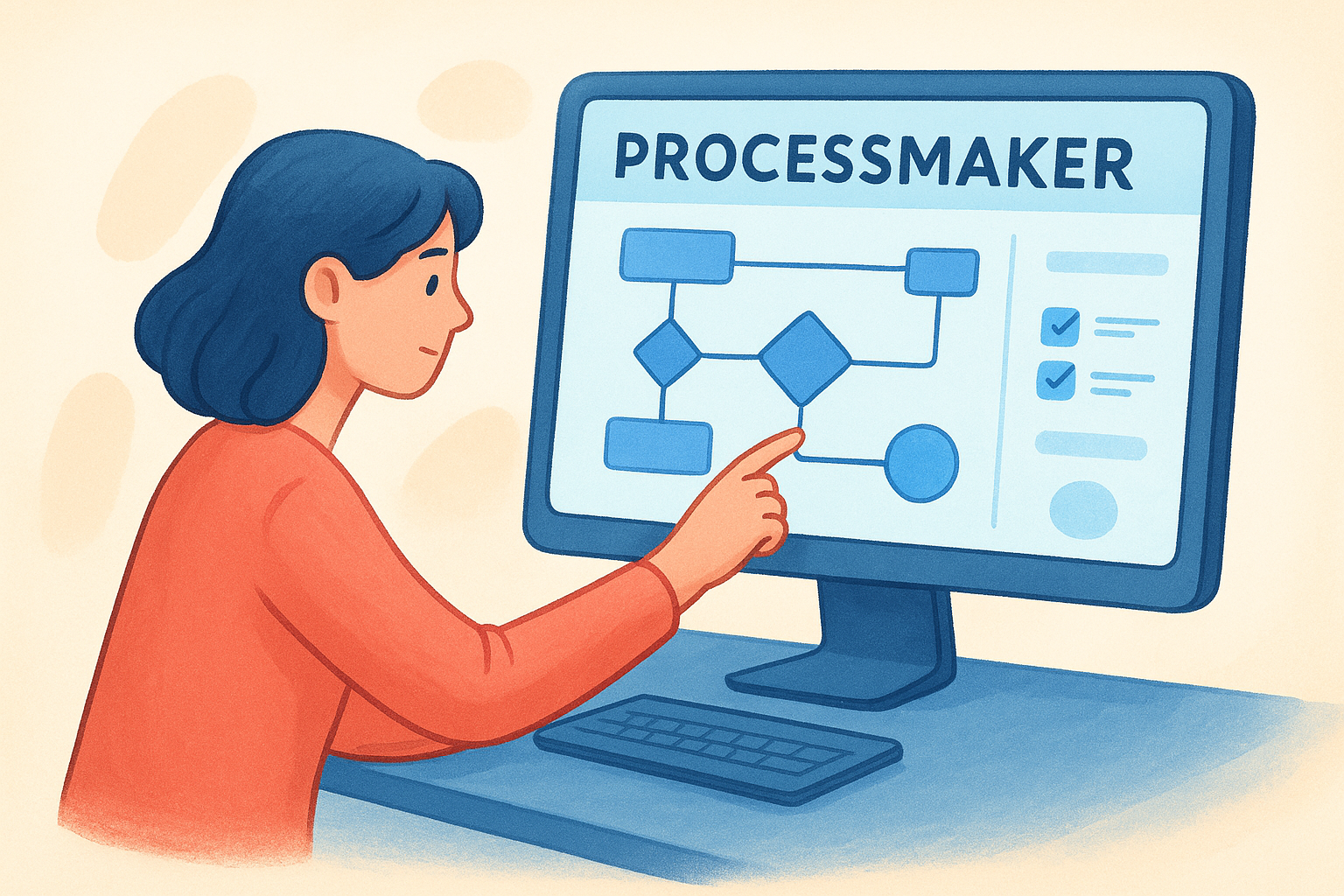
ProcessMaker is a business process management (BPM) platform designed to help organisations model, automate, and monitor complex workflows. It sits at the enterprise end of the process optimisation software spectrum, giving teams visual tools to design multi-step processes and automate approvals, routing, and notifications without requiring heavy development resources.
What it optimises
ProcessMaker targets document-heavy and approval-based workflows that involve multiple stakeholders, conditional logic, and compliance requirements. Finance teams, HR departments, and operations managers use it to replace manual handoffs with automated routing, cutting the time processes spend sitting in someone’s inbox waiting for a decision.
If your business runs high-volume approval workflows across multiple departments, ProcessMaker gives you the visibility and control to stop things falling through the cracks.
Key features
ProcessMaker’s feature set is built around process design and governance, with tools that support both technical and non-technical users.
- Drag-and-drop process designer: Build visual workflows using BPMN standards without writing code
- Dynamic forms: Create custom data-capture forms that feed directly into the workflow logic
- Real-time dashboards: Monitor process performance, bottlenecks, and task completion across your operation
- Rules engine: Set conditional logic so tasks route automatically based on the data submitted
Integrations and setup
ProcessMaker connects to enterprise systems through REST APIs and pre-built connectors, covering platforms like Salesforce, Google Workspace, and Microsoft 365. Initial setup involves defining your process maps and configuring form logic, which typically requires input from both operations and IT to get right at scale.
Best for
ProcessMaker suits mid-to-large organisations that need to govern complex, multi-department workflows with clear audit trails. It works well in industries like financial services, healthcare, and government where process compliance and documentation are non-negotiable.
Pricing model
ProcessMaker offers subscription-based pricing across multiple tiers, including a cloud-hosted option and an on-premise enterprise licence. Pricing is not published publicly, so you will need to contact their sales team for a quote based on your user count and feature requirements.
3. Pipefy
Pipefy is a no-code process management platform that gives operations teams the tools to build, automate, and track workflows without relying on developers. It sits closer to the workflow automation end of the process optimisation software spectrum, making it accessible to non-technical teams who need structured processes without the complexity of a full enterprise BPM tool.
What it optimises
Pipefy focuses on request management and operational workflows, helping teams standardise how work moves between departments. It removes the reliance on email threads and spreadsheets for tracking tasks like procurement requests, HR onboarding, and IT service management.
When every request follows the same structured path, your team spends less time chasing status updates and more time completing the actual work.
Key features
The platform gives non-technical users the ability to build and manage multi-step workflows through an intuitive interface, with enough depth to handle processes that span teams and departments.
- No-code workflow builder: Design custom pipelines with conditional logic and automatic routing without writing any code
- Automated forms: Capture structured input at the start of each process to reduce back-and-forth data collection
- Process templates: Start with pre-built templates for common workflows like employee onboarding and purchase approvals
- Real-time reporting: Track process performance and identify bottlenecks across your operation
Integrations and setup
Pipefy connects to tools like Slack, Google Workspace, and Salesforce through native integrations, and supports broader connectivity via Zapier and its REST API. Setup is relatively fast for simpler workflows, though more complex multi-department processes will need careful configuration to work as intended.
Best for
Teams that need structured, repeatable workflows across departments like HR, finance, and IT will find Pipefy a strong fit. It works particularly well for mid-sized businesses that want visibility and consistency across high-volume request management without investing in a full BPM platform.
Pricing model
Pipefy offers a free plan for small teams, with paid plans priced on a per-user, per-month basis. Enterprise pricing is available for larger organisations and includes advanced automation, dedicated support, and enhanced security controls.
4. Laserfiche
Laserfiche is an enterprise content management (ECM) and process automation platform that helps organisations manage documents and automate the workflows built around them. As a piece of process optimisation software, it focuses on reducing the time teams spend handling, routing, and approving document-heavy processes, making it a strong fit for compliance-driven industries.
What it optimises
This platform targets document management and records-based workflows, particularly in industries where paper-heavy processes create compliance risk and operational drag. Teams use it to digitise, classify, and route documents automatically, cutting out the manual handling that slows down approvals and audits.
When your compliance records are scattered across shared drives and email threads, a single audit request can cost your team days. Laserfiche centralises that documentation and makes it retrievable in minutes.
Key features
The platform combines document capture and workflow automation in a single environment that non-technical users can configure without developer support.
- Document capture and classification: Automatically scan, import, and categorise incoming documents using metadata rules
- Process automation: Build approval workflows that route documents to the right people based on content and conditional rules
- Records management: Apply retention schedules and access controls that meet regulatory requirements
- Analytics and reporting: Track workflow performance and document activity across your organisation
Integrations and setup
Laserfiche connects to platforms like Salesforce, Microsoft 365, and SharePoint through native connectors and an open API. Setup typically requires involvement from both IT and operations teams, as configuring document classifications and workflow rules at scale takes time to get right.
Best for
Regulated industries, including government agencies, financial institutions, and healthcare organisations that manage large volumes of documents and need auditable, structured workflows, will find this a strong match. It suits teams that want document management and process automation handled within a single platform.
Pricing model
Laserfiche offers subscription-based cloud plans and an on-premise option for organisations with specific data residency requirements. Pricing is tiered by features and user count, and you will need to contact their sales team directly for a detailed quote.
5. SafetyCulture
SafetyCulture is an operational platform built around inspections, checklists, and team communication, giving frontline teams the tools to catch problems before they become incidents. Originally known as iAuditor, it has grown into a broader process optimisation software solution for industries where safety compliance and operational standards need to be enforced consistently across large, distributed workforces.

What it optimises
SafetyCulture focuses on frontline operational processes, particularly inspection workflows, issue reporting, and corrective action management. It removes the reliance on paper checklists and manual sign-off chains that slow down compliance tasks on the ground, replacing them with digital workflows that capture evidence, assign accountability, and flag non-conformances in real time.
When your team completes an inspection in the field, SafetyCulture captures the data, raises any issues automatically, and assigns corrective actions before the report even hits a manager’s desk.
Key features
The platform is purpose-built for teams that need to standardise and enforce processes across multiple sites or shifts, with tools that are accessible on mobile devices without technical knowledge.
- Digital checklists and inspections: Build custom inspection templates with logic, scoring, and mandatory photo capture
- Issue and action management: Raise, assign, and track corrective actions directly from a completed inspection
- Training and onboarding tools: Deliver microlearning content to frontline staff and track completion rates
- Real-time analytics: Monitor inspection completion rates, issue trends, and team performance across locations
Integrations and setup
SafetyCulture connects to platforms including Microsoft Teams, Slack, and various HR and operations tools through its integration library. Setup is fast for smaller teams using standard templates, though multi-site deployments with custom inspection logic will require additional configuration time.
Best for
SafetyCulture suits industries with large frontline workforces, including construction, manufacturing, hospitality, and retail, where operational safety and compliance depend on consistent execution at the site level rather than the desk level.
Pricing model
SafetyCulture offers a free plan for small teams, with paid tiers priced per user per month. Enterprise pricing covers advanced features, dedicated support, and multi-site management capabilities.
6. iGrafx Process360 Live
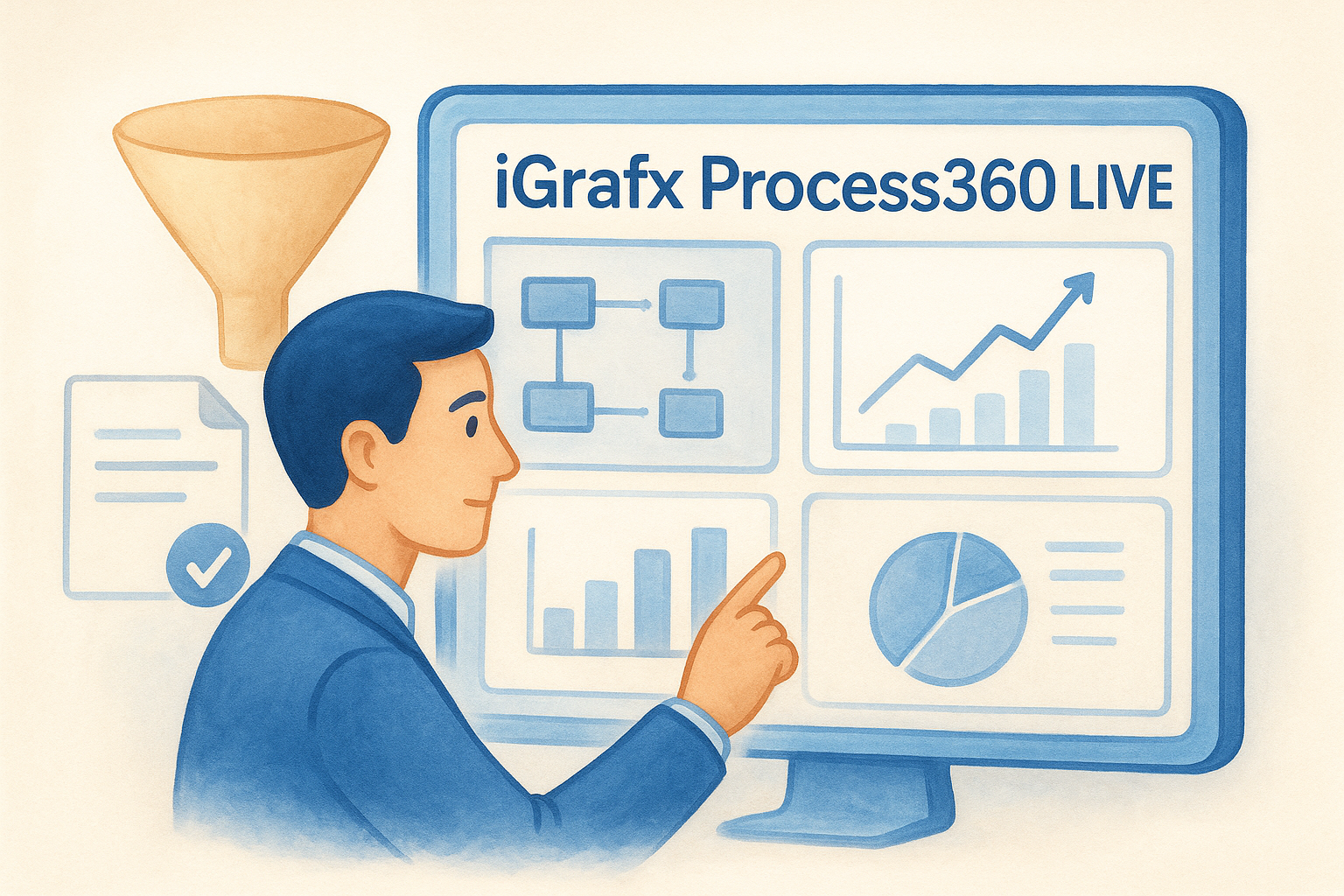
iGrafx Process360 Live is a process intelligence platform that combines process modelling, mining, and simulation in a single environment. It gives operations and improvement teams a data-driven view of how their processes actually run, not just how they were designed to run, which makes it a practical choice for organisations that want to go beyond documentation and drive measurable efficiency gains.
What it optimises
This platform targets the gap between process design and process reality. Many organisations have documented workflows that look clean on paper but operate very differently in practice. Process360 Live uses event log data from your existing systems to surface where delays, deviations, and bottlenecks actually occur, so your improvement efforts target the right problems.
When you base process improvement decisions on real execution data rather than assumptions, you fix the right things the first time.
Key features
The platform brings together several disciplines of process optimisation software in one place, covering both analysis and forward-looking simulation.
- Process mining: Automatically reconstructs actual process flows from system event logs to reveal how work moves through your organisation
- Process modelling: Build and document workflows using BPMN 2.0 standards for governance and communication
- Simulation: Test process changes against real data before committing to them operationally
- Compliance monitoring: Compare actual process execution against your defined models to spot non-conformance
Integrations and setup
Process360 Live connects to ERP and BPM systems through data connectors that pull event logs for mining analysis. Setup requires IT involvement to configure data extraction correctly, and the platform suits teams with dedicated process improvement resources rather than general operations staff working independently.
Best for
iGrafx suits enterprise teams and process improvement specialists in manufacturing, financial services, and logistics who need analytical depth to identify and fix systemic inefficiencies across complex, multi-step operations.
Pricing model
iGrafx uses enterprise subscription pricing, and costs are not listed publicly. You will need to contact their sales team directly for a quote based on your organisation’s size and specific feature requirements.
7. Solvexia
Solvexia is an Australian-built process automation platform that helps finance and operations teams replace manual, spreadsheet-driven workflows with structured, repeatable automation. As a piece of process optimisation software, it targets the data-heavy tasks that consume finance departments: reconciliations, reporting cycles, compliance checklists, and period-end close processes that typically involve too many files, too many people, and too much room for error.
What it optimises
Solvexia focuses on finance process automation, particularly the workflows that repeat on a regular cycle and involve pulling data from multiple sources, validating it, and producing a reliable output. Teams use it to cut the hours spent on month-end close, regulatory reporting, and reconciliation tasks that would otherwise require manual data handling across disconnected spreadsheets and systems.
If your finance team spends the last week of every month firefighting spreadsheet errors, Solvexia is built to solve exactly that problem.
Key features
The platform is built around giving finance teams control and visibility over their most critical recurring processes, without requiring them to rely on IT or custom development.
- Automated data collection: Pull data from multiple sources and consolidate it automatically on a defined schedule
- Process workflows: Build step-by-step workflows with approvals, validations, and conditional logic
- Reconciliation tools: Match and verify large data sets accurately without manual intervention
- Audit trails: Every step in the process is logged, giving you a clear record for internal review or external compliance requirements
Integrations and setup
Solvexia connects to common financial systems and data sources, including ERP platforms and spreadsheet exports, through its data connectors. Setup involves mapping your existing data flows into the platform’s workflow structure, which typically requires involvement from both finance and operations teams to configure correctly.
Best for
Solvexia suits finance teams in mid-to-large Australian businesses that run high-volume, data-intensive processes on a recurring basis, particularly in financial services, banking, and corporate finance functions.
Pricing model
Solvexia offers subscription-based pricing, with costs based on your specific automation requirements. You will need to contact their team directly for a tailored quote.
8. Qntrl
Qntrl (pronounced "control") is a workflow orchestration platform from Zoho that gives operations teams a centralised way to manage, automate, and track business processes from a single interface. As a process optimisation software option, it appeals to teams that need structured workflow management without the complexity or cost of a large enterprise BPM platform.
What it optimises
Qntrl targets operational workflows that cross department boundaries, particularly the handoff-heavy processes where tasks stall because ownership is unclear or steps are tracked inconsistently. Teams use it to bring visibility and accountability to work that would otherwise get managed through email chains or shared spreadsheets.
When every task in a workflow has a clear owner and a defined next step, far less time gets spent chasing status updates.
Key features
The platform is built around giving teams control over how work moves through their organisation, with tools that non-technical users can configure and manage without developer support.
- Visual workflow builder: Design multi-step workflows with conditional routing and automated triggers
- Centralised request management: Handle incoming requests through a single intake point with structured forms
- Task tracking and SLAs: Set deadlines, track progress, and get alerts when tasks are running behind schedule
- Analytics dashboard: Monitor workflow performance and identify where bottlenecks are occurring across your team
Integrations and setup
Qntrl integrates natively with Zoho’s broader product suite, including Zoho CRM and Zoho Desk, and connects to external platforms via its REST API. Setup is relatively straightforward for teams already using Zoho products, though connecting to non-Zoho systems requires additional configuration effort.
Best for
Qntrl suits small to mid-sized operations teams that need structured workflow management without a heavy IT investment. It works particularly well for businesses already using Zoho products who want to extend process automation across their existing stack without adopting an entirely separate platform.
Pricing model
Qntrl offers a free tier for small teams, with paid plans priced on a per-user, per-month basis. Costs scale with the number of active users and the level of automation features required.
9. Sensus BPM
Sensus BPM is a business process management platform that helps organisations design, automate, and govern their operational workflows. It sits firmly in the process optimisation software category for teams that need structured control over multi-step processes, particularly in compliance-heavy environments where accountability and auditability matter.
What it optimises
Sensus BPM targets compliance and governance workflows where processes need to run consistently, be documented accurately, and produce a clear record of every action taken. Teams use it to replace ad hoc task management with structured workflows that route automatically, enforce approvals, and log outcomes without relying on manual follow-up.
When your processes carry regulatory weight, having an auditable record of every step is not optional. Sensus BPM builds that trail automatically.
Key features
The platform gives operations and compliance teams the tools to build and manage workflows without depending on developers, while still supporting the governance requirements that regulated businesses need.
- Process modelling: Design workflows visually with defined roles, rules, and conditional logic at each step
- Approval and routing automation: Tasks move to the correct person automatically based on the data submitted and the rules configured
- Audit logs: Every action in a workflow is timestamped and recorded, giving you a complete history for compliance reviews
- Reporting and dashboards: Monitor workflow performance and track completion rates across your organisation
Integrations and setup
Sensus BPM connects to existing business systems through API integrations, allowing teams to embed it into their current technology environment rather than operating it as a standalone tool. Initial setup requires involvement from both operations and IT to configure workflow logic and system connections correctly.
Best for
Sensus BPM suits compliance-driven organisations in financial services, local government, and professional services that need structured, auditable workflows without building custom solutions from scratch.
Pricing model
Sensus BPM uses subscription-based pricing, and specific costs are available on request. You will need to contact their team directly for a quote that reflects your organisation’s size and workflow requirements.
10. Flokzu
Flokzu is a cloud-based BPM and workflow automation platform designed to help small and mid-sized teams automate repetitive approval processes and structured workflows without needing a developer to build them. As a lightweight piece of process optimisation software, it removes the friction from routine tasks like document approvals, procurement requests, and onboarding steps by replacing manual handoffs with automated, rule-driven workflows that keep work moving without constant supervision.
What it optimises
This platform targets approval-heavy and repetitive workflows that currently rely on email chains or spreadsheets to track progress. Teams use it to standardise how requests move through their organisation, ensuring every task follows the same path, hits the right approval checkpoints, and gets completed within a defined timeframe rather than sitting unnoticed in someone’s inbox for days.
When approvals follow a structured, automated path, you cut the average turnaround time on routine requests without adding management overhead.
Key features
Flokzu gives non-technical users practical workflow automation tools that are straightforward to configure and deploy without IT support or development resources.
- BPMN-based process designer: Build visual workflows using standard notation with conditional routing and automated triggers
- Forms and data capture: Collect structured input at each workflow stage to reduce back-and-forth communication
- SLA management: Set deadlines for each step and receive automatic alerts when tasks are running behind schedule
- Analytics and reports: Monitor workflow performance and identify where delays are consistently occurring across your team
Integrations and setup
Flokzu connects to tools like Google Workspace, Zapier, and other common business platforms through its integration options. Setup is fast for straightforward workflows, and the platform is designed to get your first automated process running within hours rather than weeks, which makes it a practical starting point for teams new to workflow automation.
Best for
Flokzu suits small to mid-sized teams that need structured workflow automation without the cost or complexity of a full enterprise BPM platform. It works particularly well for businesses that want to automate approval workflows and recurring operational tasks quickly and without a large upfront investment.
Pricing model
Flokzu offers per-process, per-month pricing, making it accessible for teams that want to start small and expand their automation footprint gradually. A free trial is available so you can test your workflows and confirm they run correctly before committing to a paid plan.
Next steps
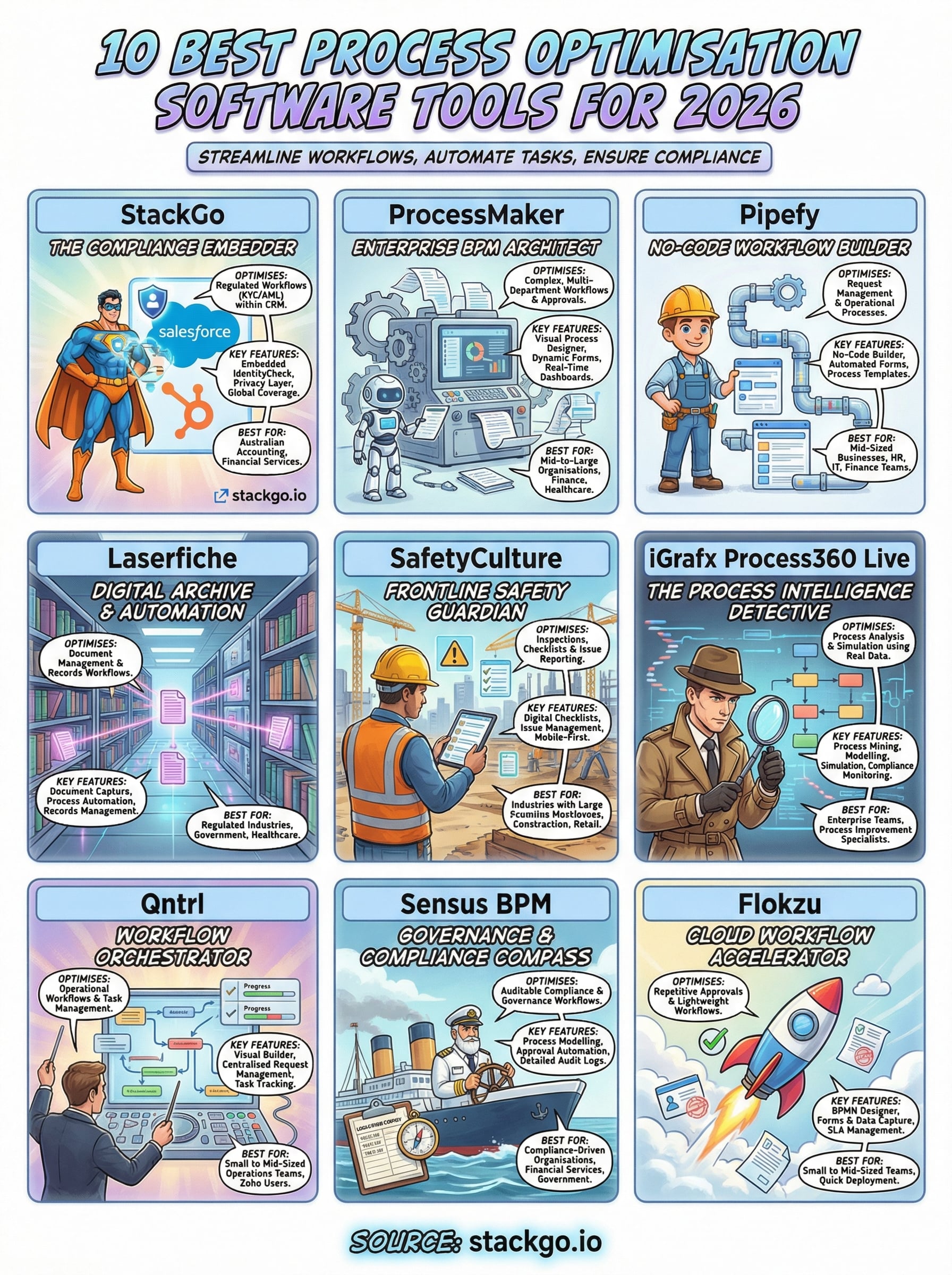
The right process optimisation software depends on what your biggest bottleneck actually is. If you run complex, multi-department workflows at enterprise scale, platforms like ProcessMaker or iGrafx give you the modelling depth and analytics to manage them properly. If you need lightweight approval automation quickly, Flokzu or Pipefy will get you moving faster.
For Australian accounting firms and regulated businesses facing KYC/AML compliance obligations, the priority is different. You need identity verification that runs inside your existing stack, not alongside it. StackGo’s IdentityCheck handles that directly, embedding the full verification workflow into your CRM so your team does not switch tabs, manage a separate portal, or manually update records after each check.
If AUSTRAC’s Tranche 2 requirements are on your radar, read more about how IdentityCheck supports AML/CTF compliance for accounting firms, or create a free account to test it against your current process.


