

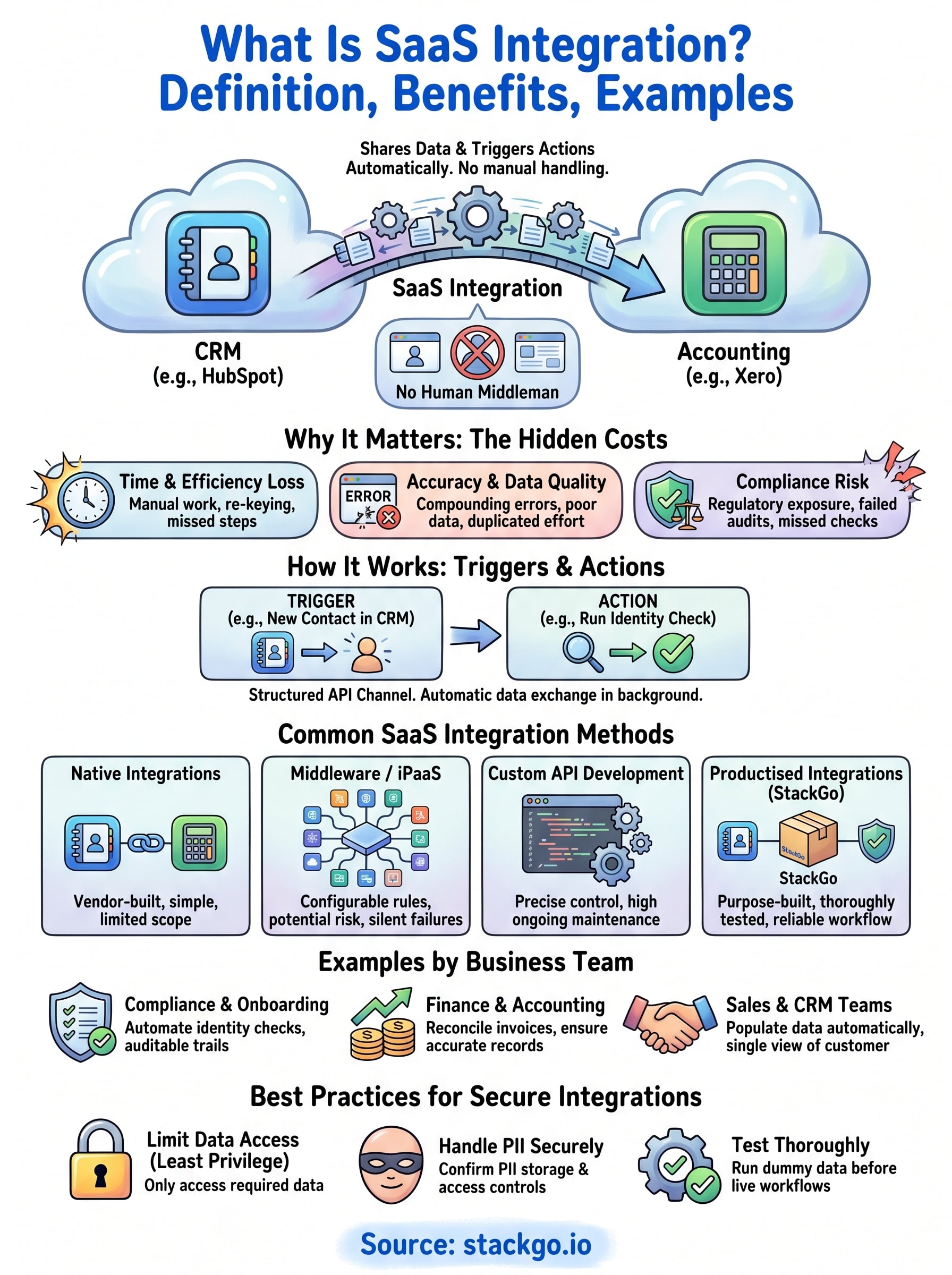
If you’ve ever copied data between two platforms because they don’t talk to each other, you already understand the problem. So what is SaaS integration, exactly? It’s the practice of connecting your cloud-based software applications so they share data and trigger actions automatically, without you playing middleman between browser tabs.
Most businesses run on a stack of SaaS tools: a CRM for contacts, an accounting platform for invoicing, maybe a verification tool for compliance. The trouble starts when these tools operate in isolation. Data gets re-keyed, steps get missed, and your team spends hours on work that software should handle. SaaS integration solves this by creating structured connections between applications, so information flows where it needs to go, accurately and without manual handling.
At StackGo, this is exactly what we build. Our platform provides productised integrations that connect compliance-critical workflows, like identity verification and client onboarding, directly into the tools your team already uses, such as HubSpot or Salesforce. No new software to learn. No duct-taped automations to maintain.
This article breaks down the full definition of SaaS integration, explains why it matters for operational efficiency, and walks through real examples of how businesses use it. Whether you’re evaluating integration options or just trying to understand the concept, you’ll leave with a clear, practical picture of how it all works.
Why SaaS integration matters
When you start to understand what SaaS integration is, the next question becomes why it should matter to your specific business. The average organisation runs on dozens of SaaS tools, and each one you add to your stack creates a potential data gap between systems. Those gaps do not stay empty. They fill with manual workarounds, duplicated effort, and compounding errors that cost you time, accuracy, and money.
The more tools you run without integration, the more you rely on people to behave like software.
The hidden cost of disconnected tools
Every time someone on your team copies a contact record from your CRM into a verification tool, re-keys invoice details into your accounting platform, or exports a spreadsheet to share with another system, you are paying for it. Time is the obvious cost, but accuracy is the real one. People make errors, particularly in repetitive, low-engagement tasks, and a single miskeyed detail in a compliance workflow can create significant problems downstream.
IBM’s research on data quality consistently shows that poor data quality costs organisations heavily, largely because of manual entry and siloed systems. For smaller businesses, the proportional damage is just as real. A botched identity check or missed onboarding step can mean regulatory risk, a poor client experience, or a failed audit.
What integration actually unlocks
Integration does not just save time on individual tasks. It changes how reliably your whole operation runs as you grow. When your tools share data automatically, your team stops acting as the connector between systems and starts focusing on work that genuinely needs human judgement. Onboarding a new client no longer means chasing documents across three platforms. It means reviewing a completed record the system populated on its own.
For businesses handling high client volumes or working in regulated sectors, this shift compounds quickly. A verification step that once took 20 minutes of manual coordination can complete in seconds when your CRM triggers the check, receives the result, and logs the outcome automatically.
Why regulated industries face the highest risk
Regulated industries face a specific version of this problem. If your business operates under obligations like KYC or AML requirements, the consequences of a missed or misrecorded step go beyond inefficiency. They extend into legal and regulatory exposure. Manual processes carry the risk of skipped steps, undocumented outcomes, and records that do not hold up under audit scrutiny.
Integration removes those vulnerabilities by making the workflow systematic rather than dependent on individual behaviour. When a compliance check runs automatically from within your existing tool and writes its result back to the correct record, you get a clean, auditable trail without the administrative overhead. For accountants, financial advisers, and other professionals operating under Australia’s regulatory frameworks, such as the Tax Practitioners Board standards or the upcoming AUSTRAC AML/CTF requirements, this is not a convenience. It is how you maintain compliance as your client base grows.
How SaaS integration works
Understanding what SaaS integration is becomes much clearer once you see the mechanics behind it. At the most basic level, integration works by creating a structured channel between two applications, so that when something happens in one system, a defined action follows in another. No manual step required, no human in the middle copying data across.
APIs: the connective tissue
Most SaaS integrations run on APIs (Application Programming Interfaces), which are sets of rules that define how one application can request and receive data from another. When your CRM sends a contact’s details to a verification service, it uses an API call to do it. The verification service processes the request and returns a result through the same channel. Both platforms handle this exchange automatically, and you see the outcome appear in whichever tool you are already working in.
APIs are what make integration reliable at scale. Without them, you are back to copy-pasting between browser tabs.
Think of an API as a structured conversation between two systems. One platform asks a question in a format the other understands, and the other responds with the right data. Your team never needs to see this exchange happen, because it occurs in the background while you work normally.
Triggers and actions: how data moves
The practical logic of integration follows a simple pattern: a trigger in one system causes an action in another. A new contact is added to your CRM, and that triggers an identity verification check to run automatically. The check completes, and that result triggers a status update back on the original record. This chain of events happens without anyone opening a second tab or sending a manual request.
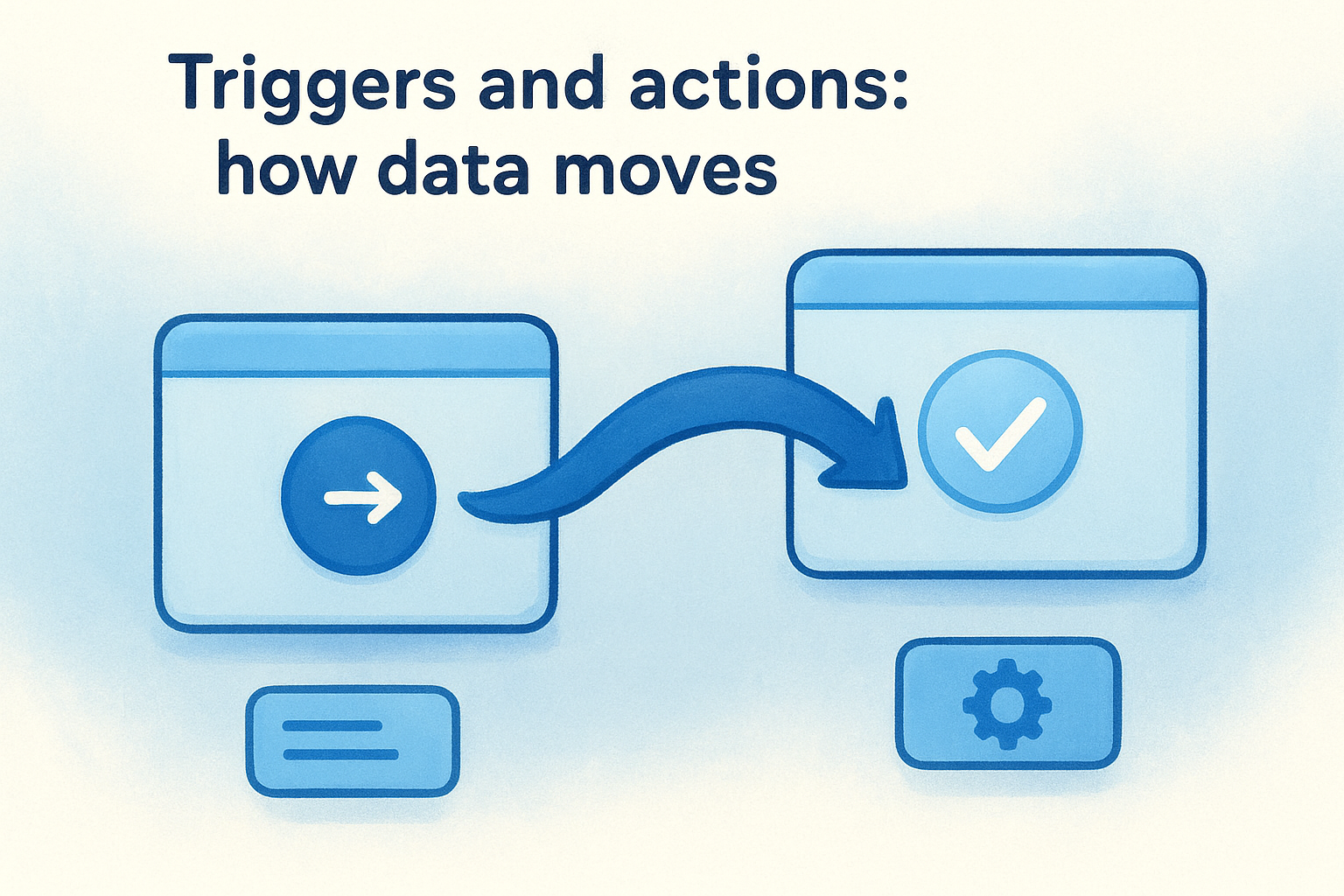
Well-built integrations define these triggers and actions clearly so there is no ambiguity about when data moves or where it ends up. The result is a workflow you can rely on, one that behaves the same way every time regardless of who is logged in or how busy your team happens to be.
Common SaaS integration methods
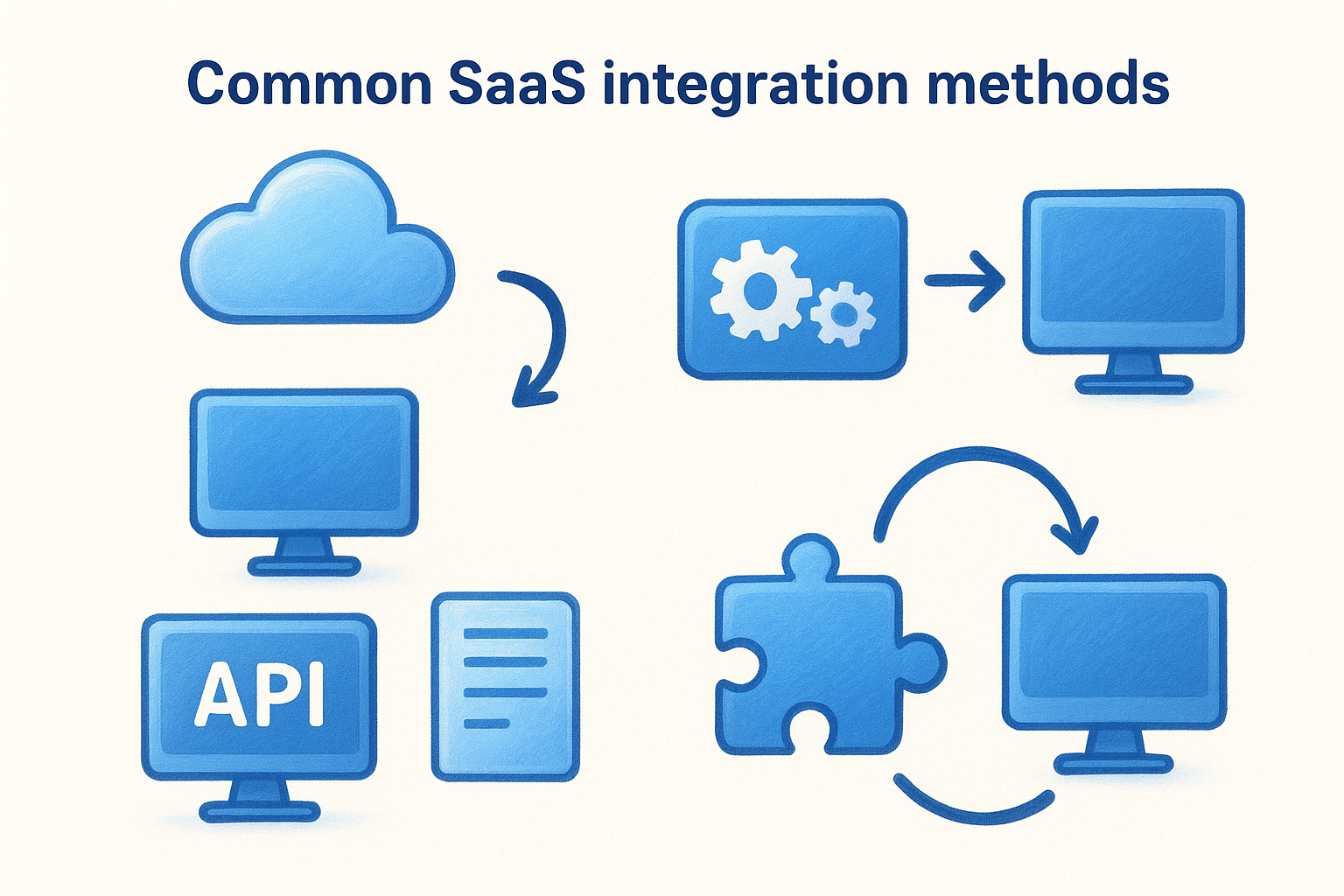
Not all integrations are built the same way. Once you understand what SaaS integration is at a conceptual level, the method you choose determines how reliable, maintainable, and appropriate it is for your specific workflows. Picking the wrong approach can create new problems rather than solve existing ones, particularly if the workflow involves compliance-critical data.
Native integrations
Native integrations are built directly into a SaaS platform by the vendor. Your accounting software might offer a one-click connection to your CRM with no third-party tools involved. These are the simplest to activate and typically the most stable, because the vendor maintains them.
The limitation is scope. You only get the connections the vendor chose to build, which means niche or compliance-specific workflows are often not covered. Native integrations suit straightforward, well-supported use cases but rarely extend to regulated processes like identity verification or KYC.
Middleware and iPaaS platforms
Middleware platforms, often called iPaaS (Integration Platform as a Service), sit between your applications and route data according to rules you configure. They let you connect triggers and actions across your stack without writing code, which sounds appealing until something breaks quietly in the background.
For workflows where accuracy is mandatory, a loosely configured middleware tool introduces real operational risk that most businesses underestimate.
A misconfigured rule or an API update in one connected app can silently stop data from moving, and you may not notice until a compliance step has been missed or a record is incomplete.
Custom API development
Custom API integrations are built by developers who write code to connect two specific platforms. This gives you precise control over how data moves and what conditions trigger each action. The trade-off is ongoing cost and maintenance, since every platform update potentially requires rework.
Productised integrations
Productised integrations are pre-built, thoroughly tested connections designed for a specific workflow between specific platforms. StackGo follows this model. Each integration is purpose-built, such as running an identity check directly from within your CRM, and it works consistently without your team needing to configure or monitor it.
SaaS integration examples by business team
Understanding what SaaS integration is becomes far more concrete when you look at it through the lens of your own team’s daily work. Integration applies differently depending on your function, but the underlying principle stays the same: reduce the manual handling of data between systems and let the workflow run automatically. Below are practical examples of how different teams apply it.
Compliance and onboarding teams
For compliance-focused roles, integration is where accuracy and regulatory risk intersect most directly. When a new client record is created in your CRM, an integration can trigger an identity verification check automatically, return the result, and update the contact record, all without anyone switching tabs. Your team reviews verified outcomes rather than chasing documents or re-entering details across multiple systems. For businesses managing KYC or AML obligations, this kind of automated and auditable trail is exactly what removes compliance gaps before they become regulatory problems.
Finance and accounting teams
Finance teams spend a disproportionate amount of time reconciling data between platforms that should already agree. An integration between your CRM and your accounting software means new clients, approved deals, and updated contact details move across automatically. Invoices generate from the right records, and your accounts stay accurate without manual exports or spreadsheet transfers. This also removes the version-control problem that comes with data sitting outside your core systems in files that quickly go stale.
When your finance tools share live data with your CRM, you eliminate an entire category of reconciliation errors before they compound.
Sales and CRM teams
Sales teams lose momentum when their CRM does not connect to the tools around it. A well-integrated CRM populates automatically with data from your marketing platform, your verification tools, and your communication channels, so your team works from a single complete record rather than assembling context from multiple places. New leads, completed checks, and signed agreements flow into the right fields without anyone manually updating them. The result is faster follow-up, fewer missed steps, and a pipeline your whole team can trust to reflect reality.
Best practices for secure, reliable integrations
Once you understand what SaaS integration is and how it works, the next consideration is making sure the integrations you run are secure and dependable. A poorly configured connection that handles sensitive client data creates more risk than the manual process it replaces. The quality of your integration depends on how carefully you set it up and what standards your provider meets.
Limit data access to what each integration needs
Every integration you activate should only access the specific data required to complete its function. If a verification tool needs a contact’s name and ID document, it should not have read access to your entire CRM database. This principle, often called least-privilege access, is a foundational standard that Microsoft outlines in its identity and security documentation. Granting broad permissions to reduce setup friction is a common mistake that expands your exposure unnecessarily.
The more access an integration has beyond its actual function, the larger the attack surface you are maintaining without gaining anything from it.
A practical way to apply this is to review the permission scope each integration requests before approving it, and reject any that ask for access beyond what the workflow logically requires. Treat elevated access as a red flag, not a convenience.
Confirm how your provider handles personally identifiable information
When your integration moves personally identifiable information (PII) between platforms, you need to know where that data sits and who can access it. Some integration tools store PII in intermediate systems as part of how they route data, which creates additional exposure points you may not be aware of. Ask your provider directly whether PII is stored, for how long, and under what access controls.
At StackGo, our privacy layer ensures PII never persists in your CRM, with access restricted to MFA-authenticated administrators only. That design removes an entire category of data exposure before it becomes a problem.
Test your integrations before relying on them in live workflows
Before any integration handles live client records or compliance-critical steps, run it through structured testing with dummy data. Confirm that triggers fire correctly, that data writes to the right fields, and that error states are handled predictably rather than silently dropping records. Integration failures that go undetected in active workflows can create compliance gaps or missing audit entries that are difficult to untangle after the fact.
Next steps
SaaS integration connects your tools, removes manual handling, and makes your workflows reliable without requiring your team to change how they work day to day. If this article has clarified what SaaS integration is and how it applies to your specific context, the next step is seeing it in action against your actual workflows, not just in theory.
For businesses with compliance obligations, particularly those preparing for Australia’s AUSTRAC Tranche 2 AML/CTF requirements, the integration you choose needs to be purpose-built for regulated workflows, not adapted from a general-purpose automation tool. StackGo’s IdentityCheck runs verification directly inside your existing CRM, writes outcomes back to the correct record, and keeps PII out of your system by design.
Testing with real workflows is the fastest way to know whether a tool actually fits your setup. You can create a free IdentityCheck account and run it against your actual processes before making any commitment.


