

Most businesses run on a stack of SaaS tools, a CRM here, an accounting platform there, a compliance tool somewhere else. Getting them to actually talk to each other is where things fall apart. SaaS integration challenges range from messy data mapping and authentication headaches to brittle workflows that break the moment a vendor pushes an update. For regulated businesses handling identity verification, KYC, or client onboarding, these aren’t minor inconveniences, they’re compliance risks.
At StackGo, we build productised integrations that slot directly into platforms like HubSpot and Salesforce, so businesses can run critical compliance workflows without juggling disconnected tools. We’ve seen firsthand how poorly connected software leads to manual workarounds, duplicated effort, and costly errors, especially in accounting, financial services, and professional services.
This article breaks down 10 common SaaS integration challenges you’re likely to run into (or already dealing with) and offers practical ways to solve each one. Whether you’re evaluating integration platforms or trying to fix what’s already stitched together, this guide will help you identify the gaps and move forward with confidence.
1. Compliance checks fail when they sit outside your stack
Running compliance checks in a separate tool forces your team to switch context constantly, copy data between systems, and hope nothing slips through. This is one of the most damaging saas integration challenges for regulated businesses, particularly those handling client onboarding in accounting, legal, or financial services.
What it looks like in day-to-day operations
Your staff pulls up a contact in your CRM, opens a separate compliance portal, manually re-enters the same details, runs the check, then pastes the result back into a note or spreadsheet. This creates at least three points of human error in a single workflow, and none of that activity ends up in one auditable location. Over time, small inconsistencies accumulate into serious compliance gaps that are difficult to trace.
Why this challenge shows up in regulated onboarding
Regulated industries like accounting and financial services face mandatory identity verification requirements under frameworks such as Australia’s AML/CTF Act and the Tax Practitioners Board’s obligations. When the verification tool sits outside your core stack, the data flow becomes fragmented. Teams then struggle to prove when a check was completed, who ran it, and what the outcome was, which is precisely what auditors and regulators ask for during a review.
Compliance tools that don’t connect to your CRM don’t just slow teams down, they create risk that surfaces at the worst possible time.
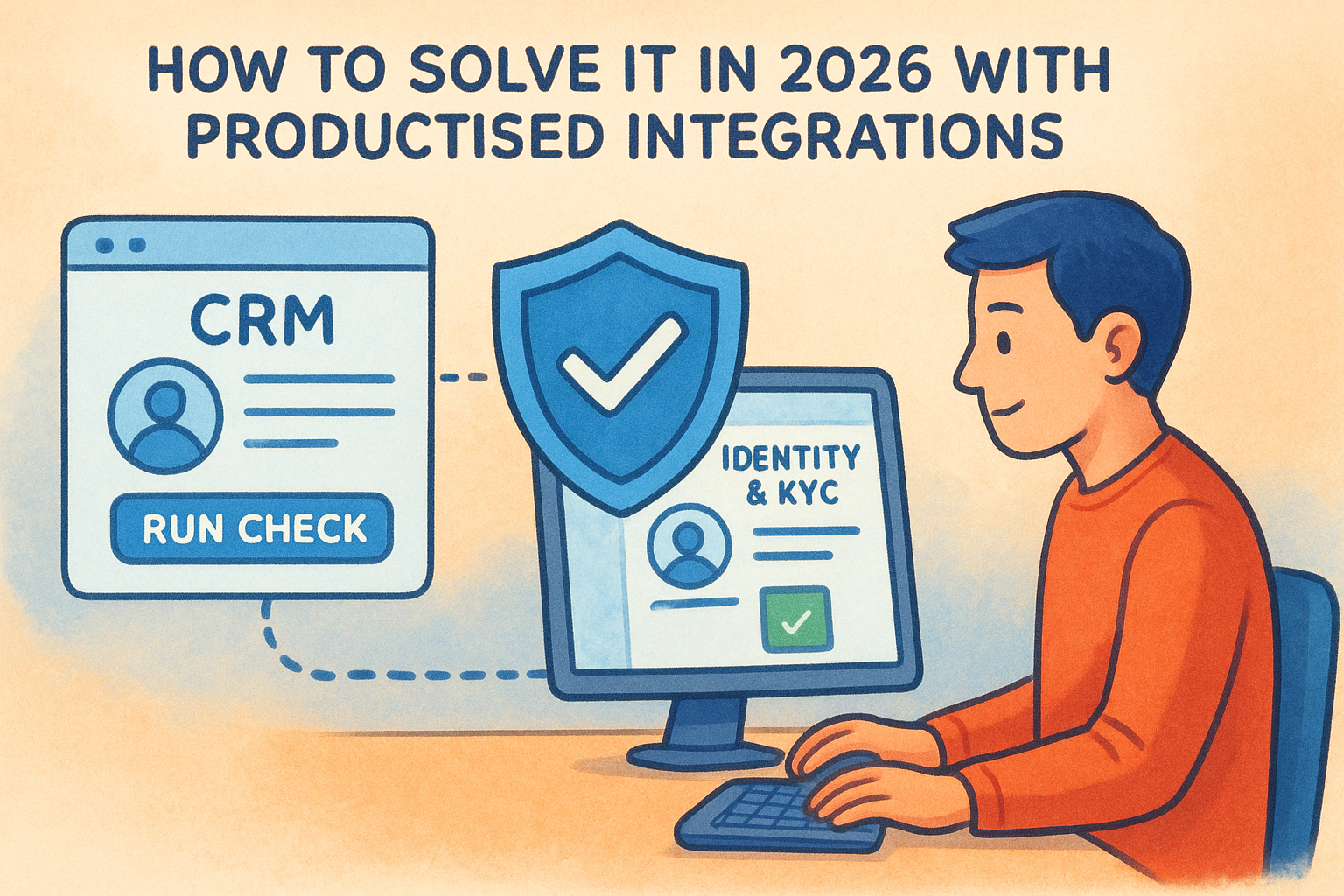
How to solve it in 2026 with productised integrations
The practical fix is to run identity and KYC checks directly inside your existing CRM using a productised integration. Rather than commissioning a custom API build, productised integrations come pre-configured for platforms like HubSpot or Salesforce. You trigger a check from the contact record, the integration reads the relevant fields, runs verification against the required data sources, and writes the result back automatically, keeping a clean audit trail without manual effort.
How to keep PII out of your CRM without slowing teams down
Storing personally identifiable information (PII) inside a CRM creates a separate compliance problem. CRMs aren’t purpose-built for secure PII storage, and holding sensitive data there puts your business at risk under the Australian Privacy Act. A well-designed integration uses a dedicated privacy layer that keeps PII off your CRM entirely, making it accessible only to MFA-authenticated administrators, while still letting your team trigger checks and view outcomes in their normal workflow without interruption.
2. Users expect a native experience, but you ship a bolt-on
Your users don’t care how the integration was built. They care whether it feels like part of the tool they already use every day. One of the most underestimated saas integration challenges is shipping something technically functional that still feels foreign to the people relying on it.
What the user notices first
The first sign of a bolt-on is a broken visual flow: a separate login screen, a pop-up that looks nothing like the host platform, or a redirect that pulls someone out of their current workflow entirely. These friction points erode trust immediately, even before the user questions whether the data coming through is accurate.
Why "it works" still fails in practice
A working integration that nobody uses delivers zero value.
Low adoption rates are a common outcome when integrations feel grafted on rather than built in. Users either avoid the tool, build manual workarounds, or escalate complaints to IT. The technical success of the build means nothing if it doesn’t match how your team actually works day to day.
How to design integrations people trust and actually use
Start by mapping the user’s existing workflow before writing a single line of config. Identify where the integration needs to surface, what fields matter, and what a completed action looks like from the user’s perspective. Embedding the trigger and outcome inside the host platform’s native interface removes the context-switching that drives abandonment.
How to set and measure integration SLAs
Define clear service-level expectations upfront, covering response times, error rates, and escalation paths. Track these three areas actively:
- Availability: what uptime is acceptable for the connected workflow
- Latency: how quickly data should sync or checks should complete
- Error handling: what triggers an alert and who is responsible for resolving it
3. You start building before you lock requirements and ownership
Jumping into a build before requirements are documented and ownership is assigned is one of the most common mistakes teams make with SaaS integration projects. Without clarity on what the integration needs to do and who is responsible for each decision, you end up in a cycle of rework that drains time and budget.
The scope creep pattern that breaks timelines
Scope creep usually starts small: a stakeholder adds a new field, another team wants a different trigger condition, and suddenly the original spec barely resembles what’s being built. Each change feels minor in isolation, but together they push delivery dates out and create integration logic that nobody fully understands by the time it goes live.
Undefined requirements don’t just slow projects down, they create integrations that nobody owns and everybody blames.
Why integration projects stall in busy teams
When responsibility is shared loosely across teams, decisions get delayed. IT waits for the business owner to confirm field mappings. The business owner waits for legal to approve data handling. These handoffs compound when no single person has clear authority to move things forward, and the integration sits half-built for weeks.
How to run discovery and define the system of record
Before any build starts, run a structured discovery session that identifies which system owns each data type and what the expected flow looks like end to end. Agree on a single system of record for every key field so there is no ambiguity about where the authoritative data lives.

How to manage change control without blocking delivery
Use a lightweight change log that captures every request, who raised it, and whether it was approved or deferred. This removes the friction of verbal agreements while keeping the project moving. Formalising even small changes protects both timelines and the integrity of your SaaS integration challenges process from the start.
4. Authentication and access control get complicated fast
Authentication is one of the saas integration challenges that catches teams off guard. When you connect multiple SaaS tools, each with its own access model, managing who can do what across systems quickly becomes a full-time problem.
Where auth breaks in the real world
Auth failures don’t always announce themselves with an error message. Expired tokens silently break workflows while teams assume data is syncing correctly. Service accounts get tied to individual employees, so when that person leaves, entire integrations stop working without warning.
Why OAuth, MFA, and admin consent create friction
OAuth flows, MFA prompts, and admin consent screens are all designed to protect your data, but they create real friction during setup. Teams often skip MFA requirements to move faster, or grant broader permissions than necessary because scoping them correctly takes more time upfront.
The shortcuts you take during auth setup become the vulnerabilities you manage permanently.
How to harden auth while keeping setup simple
Use dedicated service accounts scoped to the minimum required permissions, and document exactly what access each integration holds. Productised integrations reduce this burden by handling token management and refresh cycles automatically, so your team doesn’t need to maintain auth logic manually.
How to reduce permission creep across connected apps
Permission creep builds slowly. Your team adds one integration, grants broad access, and moves on. Quarterly access reviews give you a structured way to spot over-privileged connections before they become a risk. Maintain a permission register that maps each connected app to its approved access scope and the person accountable for it.
5. PII handling and privacy controls do not match across SaaS tools
One of the most overlooked saas integration challenges is that each tool in your stack handles personally identifiable information differently, and those differences add up to serious compliance exposure. When data flows between systems with inconsistent privacy controls, your business becomes responsible for gaps you didn’t design and may not even notice until a regulator asks.
Common PII mistakes teams make during integration
Teams routinely store identity documents, passport numbers, and verification results directly inside CRM contact records because it’s convenient. This mismatches the security posture of tools that were never built to hold sensitive personal data securely, and it creates a sprawling data footprint that is difficult to audit or clean up.
Why CRMs and SaaS apps push you towards risky storage
CRMs are built for relationship management, not secure document storage. Their open field structures and broad user permissions make it easy to drop PII wherever it fits, and most default settings do nothing to prevent it.
Storing PII in the wrong system isn’t a minor admin issue, it’s a liability that surfaces directly in a regulatory audit.
How to apply data minimisation and role-based access
Apply data minimisation by capturing only what you need for the verification outcome. Pair that with role-based access controls so only authorised staff can view sensitive results. A dedicated privacy layer keeps PII off your CRM entirely while still surfacing check outcomes inside your team’s normal workflow.
How to stay audit-ready for AML and privacy obligations
Under Australia’s Privacy Act and AML/CTF obligations, you need a clear record of what data was collected, where it was stored, and who accessed it. Maintain an access log tied to each verification event so your team can respond to regulatory requests accurately and without delay.
6. Data mapping and validation turn into a permanent job
Data mapping looks straightforward until the first vendor pushes a schema update or a new team member changes a field label. This particular saas integration challenge becomes a recurring burden when nobody owns the mapping layer and there’s no validation logic to catch what breaks quietly downstream.
Symptoms of broken mapping and dirty data
The early signs are subtle: duplicate records, fields that populate with the wrong data type, or contact details that overwrite correctly formatted entries with blank values. Left unaddressed, these problems compound until your downstream reports, compliance records, or billing data are unreliable enough to require manual correction on a regular basis.
Why schemas drift across vendors and teams
SaaS vendors update their API schemas without always giving adequate notice, and internal teams rename or repurpose fields as their processes evolve. Each change creates a small gap between what your mapping expects and what it actually receives.
Schema drift is rarely dramatic. It accumulates quietly until a downstream system produces results that nobody can explain.
How to design mapping that survives change
Build your mapping against stable, documented field identifiers rather than display names or labels that change frequently. Where possible, use a centralised mapping configuration that can be updated in one place without touching the underlying integration logic each time a field shifts.
How to validate data so downstream systems stay reliable
Set validation rules at the point of entry, not at the point of consumption. Checking that a field matches the expected format, range, or data type before it writes to a destination system prevents corrupt data from propagating across your connected tools and keeps your records clean without constant manual review.
7. Sync logic creates duplicates, conflicts, and silent failures
Sync logic is where many saas integration challenges become invisible until the damage is done. When two or more systems exchange data on a schedule or in response to triggers, small failures compound into records that are duplicated, contradictory, or simply wrong, with no obvious error to investigate.
The common failure modes in sync workflows
The most common failure modes share one trait: they don’t produce loud errors. A contact gets created twice because a sync triggered before the first write confirmed. A status update in one system gets overwritten by a stale value pulled from another, and your team only notices weeks later when a compliance record shows conflicting data.
Silent sync failures are harder to fix than loud ones because you often don’t know they’re happening.
Why retries and partial failures corrupt records
When a sync job fails halfway through, most systems retry the entire operation. Without safeguards, that retry writes duplicate records or partially overwrites data that was already updated correctly. This is especially damaging in compliance contexts where every field needs to reflect the most current verified state.
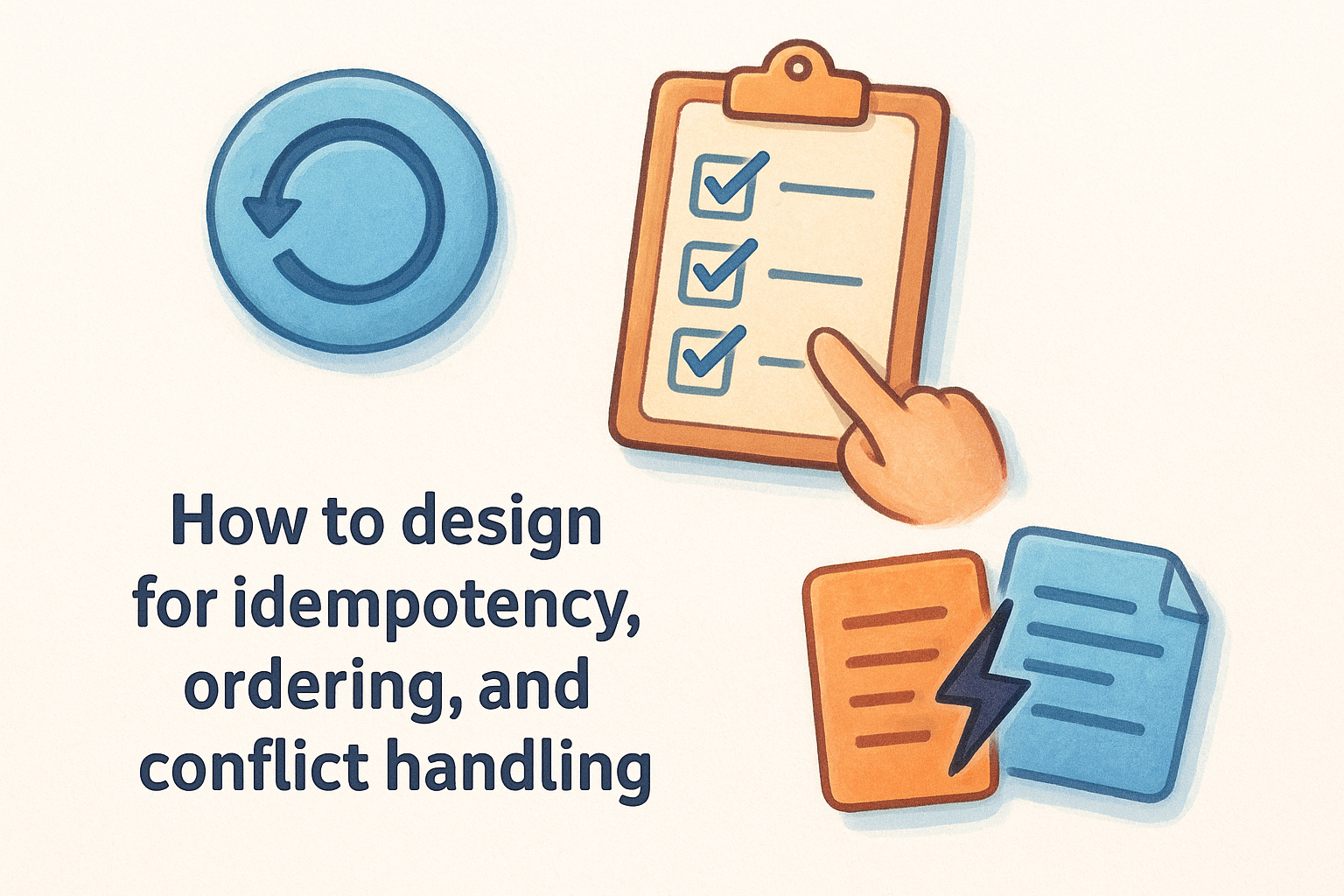
How to design for idempotency, ordering, and conflict handling
Build your sync logic so that running the same operation twice produces the same result. Assign unique identifiers to every write operation so the system recognises a duplicate attempt before it executes. Define conflict resolution rules upfront to specify which system wins when two sources update the same field at the same time.
How to choose real-time vs batch without guessing
Your choice between real-time and batch sync should come from your actual workflow requirements. Real-time suits compliance checks and onboarding triggers where delays create risk. Batch processing works for reporting or consolidation tasks where a short lag has no operational impact.
8. Monitoring and incident response lag behind integration complexity
As your connected stack grows, your ability to see what’s breaking rarely keeps pace. This is one of the saas integration challenges that teams only recognise after a compliance workflow silently fails or a customer reports missing data that should have synced days earlier.
What you miss without proper monitoring
Without dedicated monitoring, you only discover integration failures when someone notices a downstream symptom. By that point, bad data has already spread across connected systems, and tracing it back to the source becomes a slow, manual process that pulls your team away from higher-priority work.
The most expensive integration failures are the ones nobody notices for days.
Why support teams struggle to diagnose integration issues
Support teams typically see the outcome of a failure, not its origin. When a contact record is missing a verification result, the team checks the CRM rather than the integration layer, which means the root cause stays hidden while time-consuming workarounds pile up.
How to set up logging, alerting, and runbooks that work
Configure structured logs that capture each integration event with a timestamp, operation type, and outcome. Pair these with alerting thresholds so your team gets notified when error rates exceed acceptable limits rather than discovering issues through complaints.
What to track to spot breakage before customers do
Focus your monitoring on three signals: sync completion rates, error frequency by integration endpoint, and data validation failures. Reviewing these weekly lets you catch degradation patterns early, well before a broken workflow reaches your clients or triggers a compliance gap.
9. API versioning and poor documentation slow everything down
API versioning is one of the saas integration challenges that sits quietly until a vendor deprecates an endpoint and your entire workflow stops working. Poor documentation compounds this by making it nearly impossible to diagnose what changed, when it changed, and what your team needs to update.
How vendor change breaks working integrations
Vendors update their APIs on their own timelines, and breaking changes don’t always come with adequate notice. Your integration can move from working to broken overnight, particularly when it relies on a specific endpoint version that a vendor has quietly retired.
Why documentation gaps create hidden risk
When API documentation is incomplete or outdated, your team fills the gaps with assumptions, and those assumptions get baked into your integration logic. Over time, this creates a fragile build where nobody is fully confident what the integration actually depends on.
Undocumented dependencies don’t disappear. They surface as failures at the worst possible moment.
How to manage API versions, deprecations, and vendor roadmaps
Subscribe to vendor changelogs and deprecation notices as a standard part of your integration maintenance routine. Keep a version register that maps each connected API to its current version, its expected deprecation date, and the owner responsible for managing the update when that date arrives.
How to reduce dependency on single experts and tribal knowledge
If one person understands how an integration was built, your business carries significant operational risk. Document your integration logic in a shared location that covers field mappings, authentication setup, and known failure patterns so any team member can diagnose and resolve issues without waiting on a single expert.
Where to go from here
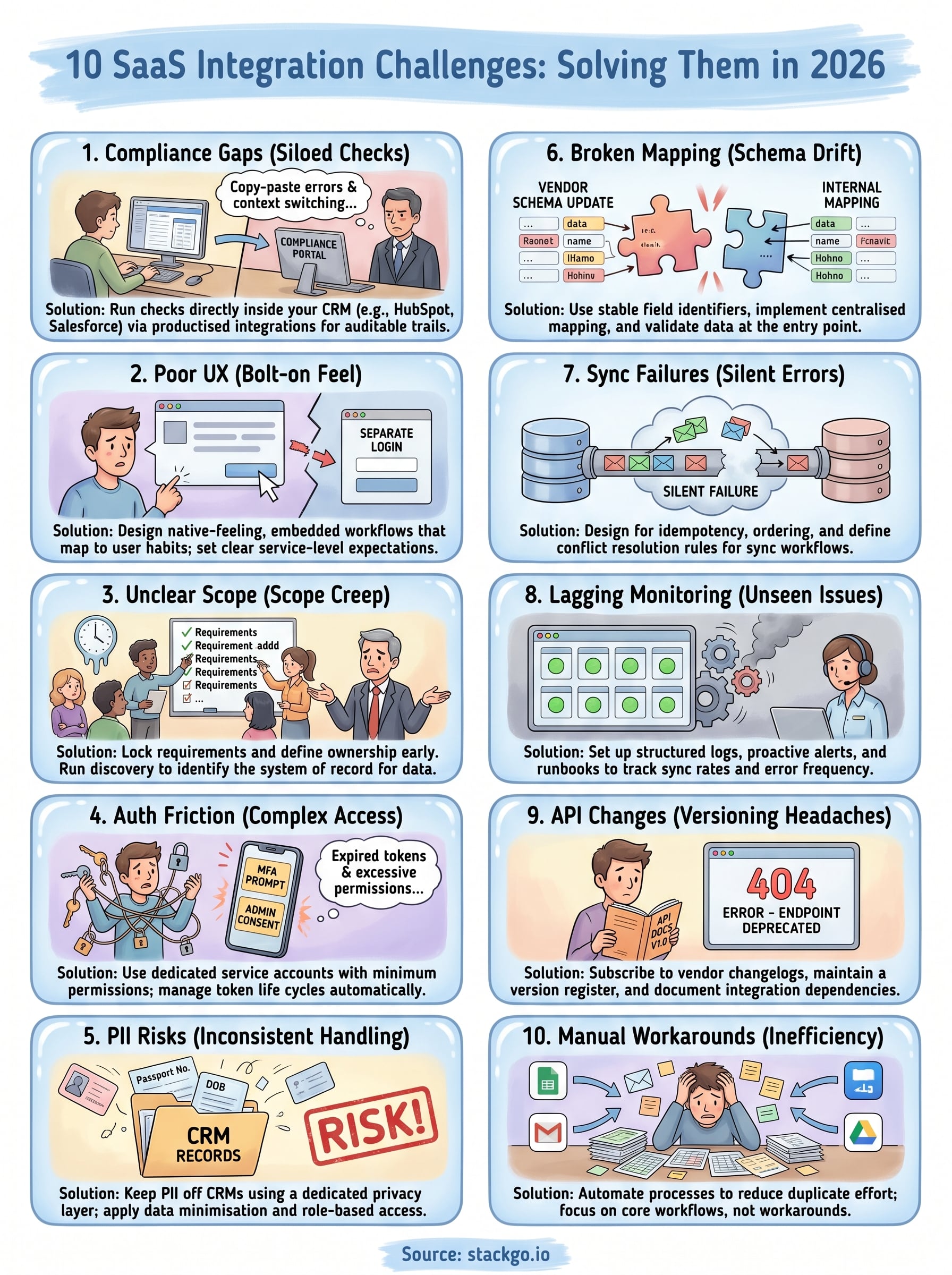
The ten saas integration challenges covered in this article share a common thread: they each become significantly harder to fix after the fact than before. Whether you’re dealing with broken sync logic, poor PII handling, or compliance workflows that sit outside your core stack, the cost of fixing these problems compounds the longer they go unaddressed.
Your immediate next step is to audit the integrations your team relies on most and identify which of these challenges are already present. Regulated businesses in accounting, financial services, and professional services face the highest risk when compliance checks sit outside their existing software stack, because every manual step between systems creates an opportunity for error or a gap an auditor will notice.
If identity verification and KYC currently sit outside your workflow, StackGo’s IdentityCheck runs compliance checks directly inside your CRM without mishandling PII. See how IdentityCheck handles AUSTRAC Tranche 2 AML/CTF obligations or create a free account to test it against your current setup.


